Skip to content

FundingPrivate beta

Run your fundraise in one place: investors, pipeline and deck

Describe your round once. GrowPython ranks investors for it by plain rules and writes out every reason, keeps each investor on a board from Added to Term sheet, and shares your deck by private links you can switch off. Nothing is sent for you. The suite is in private beta and opens by invitation.

Made forFounders raising a round

What it does

Your round, the investors who fit it, and where each one stands.

  1. One page for the round

    Raise home shows the next step, how many investors are in the pipeline, contacted, replied, in meetings and at a term sheet, the views on your deck and your matches by tier. A setup list is ticked from what you have saved.
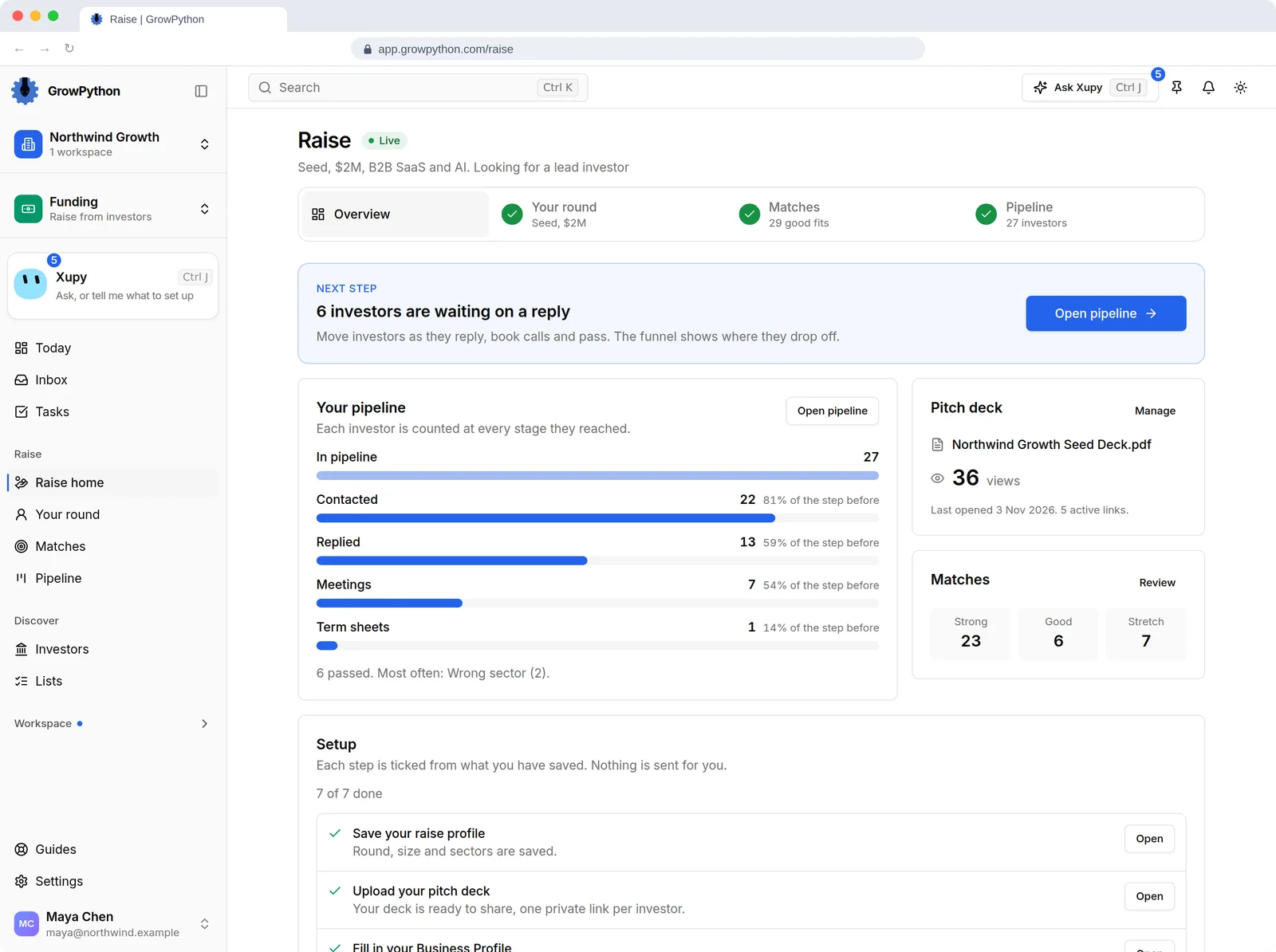
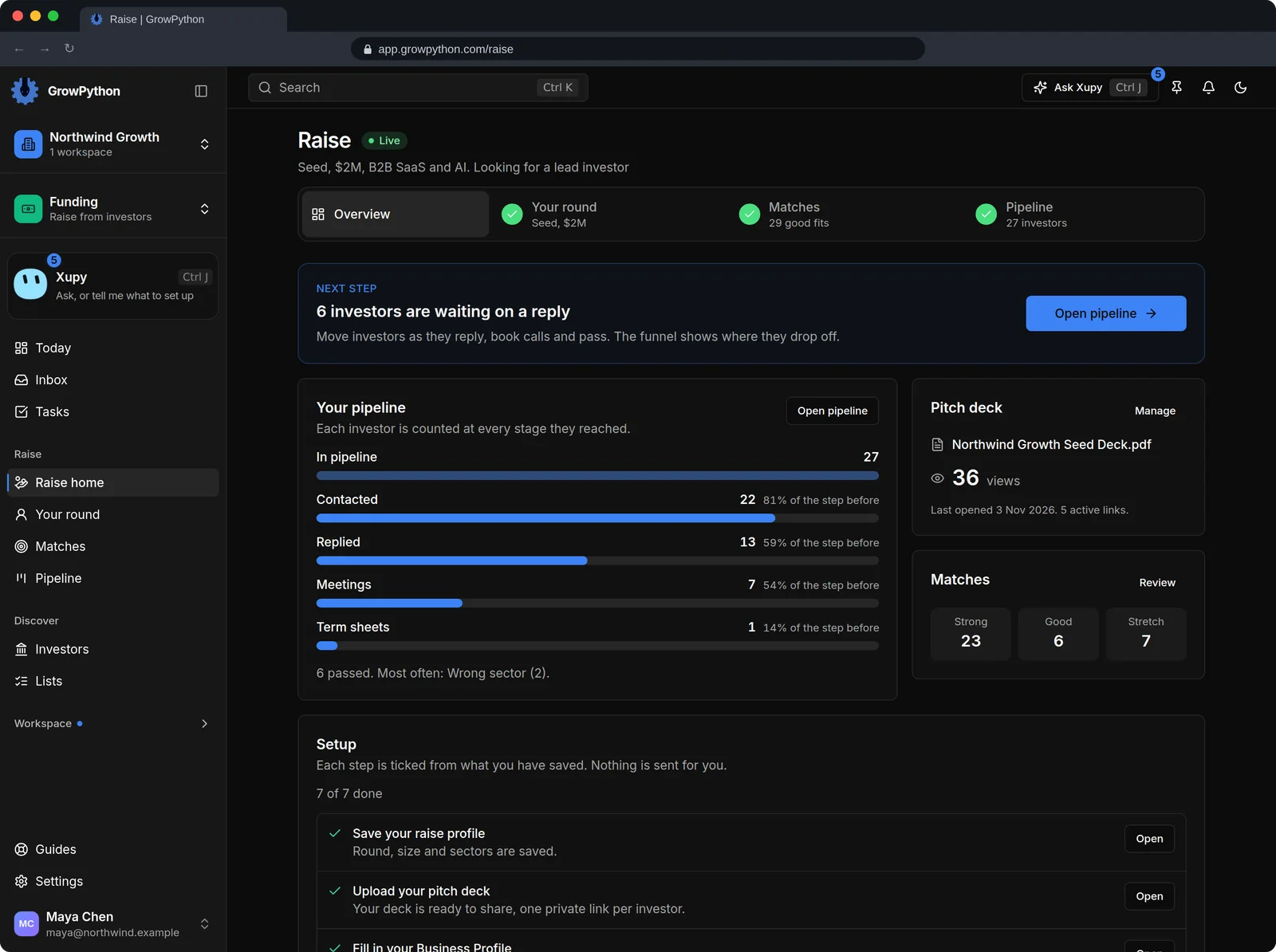
    The Raise home of a demo seed round of $2M, with a next step card saying 6 investors are waiting on a reply. The pipeline counts 27 investors, 22 contacted, 13 replied, 7 meetings and 1 term sheet, next to a pitch deck with 36 views and match counts of 23 strong, 6 good and 7 stretch. A setup list shows 7 of 7 steps done and says nothing is sent for you.The Raise home of a demo seed round of $2M, with a next step card saying 6 investors are waiting on a reply. The pipeline counts 27 investors, 22 contacted, 13 replied, 7 meetings and 1 term sheet, next to a pitch deck with 36 views and match counts of 23 strong, 6 good and 7 stretch. A setup list shows 7 of 7 steps done and says nothing is sent for you. Shown in the dark theme.
  2. Matches with the reasons written out

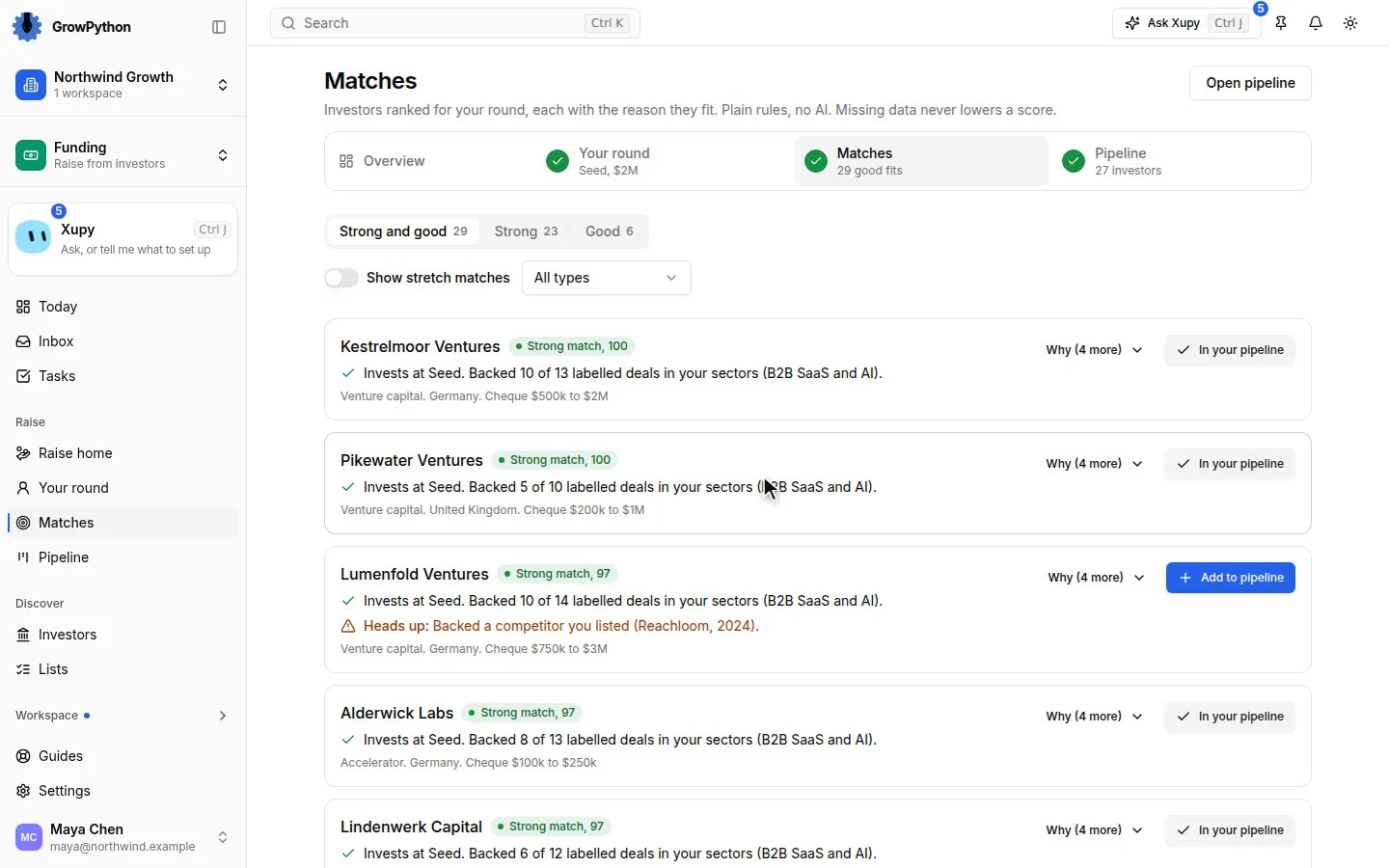
    Investors are ranked for your round on six signals: stage, sector, cheque size, geography, recent deals and whether the fund takes cold outreach. These are plain rules, not AI. A signal with no data is left out, so missing data never lowers a score.
  3. A heads up before you write

    A match carries a Heads up when that fund backed a competitor you listed. Matches are Strong, Good or Stretch, and stretch matches stay hidden until you ask for them.
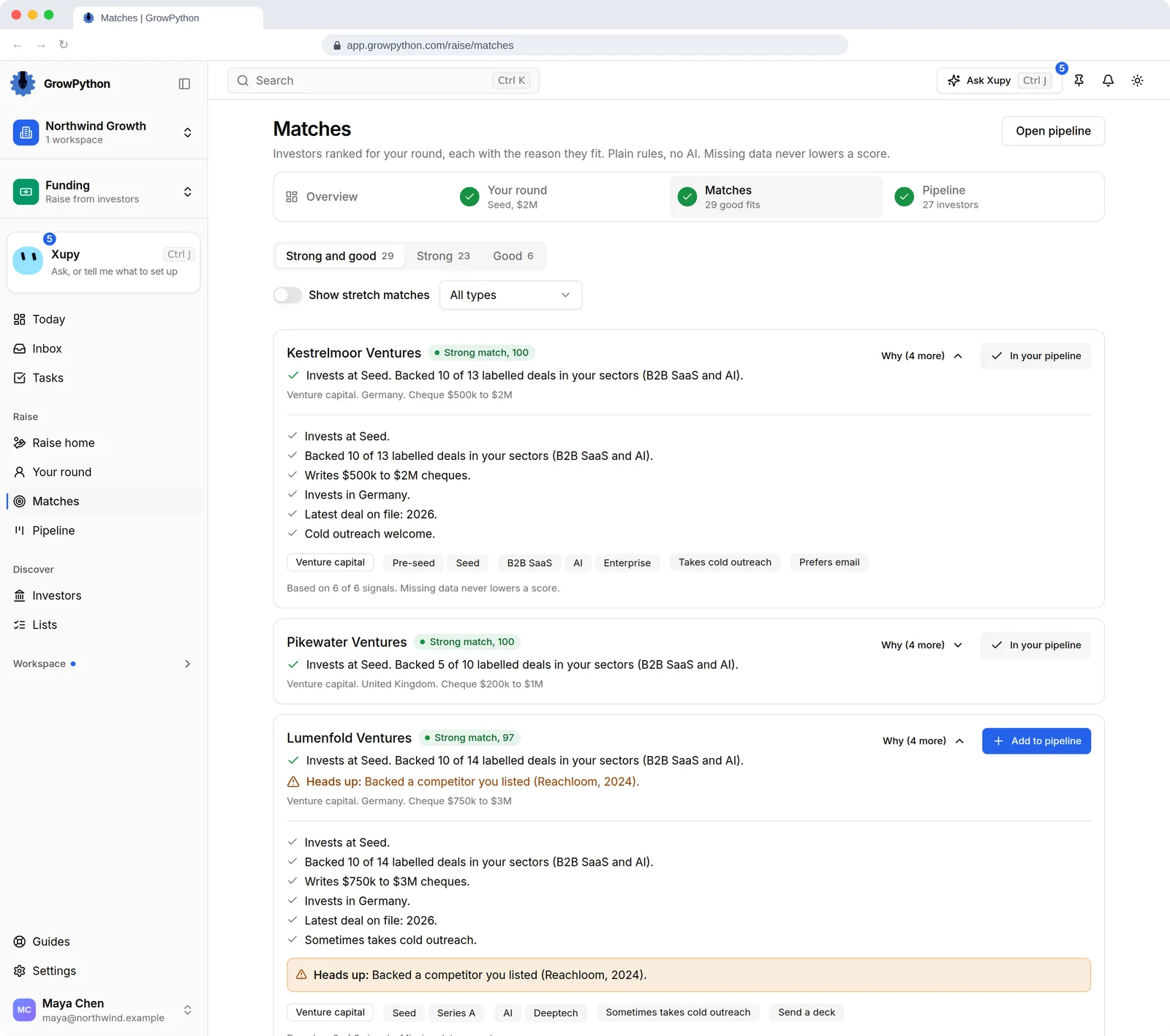
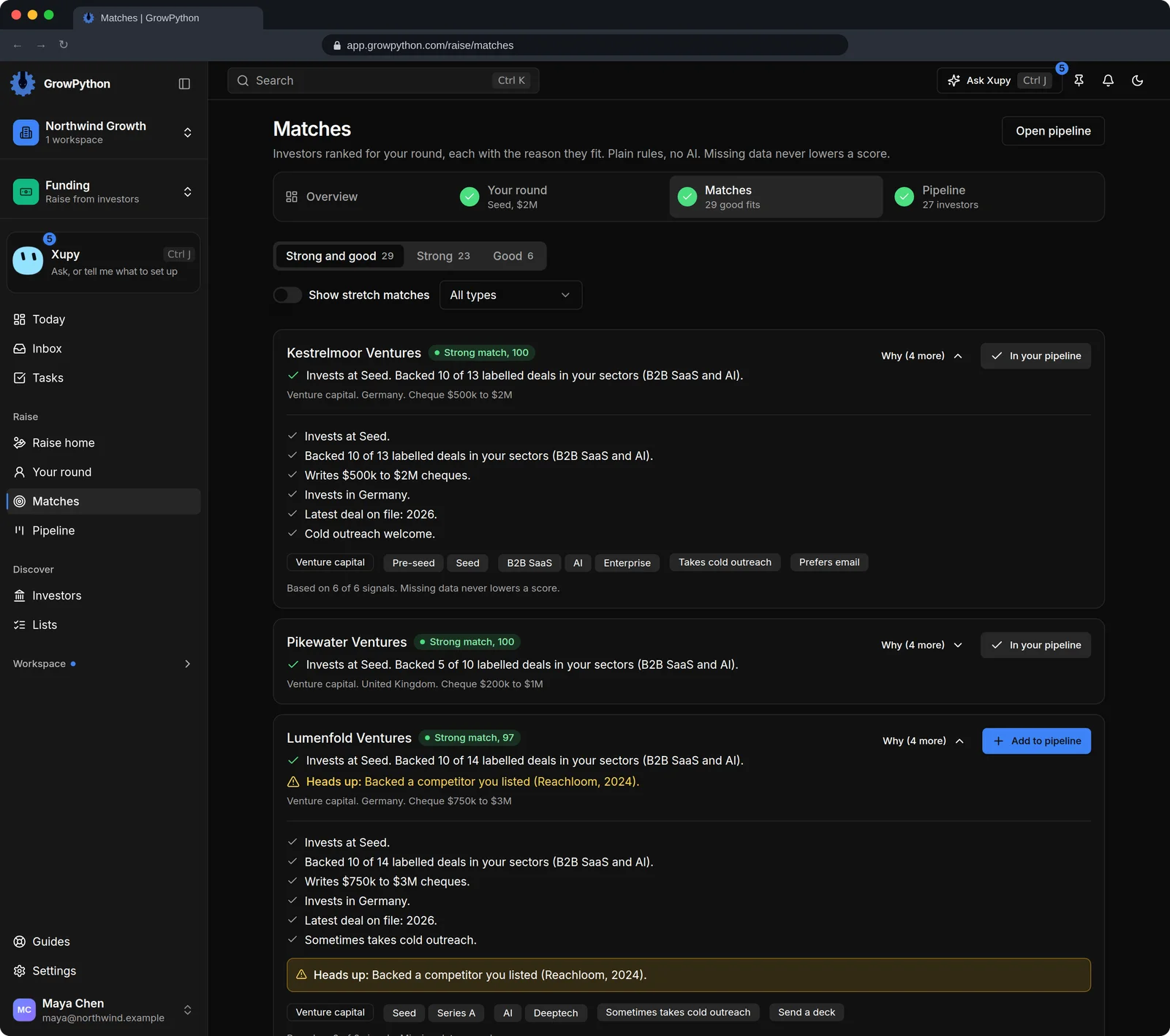
    The Matches page with tabs for 29 strong and good matches, 23 strong and 6 good, under a line saying plain rules, no AI, and that missing data never lowers a score. Two invented funds are expanded to show why they match: the stage, the share of labelled deals in the same sectors, the cheque size, the country, the latest deal on file and whether cold outreach is welcome. One of them carries a heads up that it backed a listed competitor.The Matches page with tabs for 29 strong and good matches, 23 strong and 6 good, under a line saying plain rules, no AI, and that missing data never lowers a score. Two invented funds are expanded to show why they match: the stage, the share of labelled deals in the same sectors, the cheque size, the country, the latest deal on file and whether cold outreach is welcome. One of them carries a heads up that it backed a listed competitor. Shown in the dark theme.
  4. A pipeline you move yourself

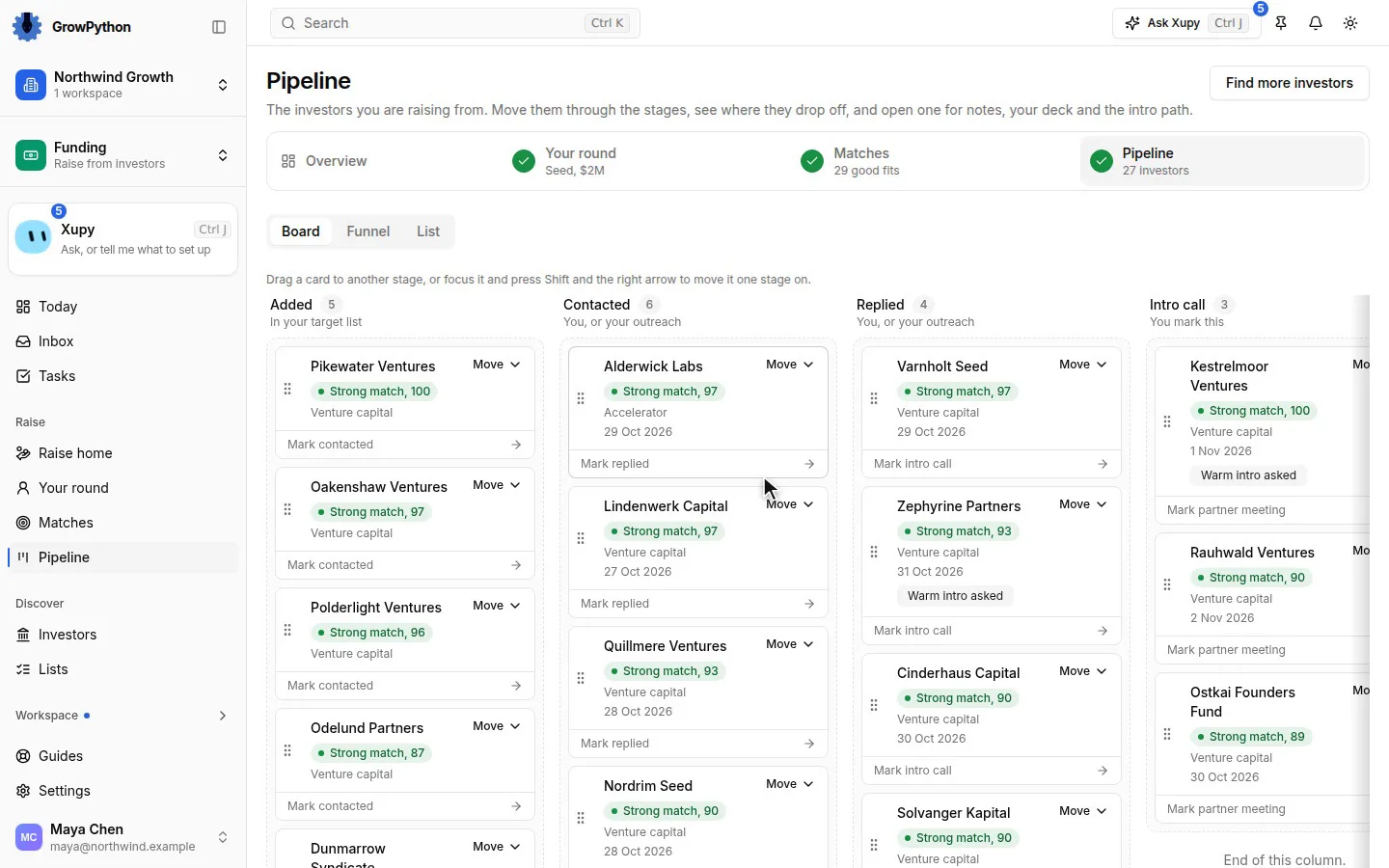
    Every investor sits on a board with seven stages: Added, Contacted, Replied, Intro call, Partner meeting, Term sheet and Passed. Drag a card, use its Move menu or press the button for the next stage.
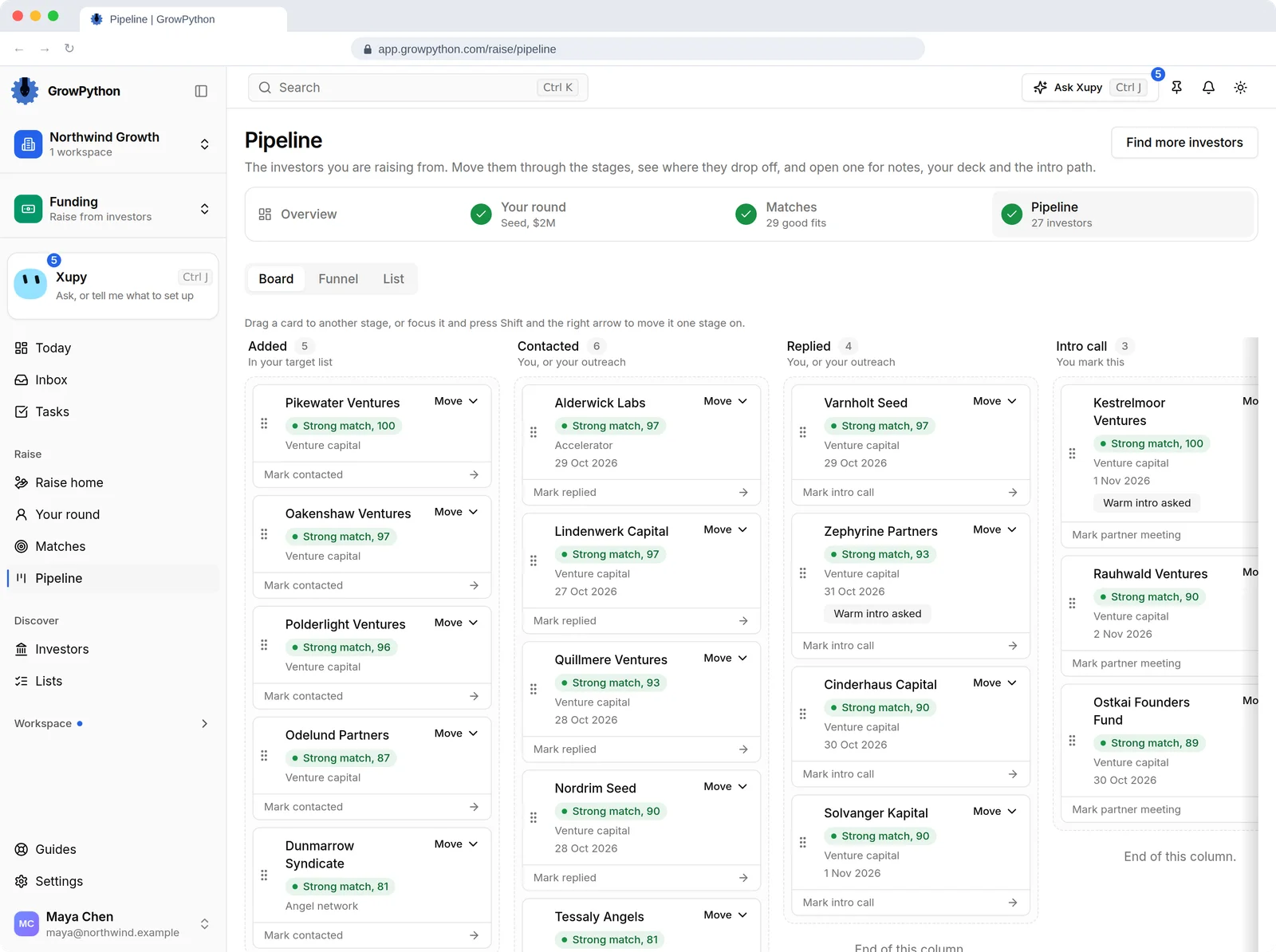
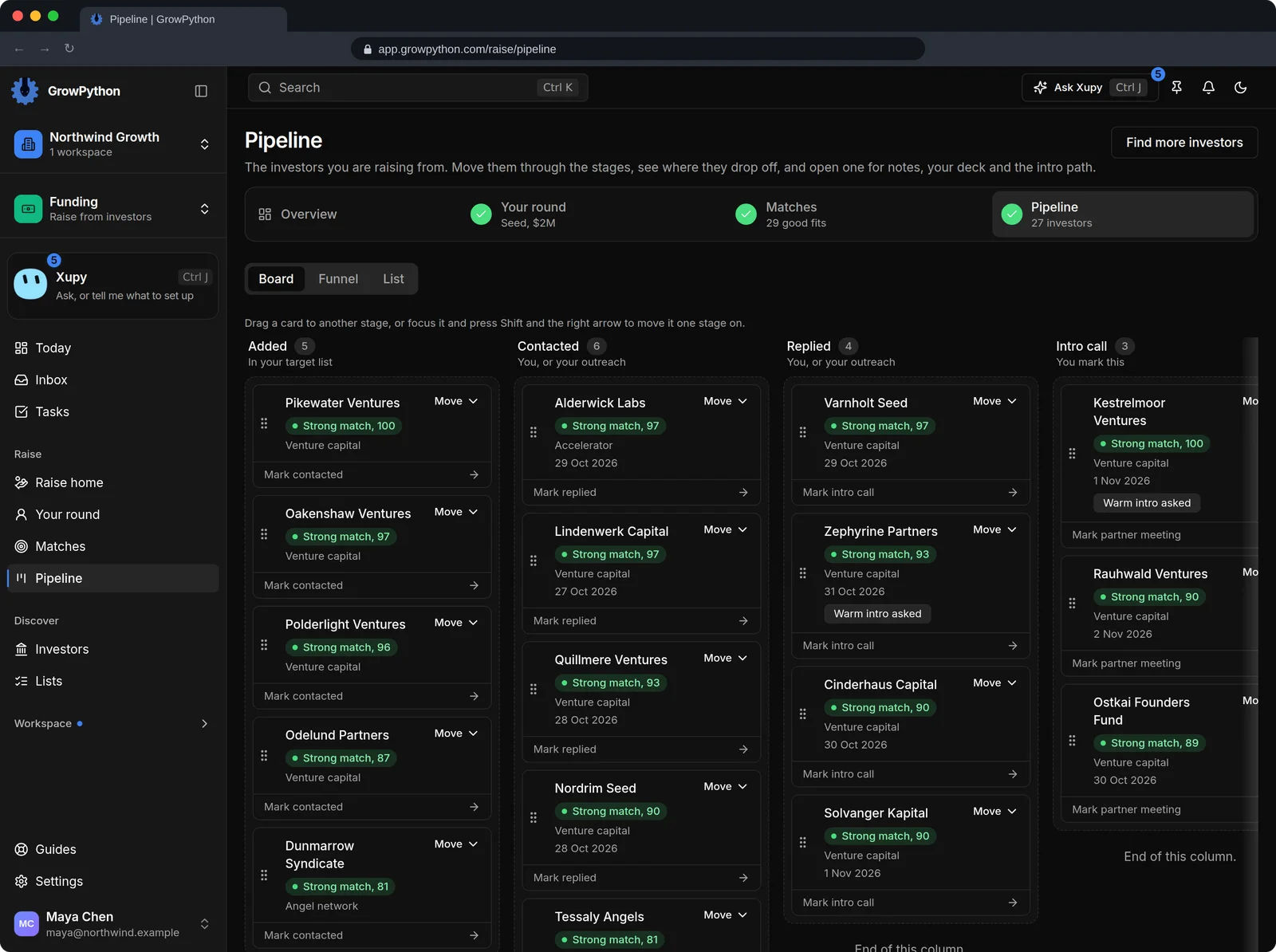
    The Pipeline board with 27 invented investors. Columns for Added, Contacted, Replied and Intro call hold cards with the fund name, the match score, the type of investor, a date and sometimes a Warm intro asked badge. Each card has a Move menu and a button for the next stage such as Mark contacted or Mark replied, and more columns continue to the right.The Pipeline board with 27 invented investors. Columns for Added, Contacted, Replied and Intro call hold cards with the fund name, the match score, the type of investor, a date and sometimes a Warm intro asked badge. Each card has a Move menu and a button for the next stage such as Mark contacted or Mark replied, and more columns continue to the right. Shown in the dark theme.
  5. One investor, one panel

    Open an investor to set the stage, mark that a warm intro was asked for, keep notes and make an email draft or a LinkedIn draft that carries that investor's own deck link. The draft is text you read, change, copy and send yourself.
  6. The shortest introduction

    An intro path shows the nearest way to a person at a fund: a direct connection, a colleague at the fund you know, or a founder the fund backed. It is worked out from the LinkedIn connections you already imported.
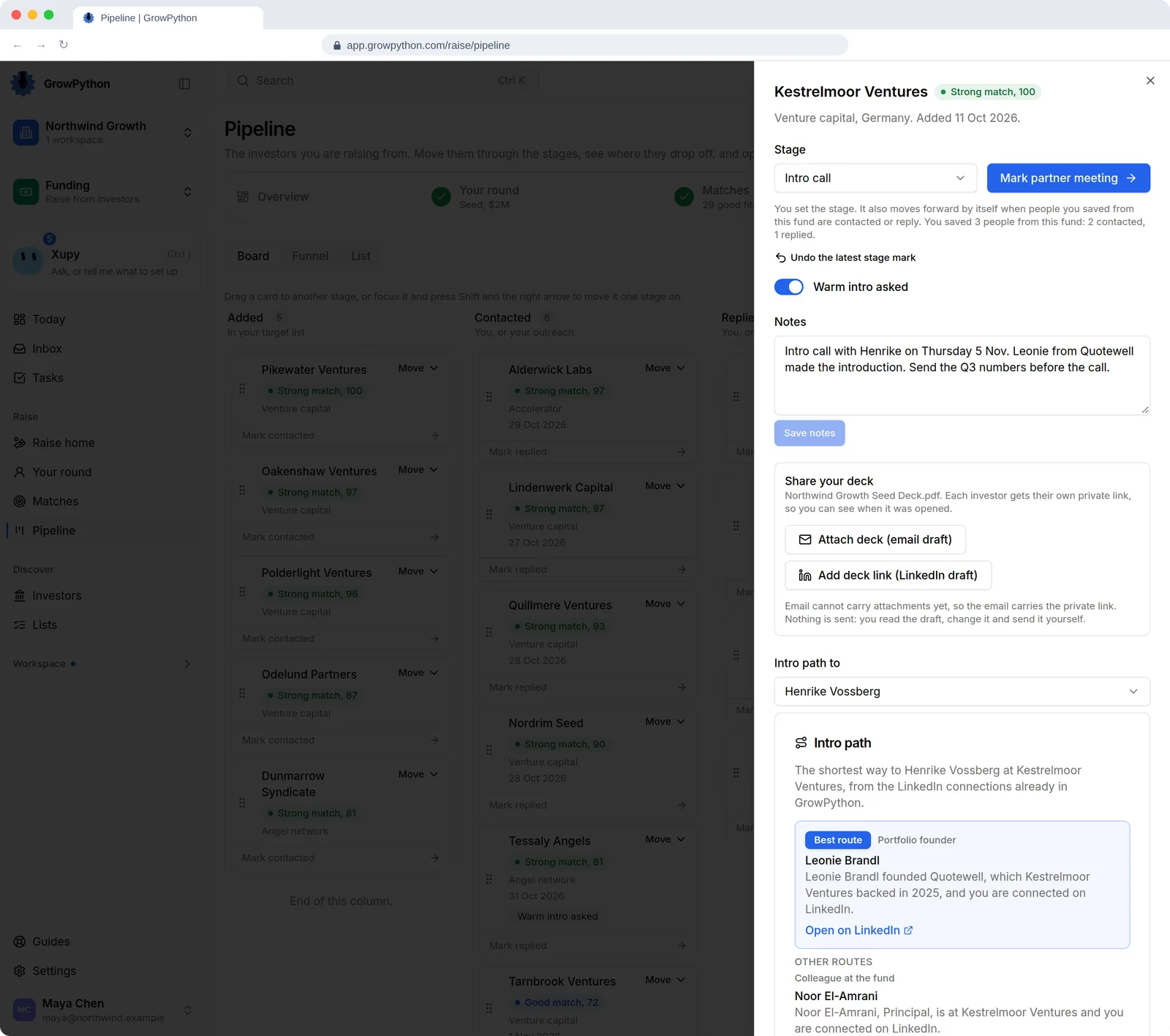
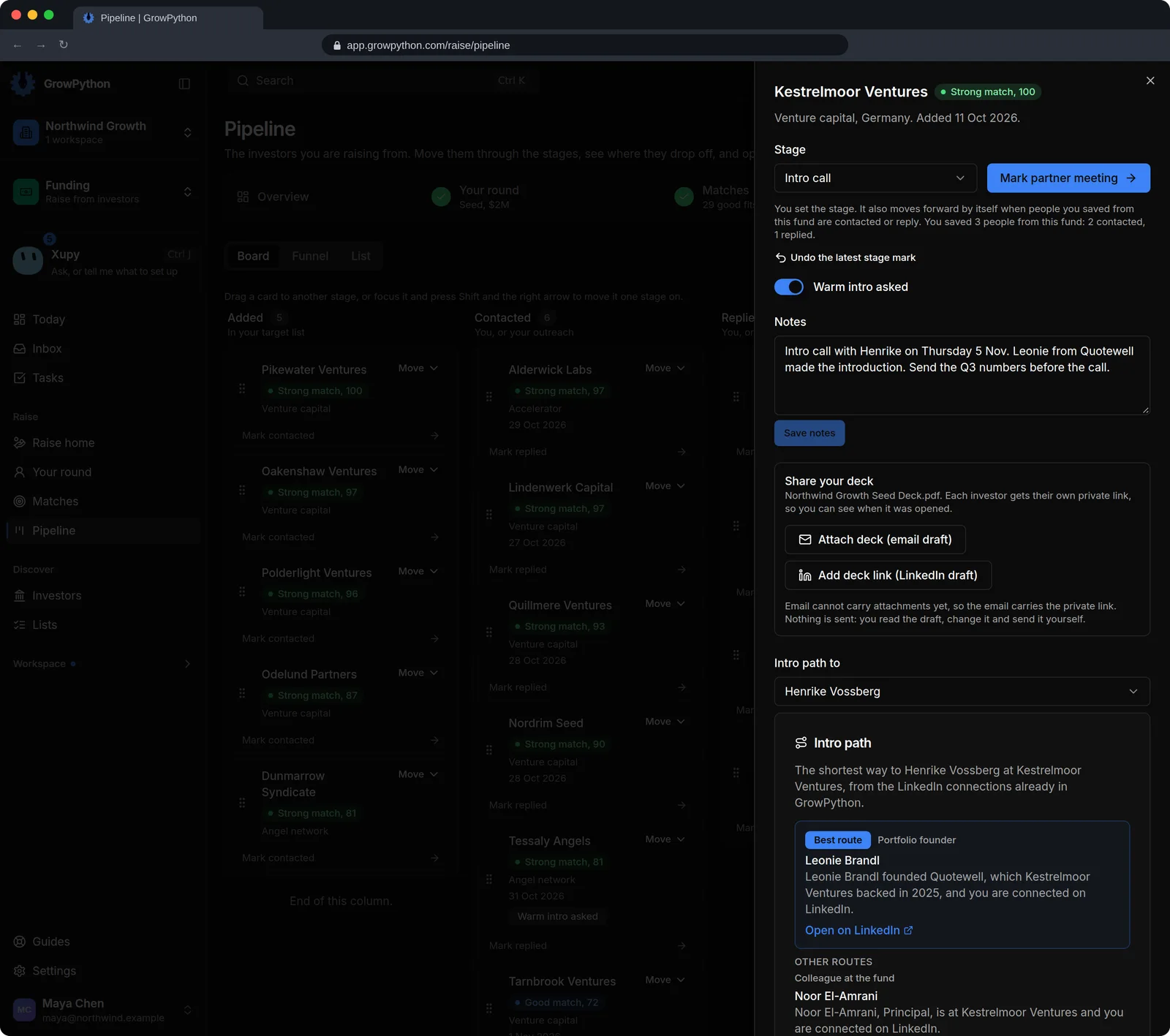
    One investor opened in a side panel over the pipeline board: an invented venture fund at the Intro call stage. The panel has a stage menu with a Mark partner meeting button, a Warm intro asked switch, a notes box, and a Share your deck card with buttons for an email draft and a LinkedIn draft and the line that nothing is sent. Below, an intro path names a portfolio founder as the best route to the managing partner and a colleague at the fund as another route.One investor opened in a side panel over the pipeline board: an invented venture fund at the Intro call stage. The panel has a stage menu with a Mark partner meeting button, a Warm intro asked switch, a notes box, and a Share your deck card with buttons for an email draft and a LinkedIn draft and the line that nothing is sent. Below, an intro path names a portfolio founder as the best route to the managing partner and a colleague at the fund as another route. Shown in the dark theme.
  7. One deck, a private link per investor

    Upload one deck as a PDF or PowerPoint file of up to 20 MB and share it by private links. Name a link after the investor it is for, see how many times it was opened and when, and revoke it whenever you like.
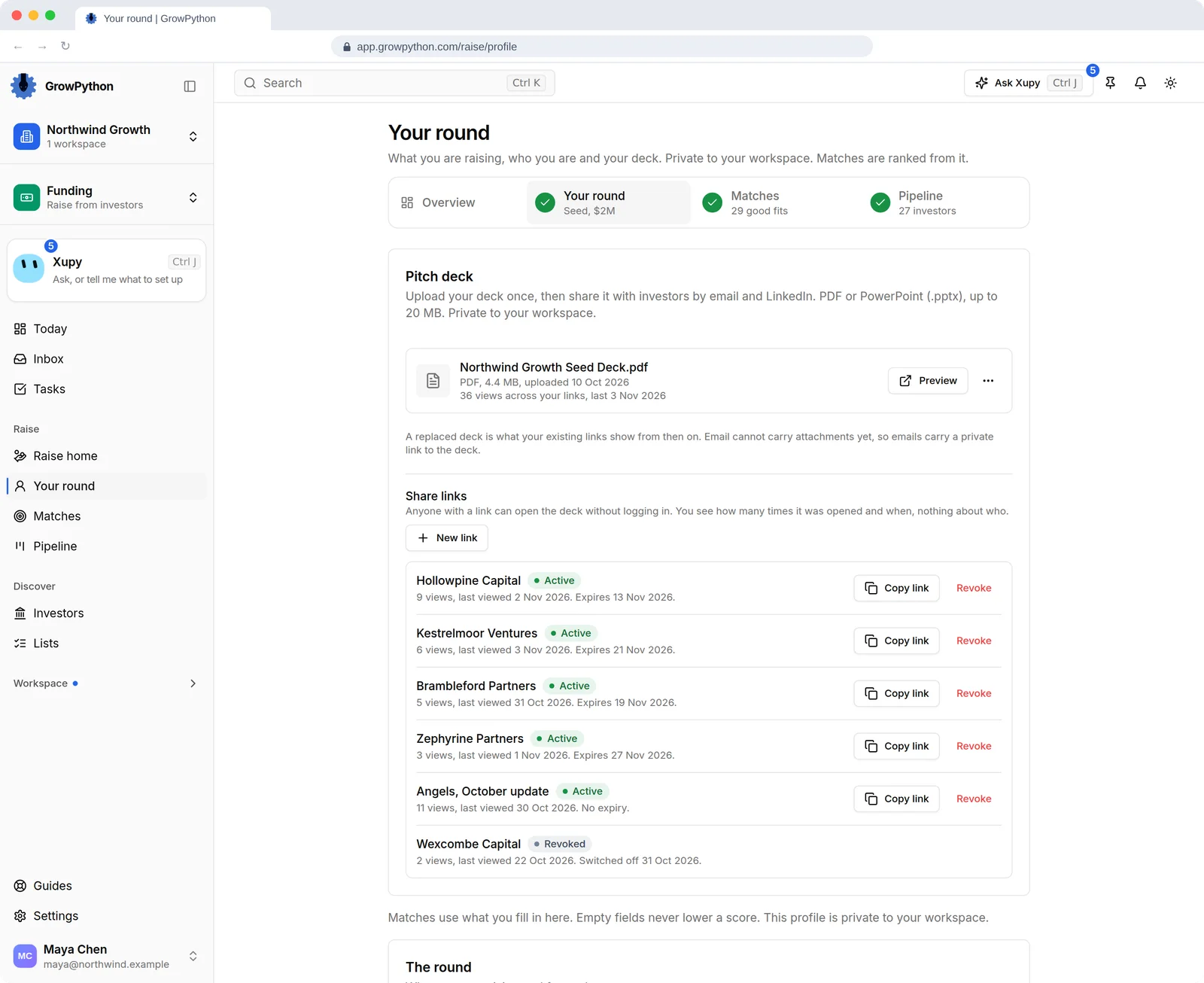
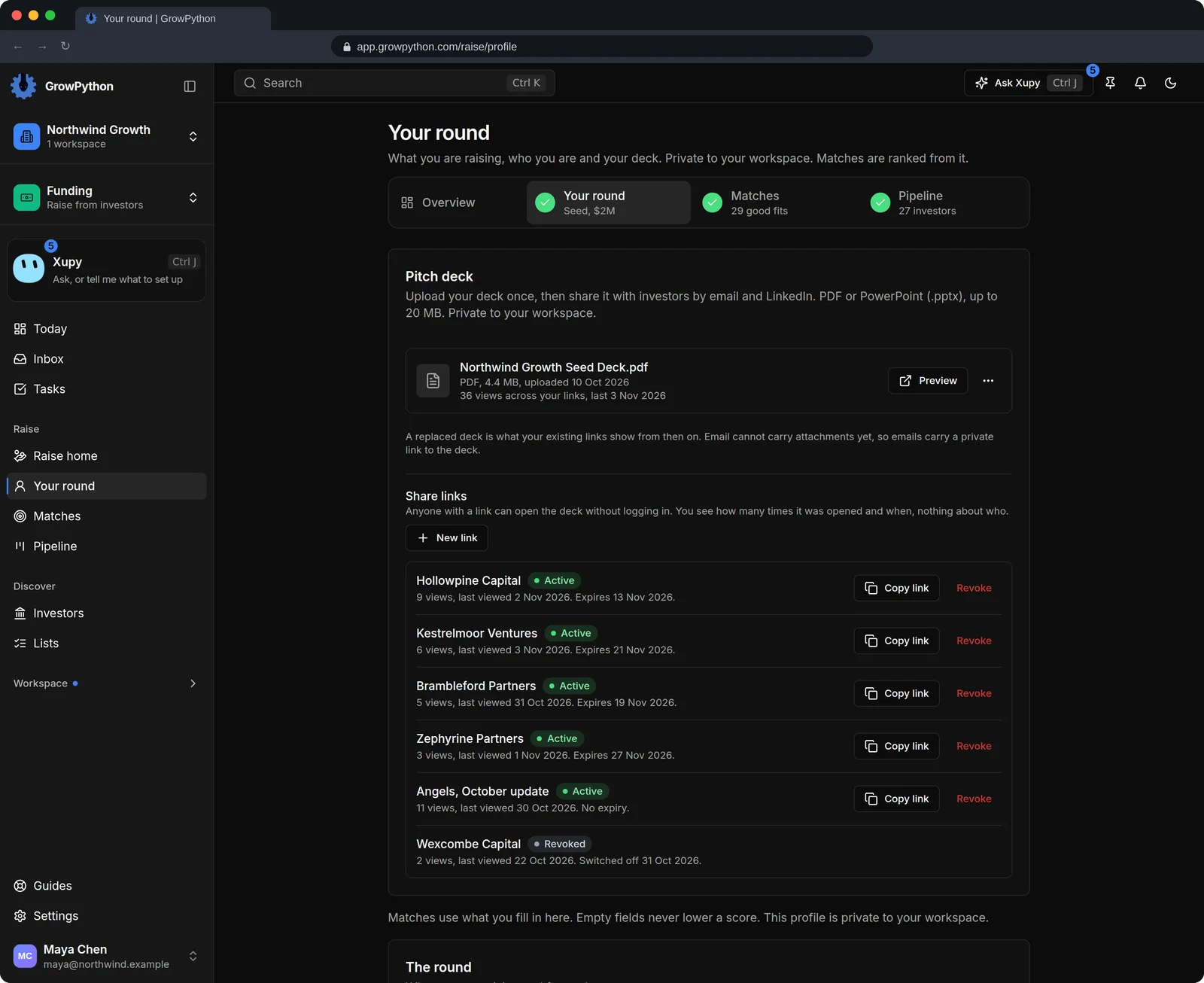
    The Your round page with the pitch deck card: one PDF deck of 4.4 MB with 36 views across its links. Five active share links are each named after an invented investor, with a view count, the last viewed date, an expiry date, and Copy link and Revoke buttons, plus one revoked link. A line says anyone with a link can open the deck without logging in, and that you see how many times it was opened and when, nothing about who.The Your round page with the pitch deck card: one PDF deck of 4.4 MB with 36 views across its links. Five active share links are each named after an invented investor, with a view count, the last viewed date, an expiry date, and Copy link and Revoke buttons, plus one revoked link. A line says anyone with a link can open the deck without logging in, and that you see how many times it was opened and when, nothing about who. Shown in the dark theme.
  8. See where investors drop off

    The funnel view counts who was contacted, replied, met, reached a term sheet and passed, split by match tier, by type of investor, by cold or warm, and by the reason you picked when an investor passed.
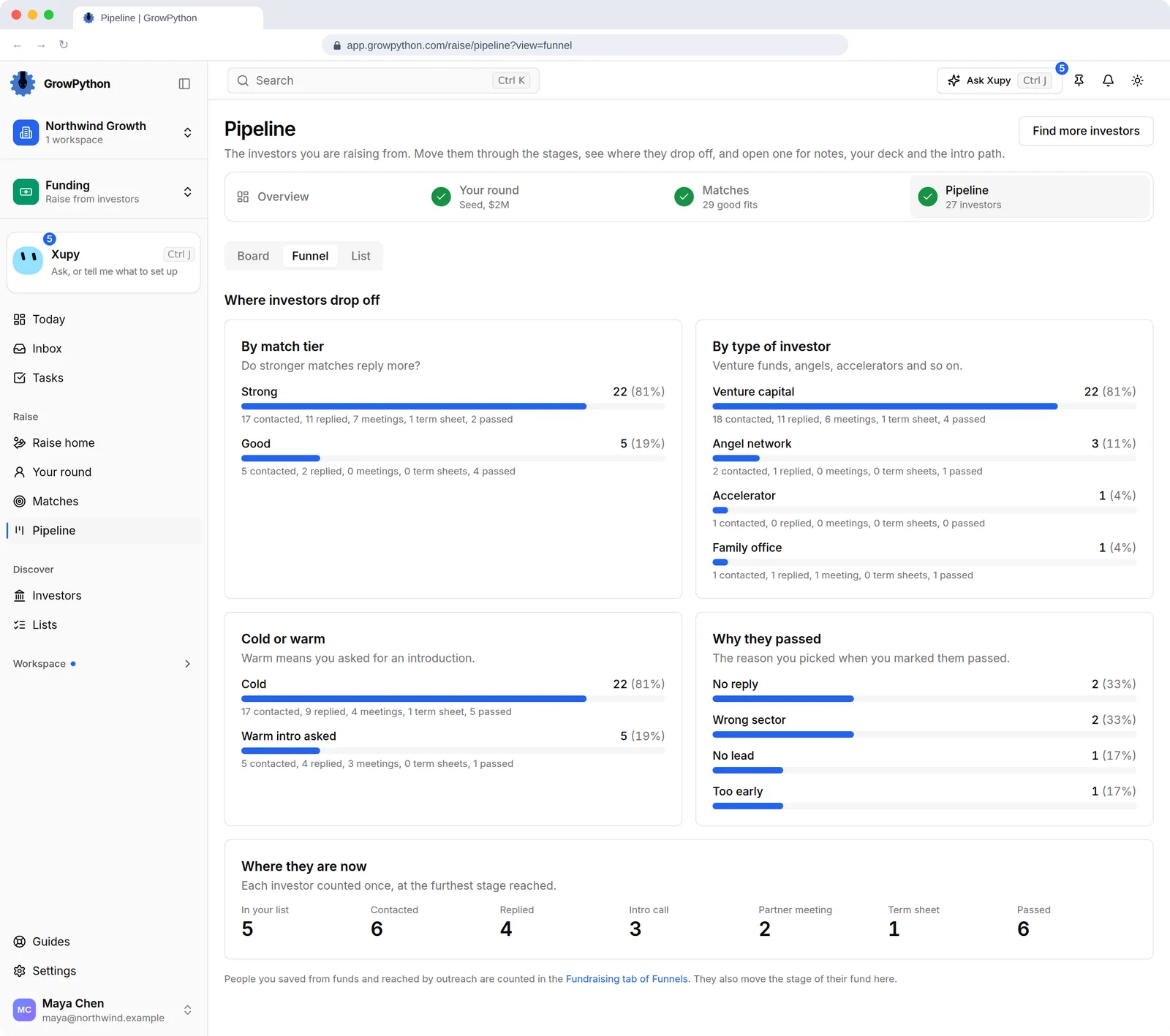
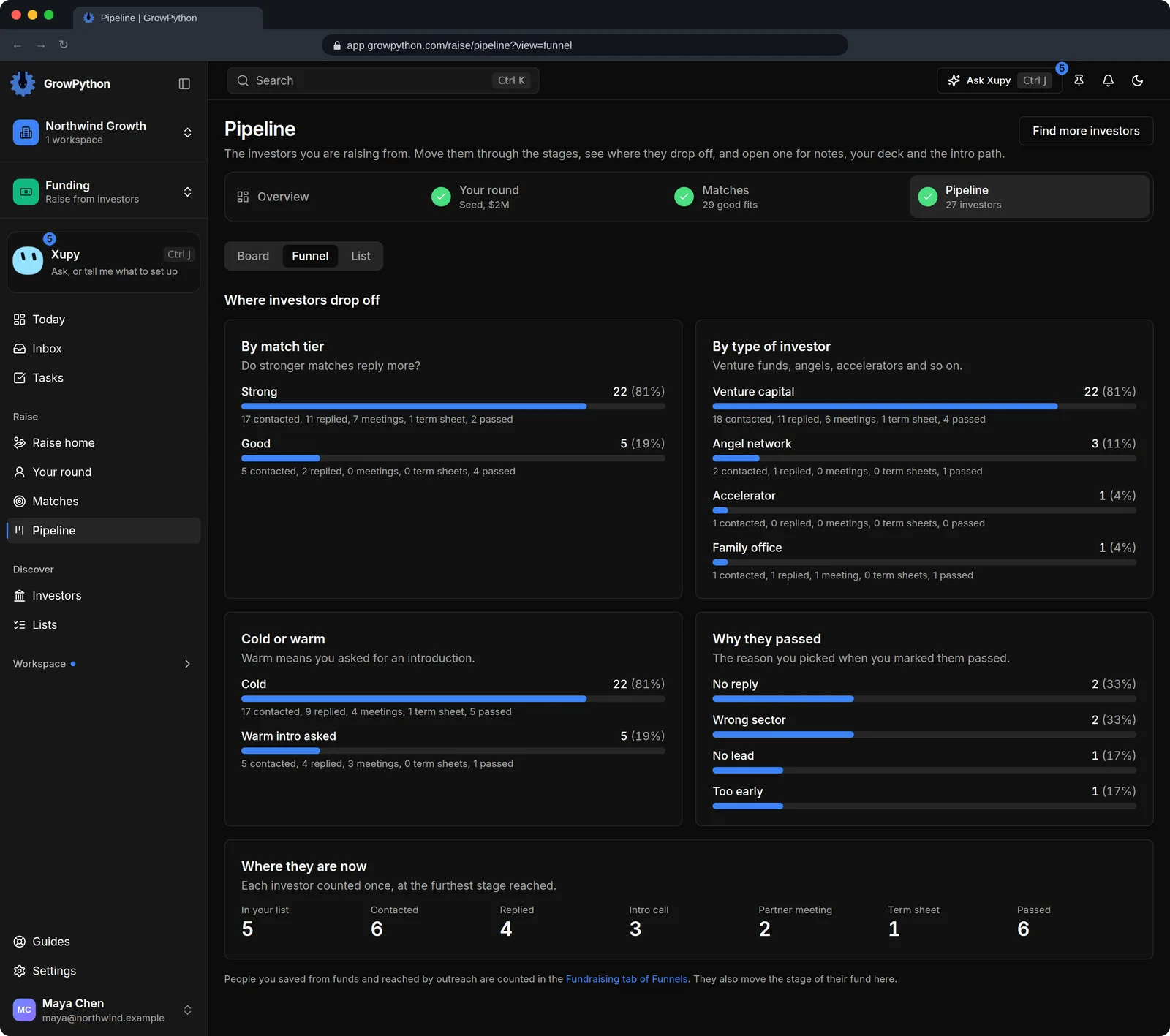
    The Funnel view of the pipeline, titled Where investors drop off. Four cards split the 27 investors by match tier, by type of investor, by cold or warm, and by the reason picked when an investor was marked passed, each row with how many were contacted, replied, met, reached a term sheet and passed. A last row counts each investor once at the furthest stage reached.The Funnel view of the pipeline, titled Where investors drop off. Four cards split the 27 investors by match tier, by type of investor, by cold or warm, and by the reason picked when an investor was marked passed, each row with how many were contacted, replied, met, reached a term sheet and passed. A last row counts each investor once at the furthest stage reached. Shown in the dark theme.
  9. An investor directory you can filter

    Search funds by name, city or person, and filter by stage, sector, type, cheque size and city, with switches for Actively investing, Takes cold outreach and Has contact email. Save the funds you tick as a list.
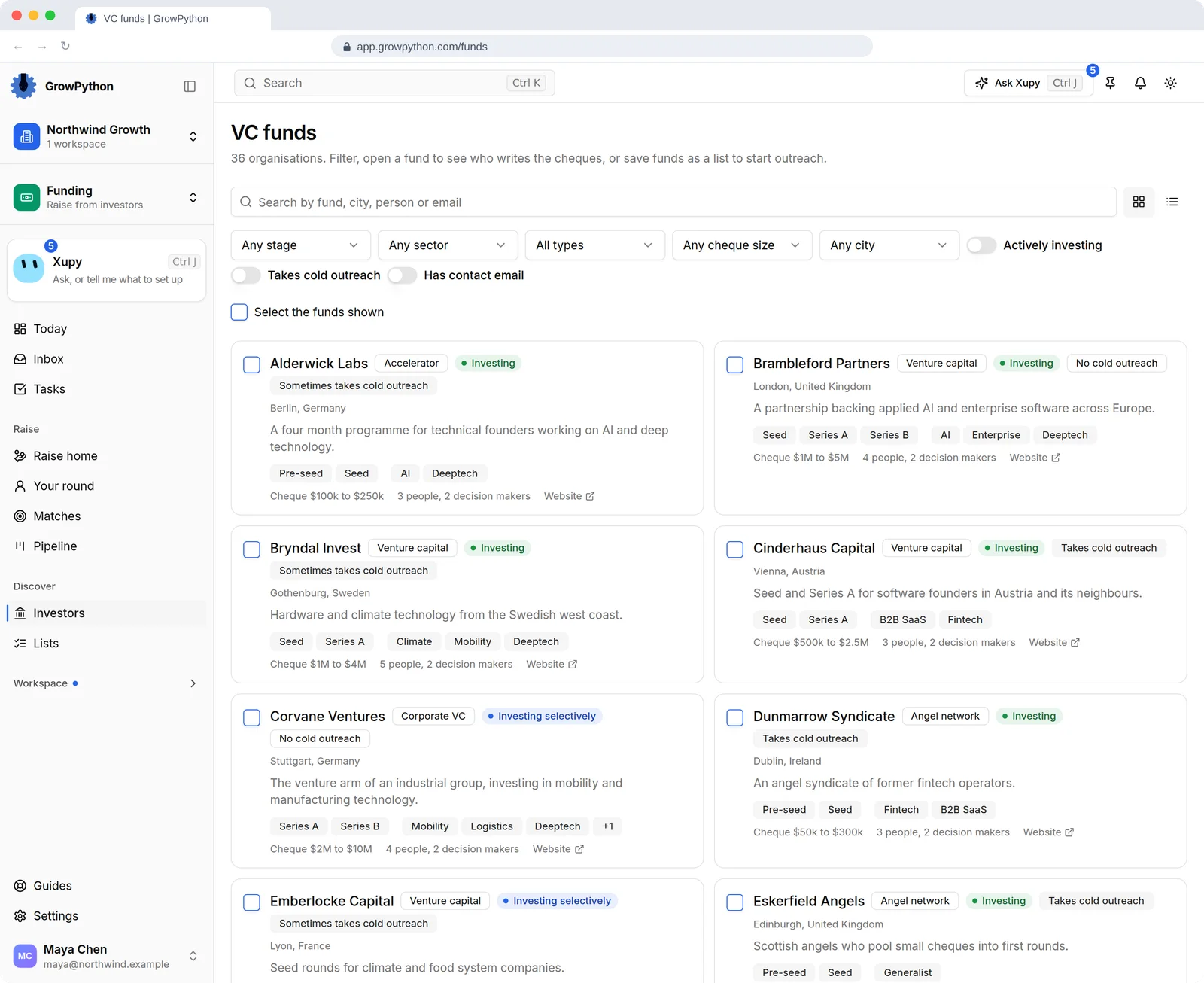
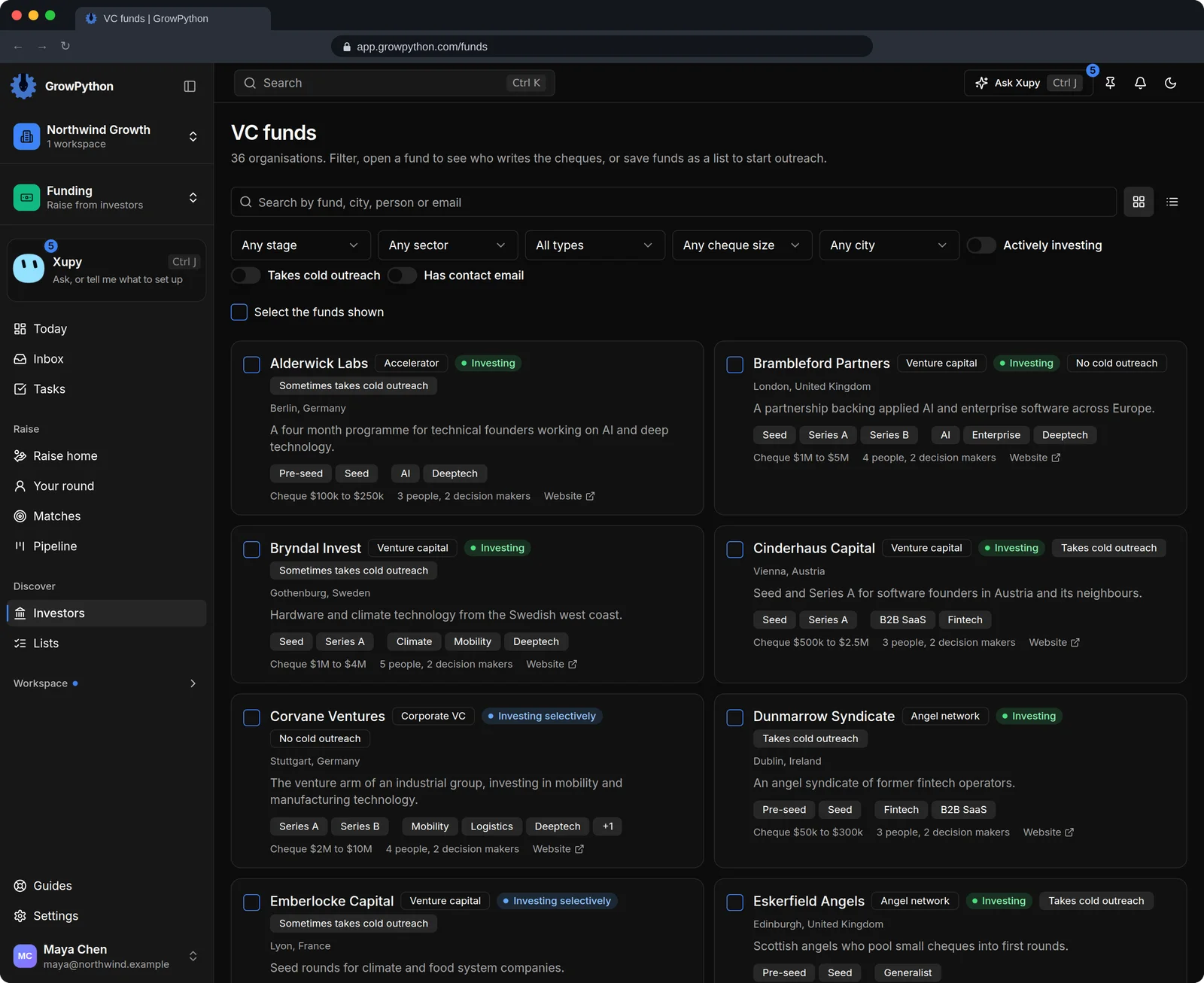
    The investor directory, titled VC funds, with a search box and filters for stage, sector, type, cheque size and city, and switches for Actively investing, Takes cold outreach and Has contact email. Cards for invented funds show the type, an investing status, whether cold outreach is taken, the city, a one line description, stages and sectors, a cheque range, and how many people and decision makers are on file. A checkbox on each card selects funds to save as a list.The investor directory, titled VC funds, with a search box and filters for stage, sector, type, cheque size and city, and switches for Actively investing, Takes cold outreach and Has contact email. Cards for invented funds show the type, an investing status, whether cold outreach is taken, the city, a one line description, stages and sectors, a cheque range, and how many people and decision makers are on file. A checkbox on each card selects funds to save as a list. Shown in the dark theme.
  10. What a fund says, next to what it backs

    A fund's profile shows its thesis in its own words, a contact address and the people on file with the decision makers marked. The Portfolio tab sets the deals on file, by sector, stage and year, next to that thesis.
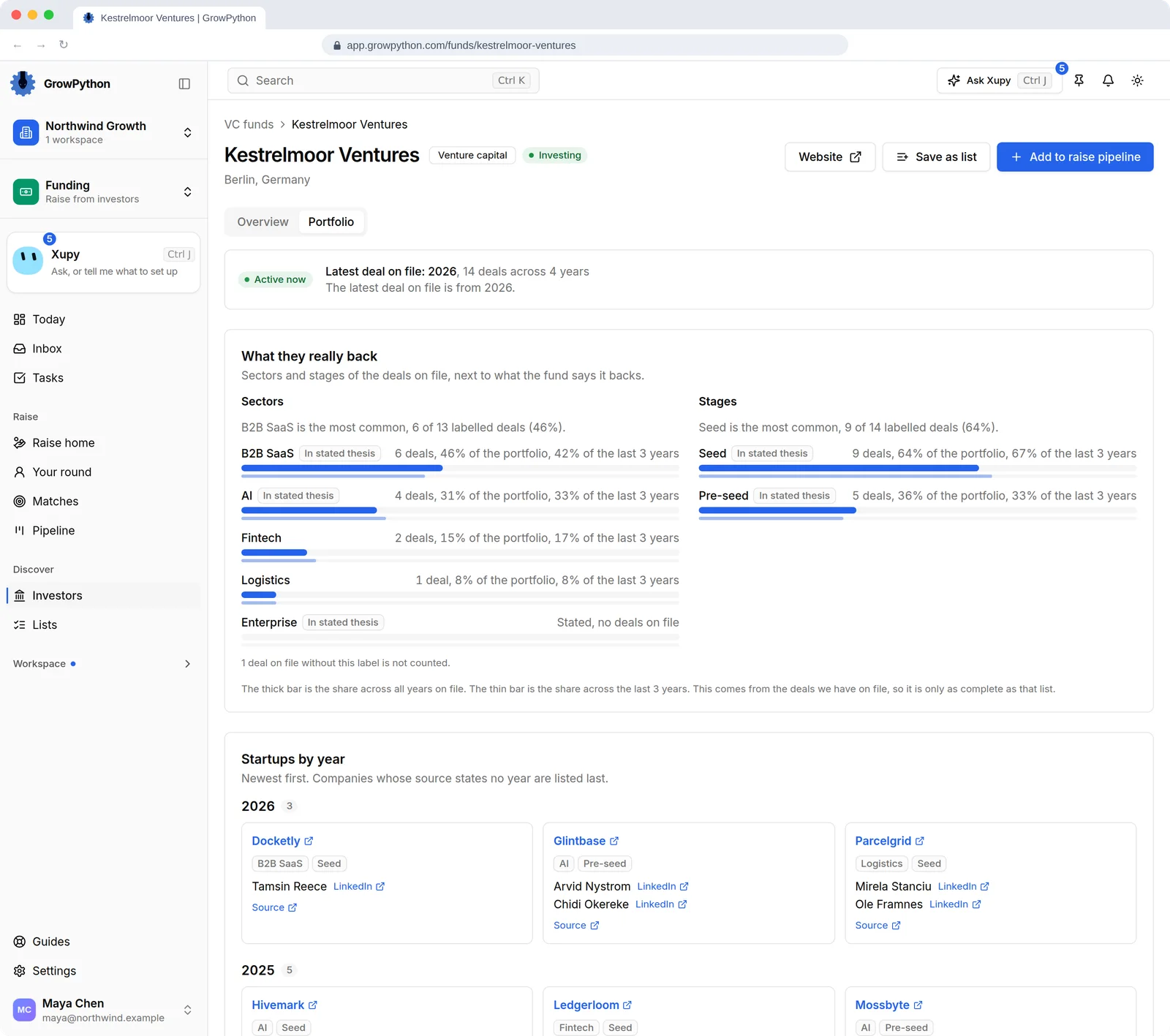
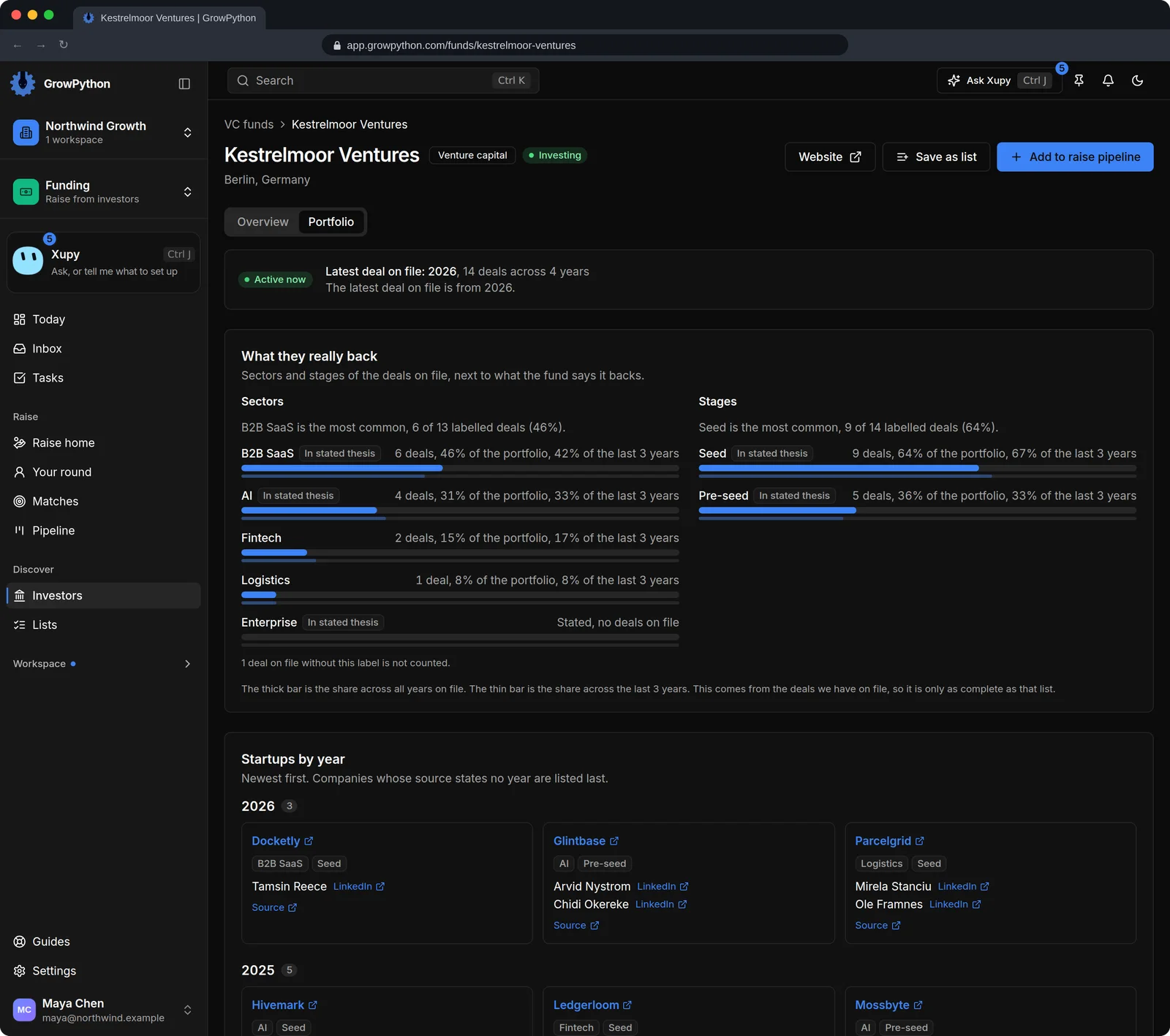
    The Portfolio tab of an invented fund, marked Active now with 14 deals across 4 years on file. What they really back sets the sectors and stages of those deals next to the fund's stated thesis: B2B SaaS is the most common sector with 6 of 13 labelled deals, and one stated sector has no deals on file. Startups by year lists the companies newest first with their sector, stage, founders and a source link, with a note that the picture is only as complete as the list of deals on file.The Portfolio tab of an invented fund, marked Active now with 14 deals across 4 years on file. What they really back sets the sectors and stages of those deals next to the fund's stated thesis: B2B SaaS is the most common sector with 6 of 13 labelled deals, and one stated sector has no deals on file. Startups by year lists the companies newest first with their sector, stage, founders and a source link, with a note that the picture is only as complete as the list of deals on file. Shown in the dark theme.
The Raise home of a demo seed round of $2M, with a next step card saying 6 investors are waiting on a reply. The pipeline counts 27 investors, 22 contacted, 13 replied, 7 meetings and 1 term sheet, next to a pitch deck with 36 views and match counts of 23 strong, 6 good and 7 stretch. A setup list shows 7 of 7 steps done and says nothing is sent for you.The Raise home of a demo seed round of $2M, with a next step card saying 6 investors are waiting on a reply. The pipeline counts 27 investors, 22 contacted, 13 replied, 7 meetings and 1 term sheet, next to a pitch deck with 36 views and match counts of 23 strong, 6 good and 7 stretch. A setup list shows 7 of 7 steps done and says nothing is sent for you. Shown in the dark theme.

How it works

Funding

  1. Step 1 of 4

    Describe your round

    Fill in the round, its size, your sectors, country, traction and existing investors once, and upload your deck. The round is private to your workspace.

  2. Step 2 of 4

    Read the matches

    Open Matches, read why each investor fits, check the heads ups and add the ones you want to your pipeline.

  3. Step 3 of 4

    Reach out yourself

    Make a draft with the investor's deck link and send it from your own email or LinkedIn. Or save funds as a list and start a campaign on it as you would on any list.

  4. Step 4 of 4

    Move each investor on

    Mark replies, calls, partner meetings and passes as they happen, and read the funnel to see where the round is stuck.

Limits and guardrails

What it will not do, and what you should know before you rely on it.

  • Private beta. The suite is off by default and the GrowPython team switches it on for one workspace at a time. It has no public price yet, and asking for an invite does not promise one.
  • Nothing on the Raise pages sends a message. They rank, track and draft. A message goes out only when you send it yourself, or when you start an ordinary campaign on a list you saved.
  • Matching is plain rules on the data on file. It is not a prediction, and GrowPython promises no replies, meetings, term sheets or money raised.
  • The investor directory is reference data loaded and checked by the GrowPython team, and it is the same for every workspace. You cannot add or edit a fund in it.
  • Contact addresses are shown as the source lists give them and are not verified. Check an address before you rely on it.
  • Actively investing means a person marked the fund as investing. It is not guessed from news or deals.
  • The portfolio picture is only as complete as the deals on file. A company that was not found on the fund's own page is marked unconfirmed.
  • Anyone who holds a deck link can open the deck without logging in, until you revoke the link. You see how many times a link was opened and when, never who opened it: no identity, IP address or browser is stored. A link made for one investor from the pipeline expires after 30 days.
  • Intro paths use only the LinkedIn connections already imported into GrowPython. For shared connections LinkedIn gives a count, never the names.
  • Saving funds as a list turns their decision makers who have a LinkedIn profile on file into leads in a new list. That sends nothing. A campaign on the list starts when a person presses Start, under the same daily limits and working hours as any campaign.

Funding

More screens

  • One page for the round: the next step, the pipeline, the deck and the matches.

  • Upload the deck once and give each investor a private link you can switch off.

  • Every investor in the round, by stage, moved by you.

  • Stage, notes, deck link and the shortest introduction, in one panel.

  • See where investors drop off, by match tier, investor type and warm or cold.

  • Filter investors by stage, sector, cheque size and city, then save a list.

  • What a fund says it backs, how to reach it and who decides.

  • What a fund really backs, from the deals on file, next to what it says.

Beta invite

Ask for an invite to Funding

The suites open by invitation while they are in private beta. Tell us which one you want and what you do, and we will reply by email.

  • Anyone can askFounders, recruiters, job seekers and teams already on GrowPython.
  • No promise of a dateWe take workspaces in a few at a time, so a request is not a promise of an invite.
  • No price yetThe suites have no public price, and asking costs nothing.
Request an invitePrivate beta
Which suite?

FAQ

Questions

Does it contact investors for me?

No. The Raise pages rank investors, track them and make drafts. A message goes out only when you send it yourself, or when you start an ordinary campaign on a list of people you saved.

How are the matches chosen? Is it AI?

No AI. Plain rules score six signals: stage, sector, cheque size, geography, recent deals and openness to cold outreach, and each reason is written on the match. A signal with no data is left out and never lowers a score.

Where do the investors come from? Can I add my own?

The directory is loaded and checked by the GrowPython team and is the same for everyone. Adding a fund yourself is not in the product. What a fund says about itself is marked as the fund's own words, and addresses are not verified.

Who can see my round and my deck?

The round is private to your workspace. The deck opens for anyone who holds one of its links, without a login, until you revoke that link.

Can I see which investor opened my deck?

You see how many times each link was opened and when it was last opened. Nothing about the viewer is stored. If you give each investor their own link, a view on that link points to that investor, but anyone the link was passed to counts as well.

How do I get the Funding suite, and what does it cost?

It is in private beta. Ask for an invite with the form on this page and, if we can take you in, the GrowPython team switches the suite on for your workspace. A request is not a promise of an invite or of a date. The suite has no public price yet, so none is stated here.

The platform is open today.

Lead discovery, LinkedIn and email outreach, booking, the workspace and Xupy are live. The suites are added to a workspace by invitation.

5-day free trial for new customers. The suites are in private beta and have no public price yet.