Skip to content

AGENCIES

Give each client a workspace with their own LinkedIn accounts, lists, campaigns, Inbox and Business profile. Your team opens only the clients you choose, and the white label add-on puts your agency's name on the front. One more workspace wins clients for the agency itself.

The workspace switcher open in the sidebar listing three workspaces: Northwind Growth, Brightwave client and Cobalt Freight client, with Add workspace at the bottom. The Today page is visible behind it.The workspace switcher open in the sidebar listing three workspaces: Northwind Growth, Brightwave client and Cobalt Freight client, with Add workspace at the bottom. The Today page is visible behind it. Shown in the dark theme.

Sound familiar?

If this sounds like your agency

The problems this page is about, in the words account managers use for them.

  • “I sent a message from the wrong client's account.”

    In GrowPython

    A campaign belongs to one workspace and sends only from the LinkedIn accounts connected there. Switching client is a click at the top of the sidebar, where the workspace name stays in view.

  • “A new account manager takes weeks to learn how each client talks.”

    In GrowPython

    Each workspace has its own Business profile: what the client sells, who they sell to, their voice and their red lines. Xupy, the reply bot and the content tools read that client's profile, not yours.

  • “Our clients' logins live in a spreadsheet.”

    In GrowPython

    Connecting a client's LinkedIn account is a sign in on a secure page. GrowPython receives a reference to the account, never the password.

  • “Every freelancer we bring in can see every client we have.”

    In GrowPython

    Each invitation names the workspaces a person may open. Members invited by one admin stay private to that admin, and the owner sees everyone.

  • “We pay for seats nobody uses.”

    In GrowPython

    A seat is a connected LinkedIn account, counted across all your workspaces. Inviting a teammate does not use one.

A day in GrowPython

An account manager's day across clients

One way an agency team might run a day in GrowPython. An example with demo data. Every screen is the real product.

  1. Pick the client from the switcher

    The workspace switcher lists your own agency and each client. Today then shows what needs you in that client's workspace only.
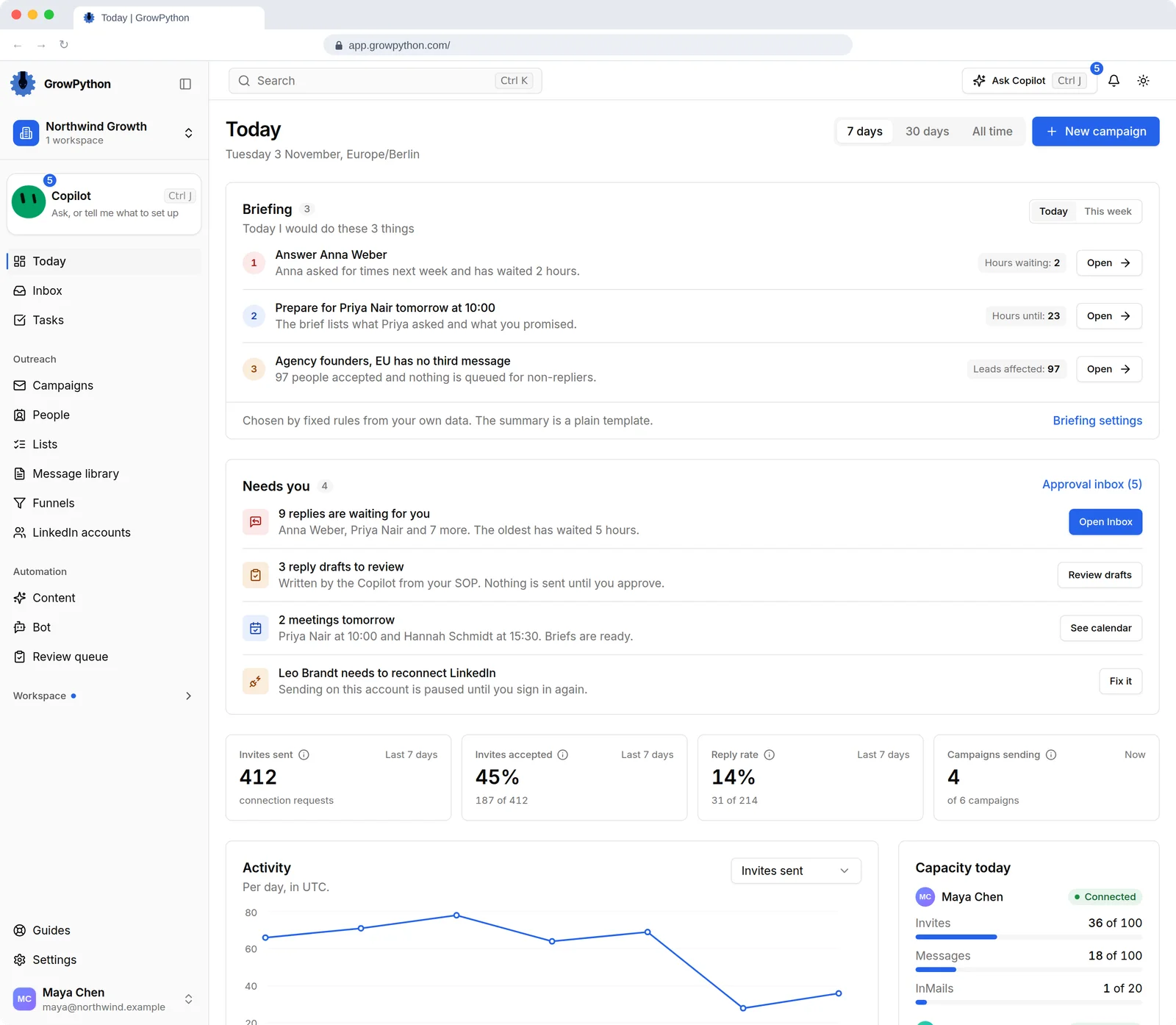
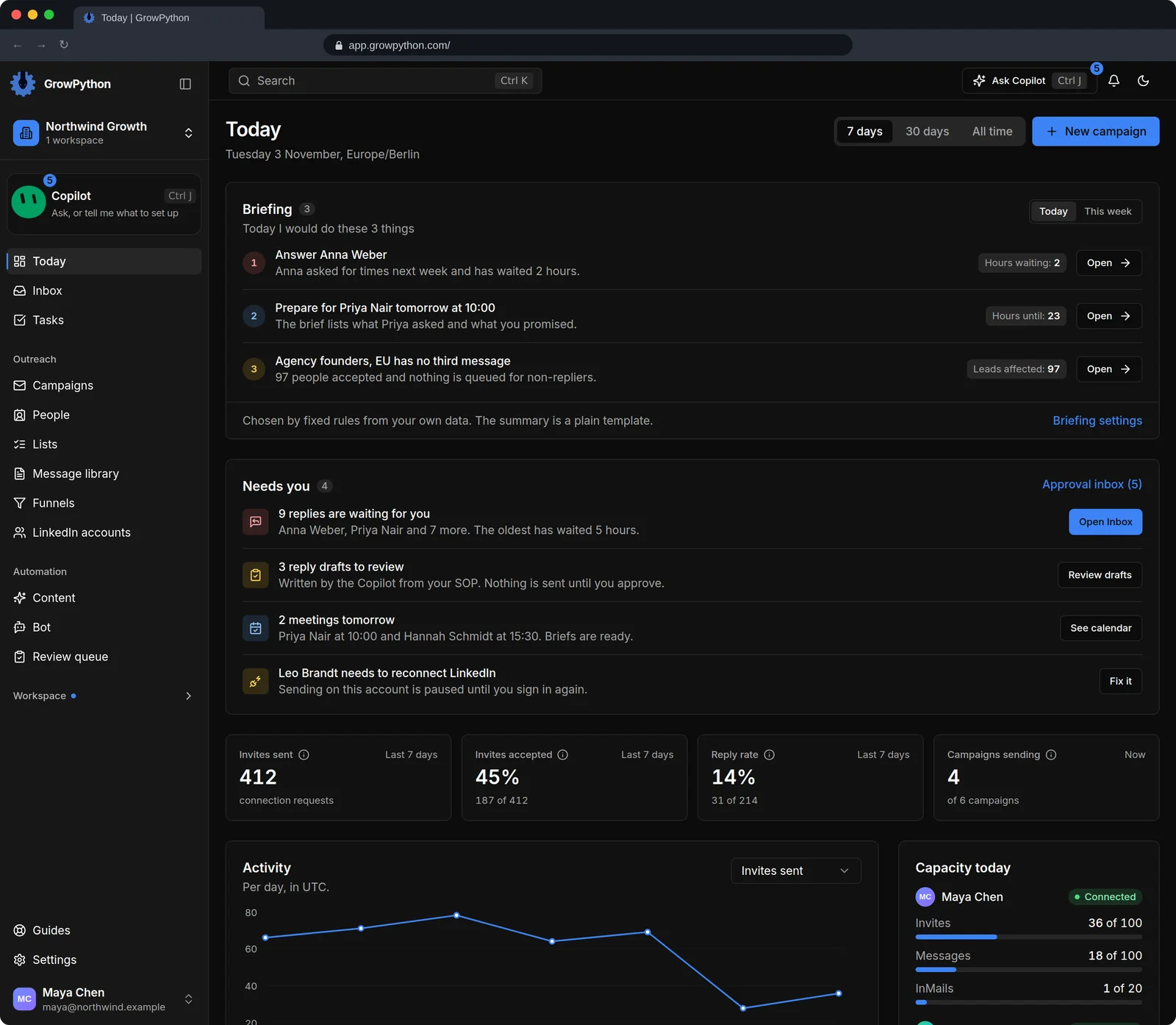
    The Today page of the GrowPython app for the demo workspace Northwind Growth. A briefing lists three things to do, a Needs you list shows five waiting replies and three drafts to review, four tiles show 412 invites sent, 45 percent accepted, a 14 percent reply rate and four campaigns sending, with an activity chart, an outreach funnel and daily capacity per LinkedIn account below.The Today page of the GrowPython app for the demo workspace Northwind Growth. A briefing lists three things to do, a Needs you list shows five waiting replies and three drafts to review, four tiles show 412 invites sent, 45 percent accepted, a 14 percent reply rate and four campaigns sending, with an activity chart, an outreach funnel and daily capacity per LinkedIn account below. Shown in the dark theme.
  2. Answer the replies assigned to you

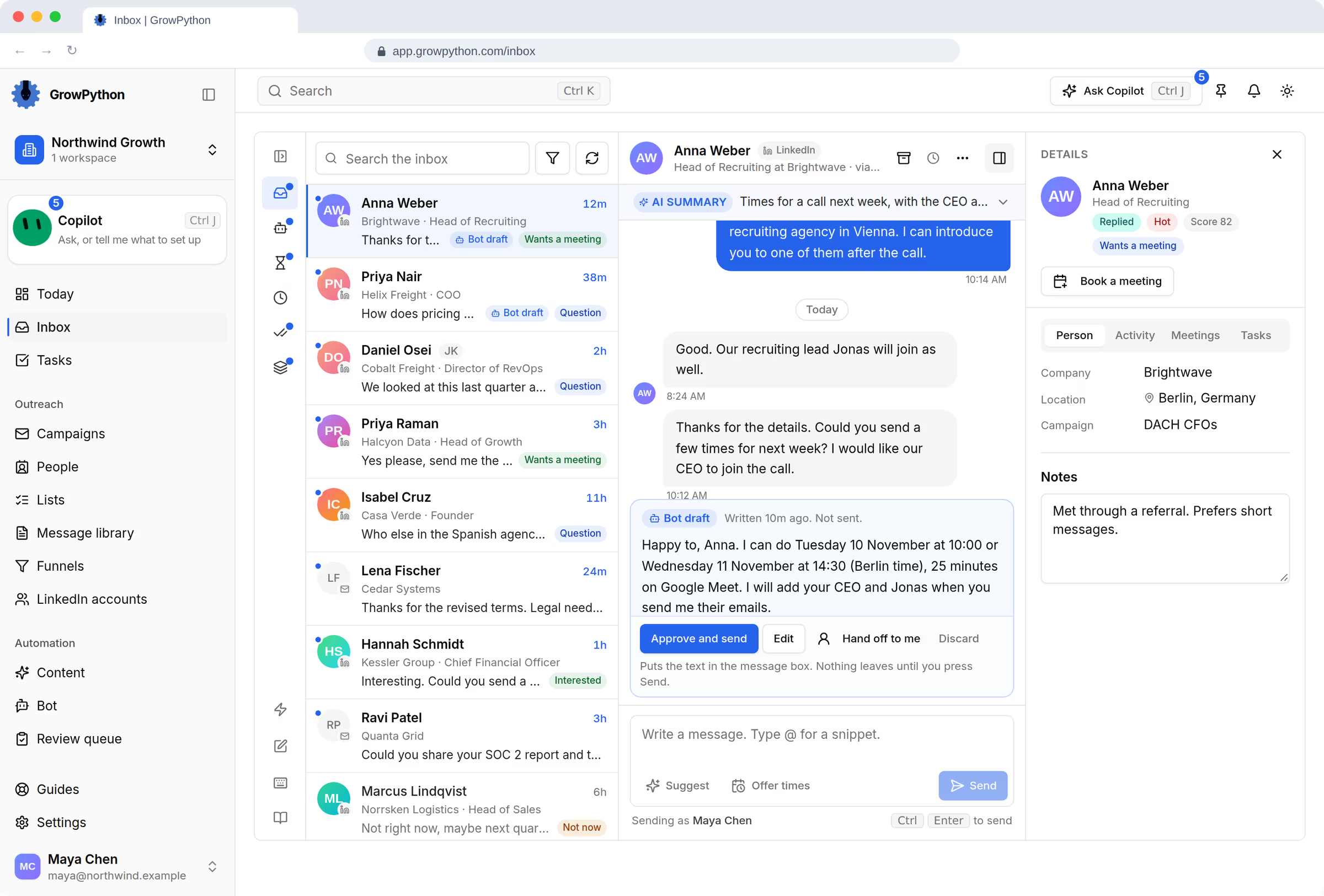
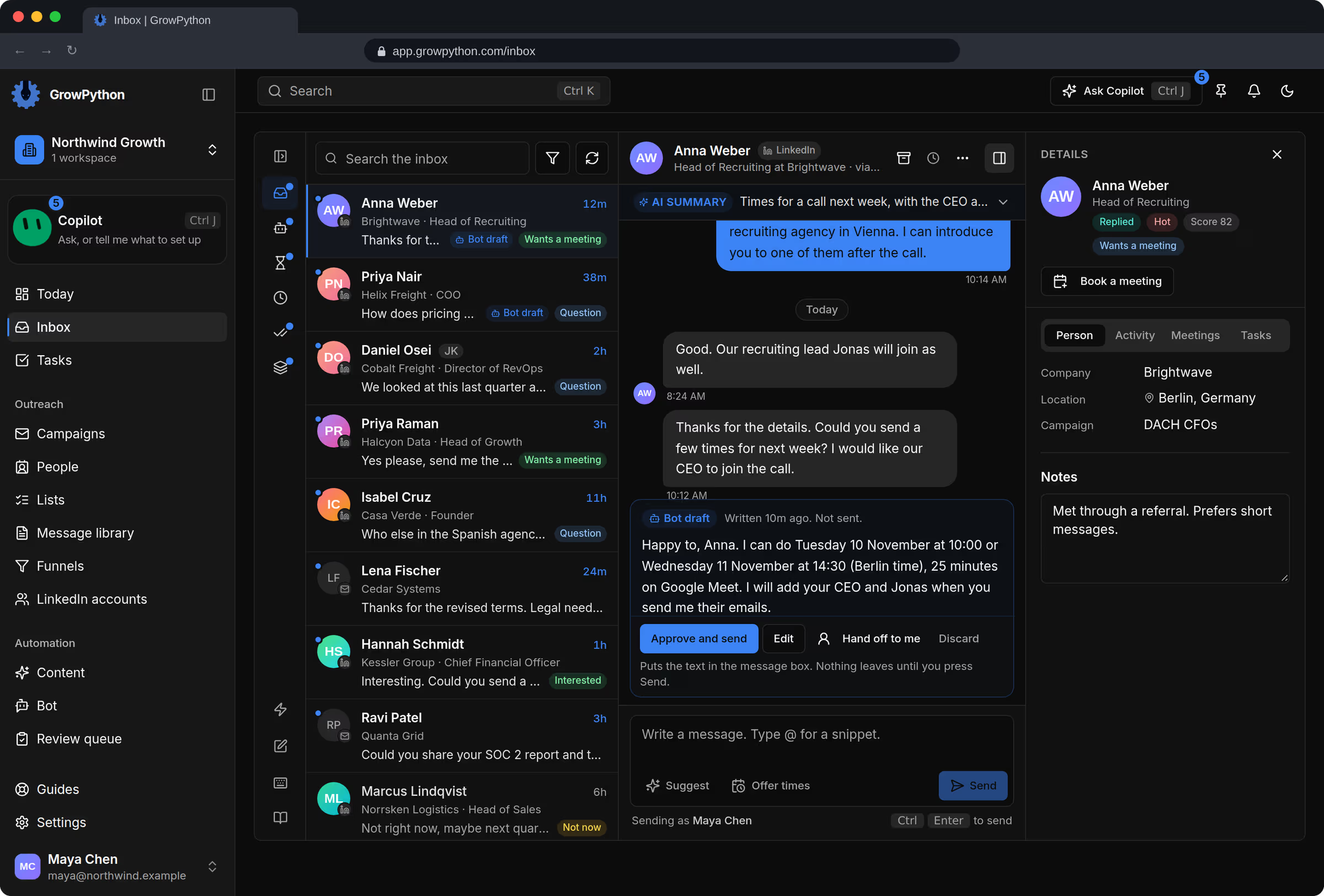
    Filter the Inbox to Assigned to me and work through Needs reply. Bot drafts written from the client's own docs wait for your approval, and you press Send.
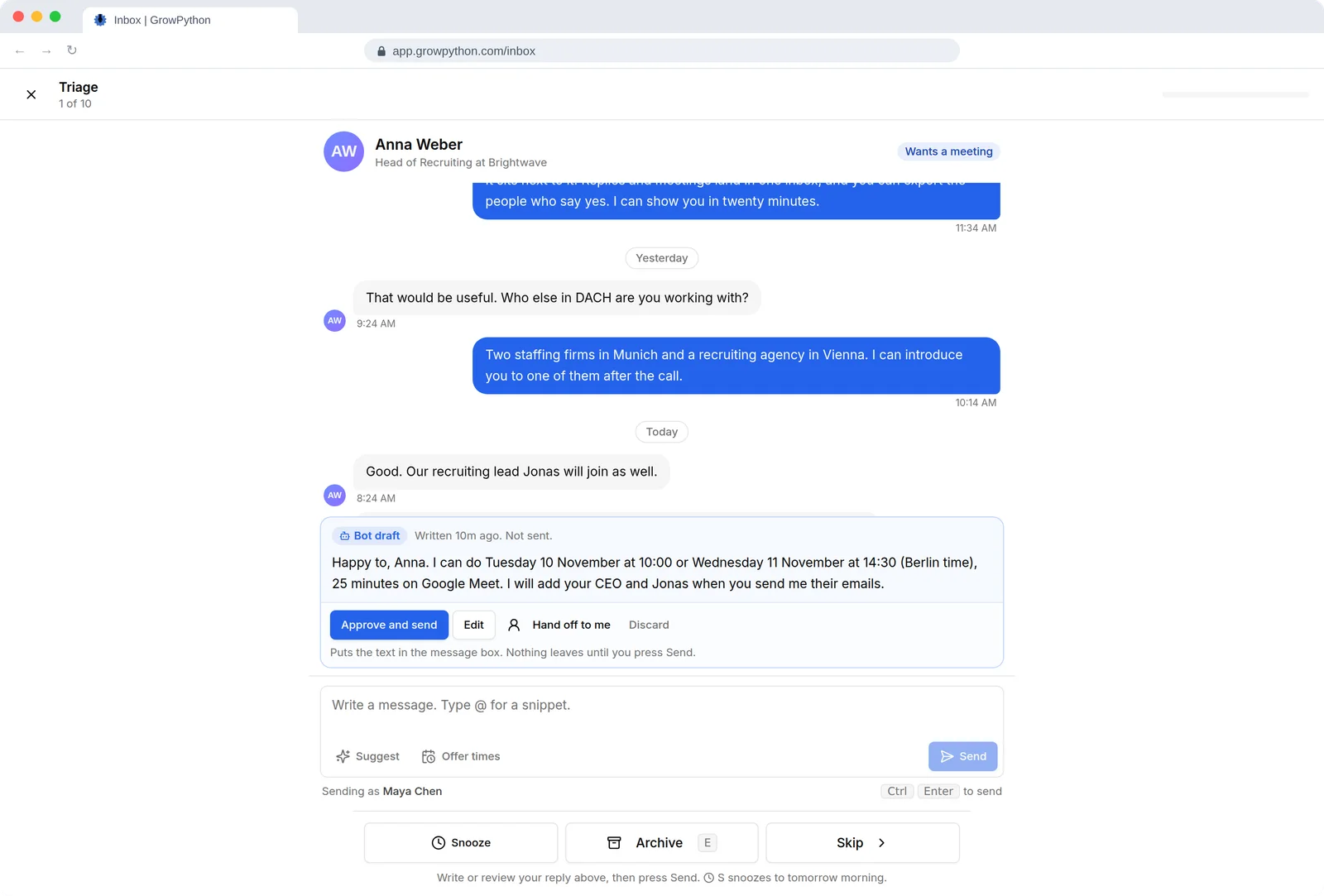
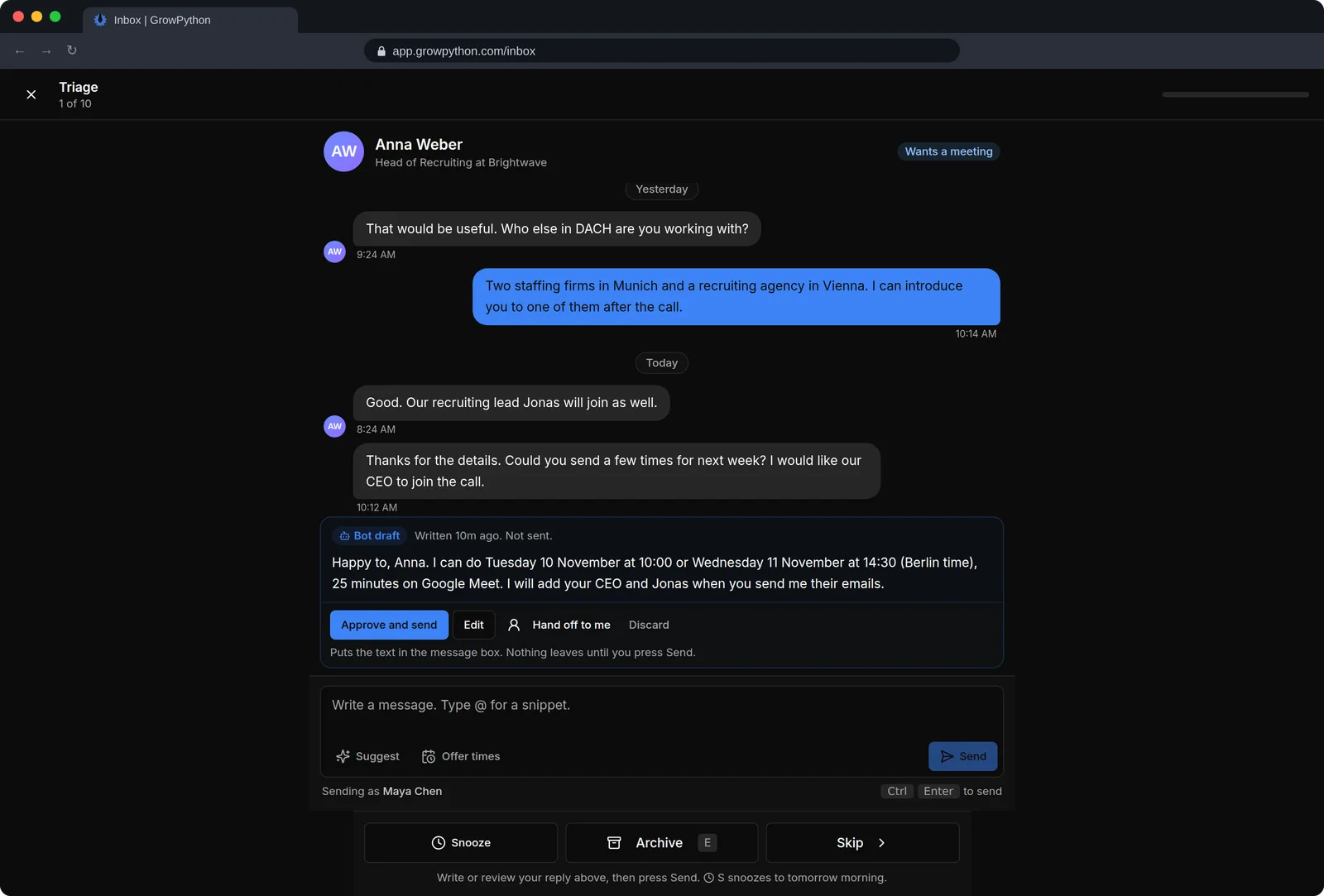
    Triage mode of the Inbox showing one conversation at a time, with Anna Weber's messages, a waiting bot draft with Approve and send, Edit, Hand off to me and Discard buttons, a reply box, and large Snooze, Archive and Skip buttons at the bottom.Triage mode of the Inbox showing one conversation at a time, with Anna Weber's messages, a waiting bot draft with Approve and send, Edit, Hand off to me and Discard buttons, a reply box, and large Snooze, Archive and Skip buttons at the bottom. Shown in the dark theme.
  3. Check each client's LinkedIn accounts

    The Accounts page shows every connected account with its weekly limits and status. An account that needs a fresh sign in shows Reconnect required, Today lists it under Needs you, and its campaigns wait until it is reconnected.
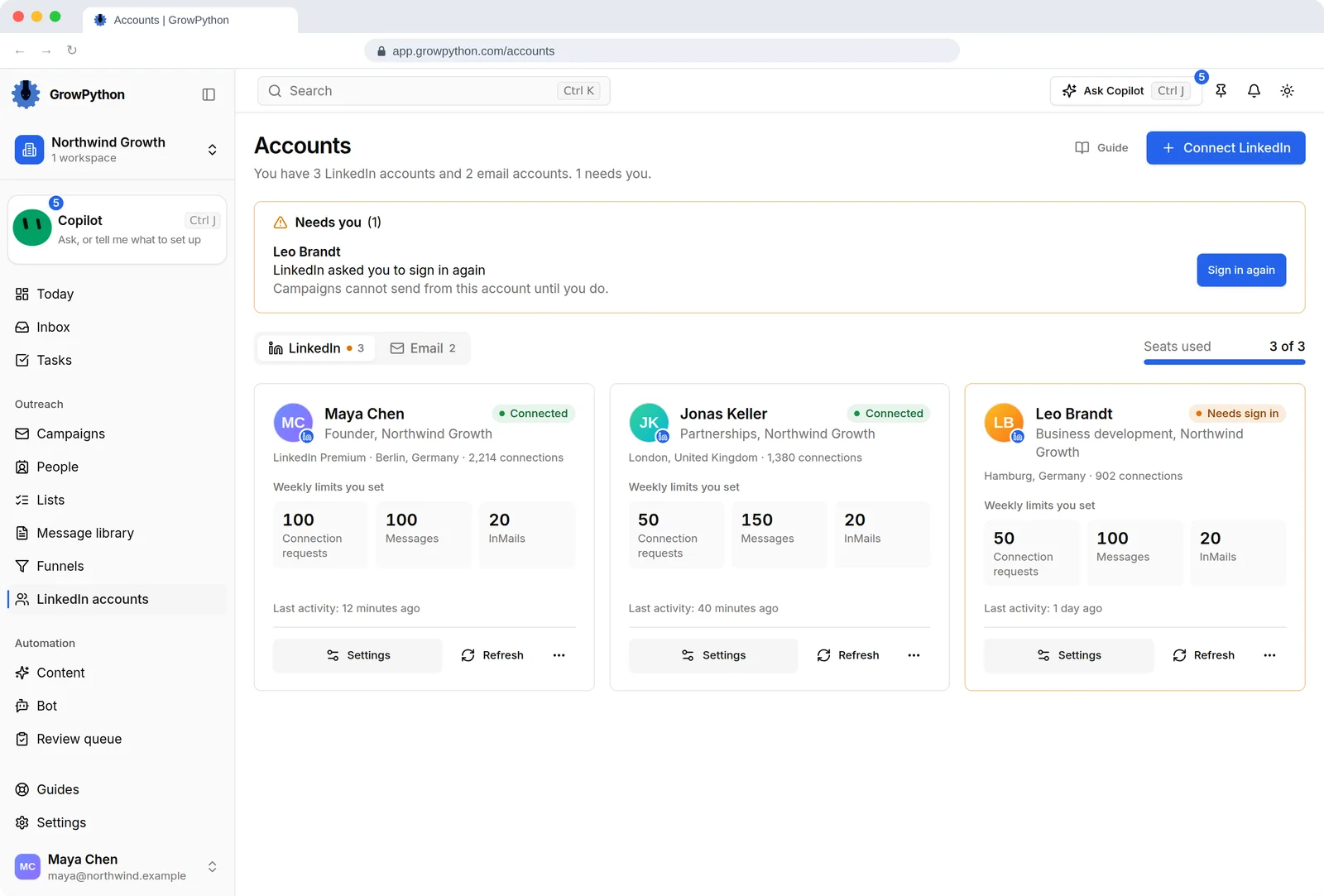
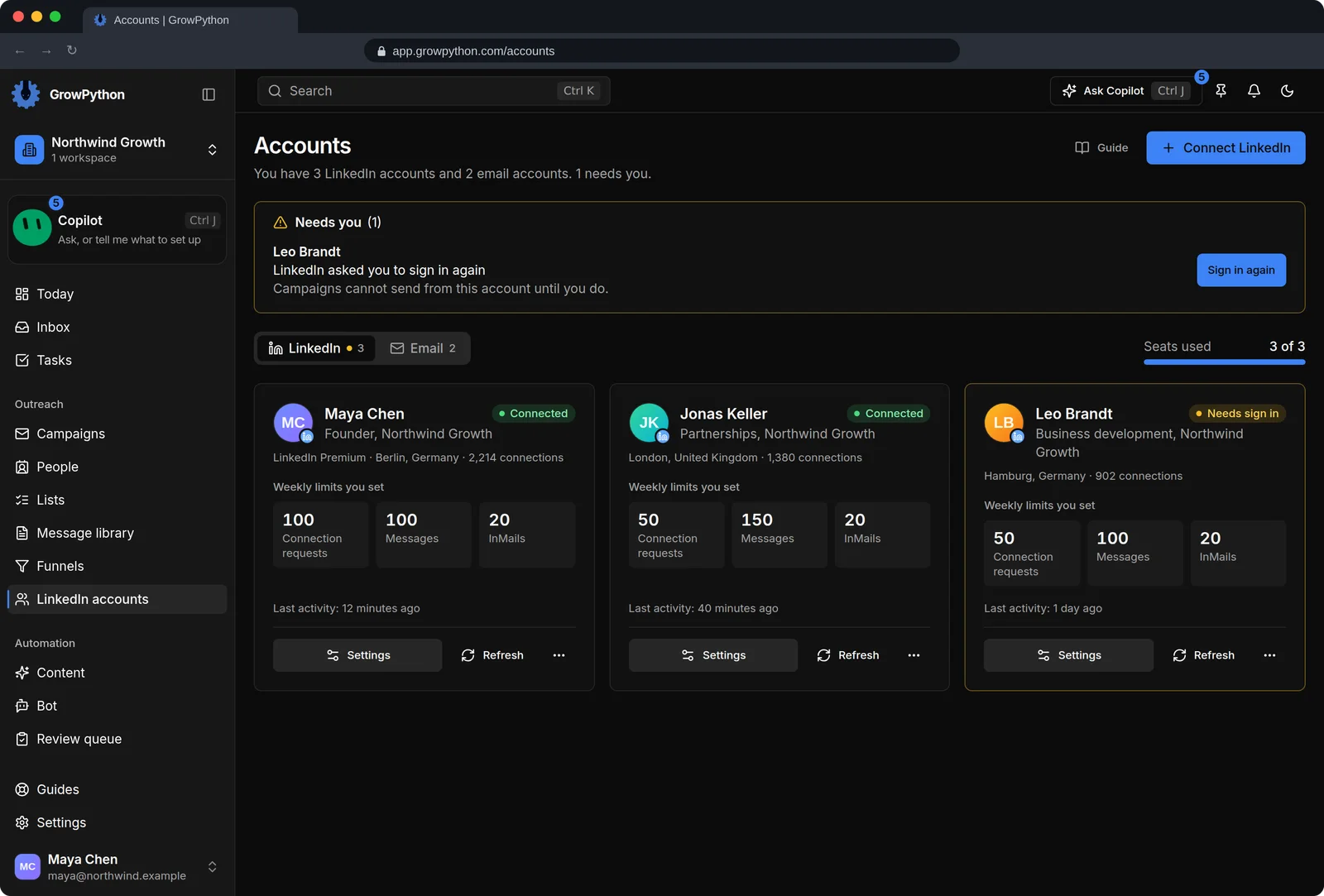
    The Accounts page with three LinkedIn account cards for Maya Chen, Jonas Keller and Leo Brandt. Each card shows its weekly limits for connection requests, messages and InMails and when it was last active. One account shows a Needs sign in warning with a Sign in again button, and a seat counter reads 3 of 3.The Accounts page with three LinkedIn account cards for Maya Chen, Jonas Keller and Leo Brandt. Each card shows its weekly limits for connection requests, messages and InMails and when it was last active. One account shows a Needs sign in warning with a Sign in again button, and a seat counter reads 3 of 3. Shown in the dark theme.
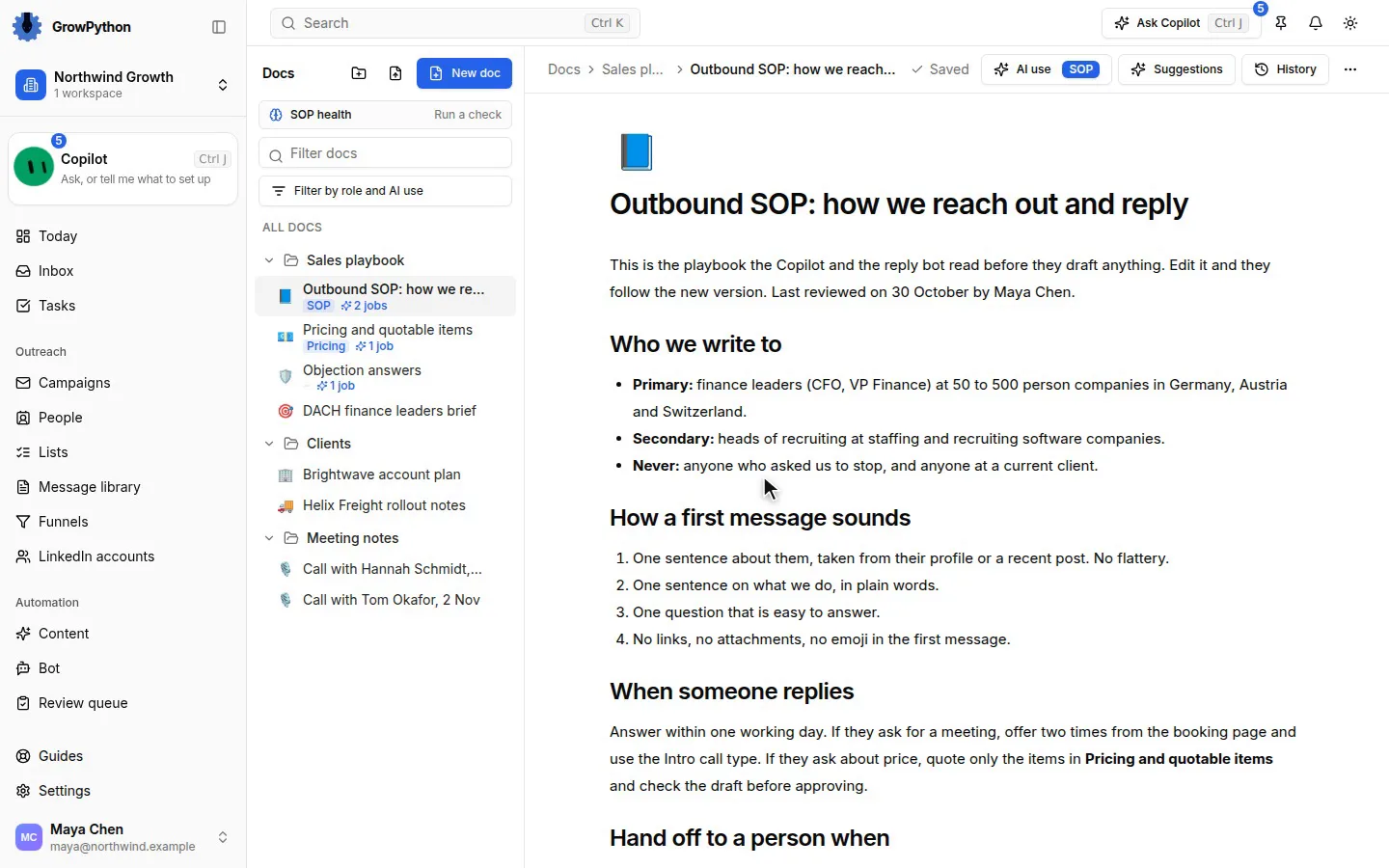
  4. Load a new client's playbook

    Import the client's SOP as a PDF, a Word file, text or a public link, then choose which AI may read it. A doc is internal until an admin marks it shareable.
  5. Hand the work out

    Tasks on a board, Messages in channels and direct messages, and Inbox conversations assigned to whoever answers for that client.
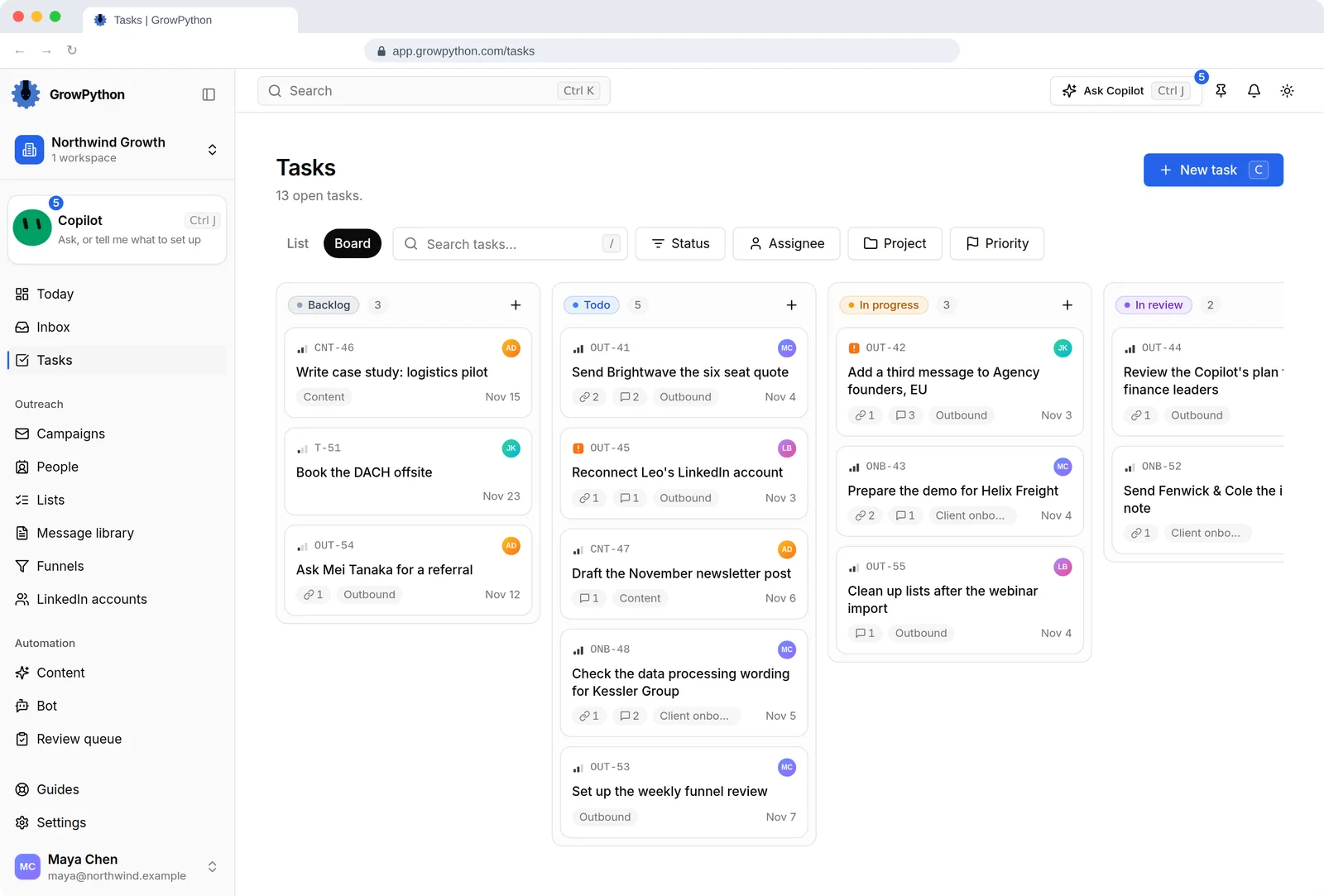
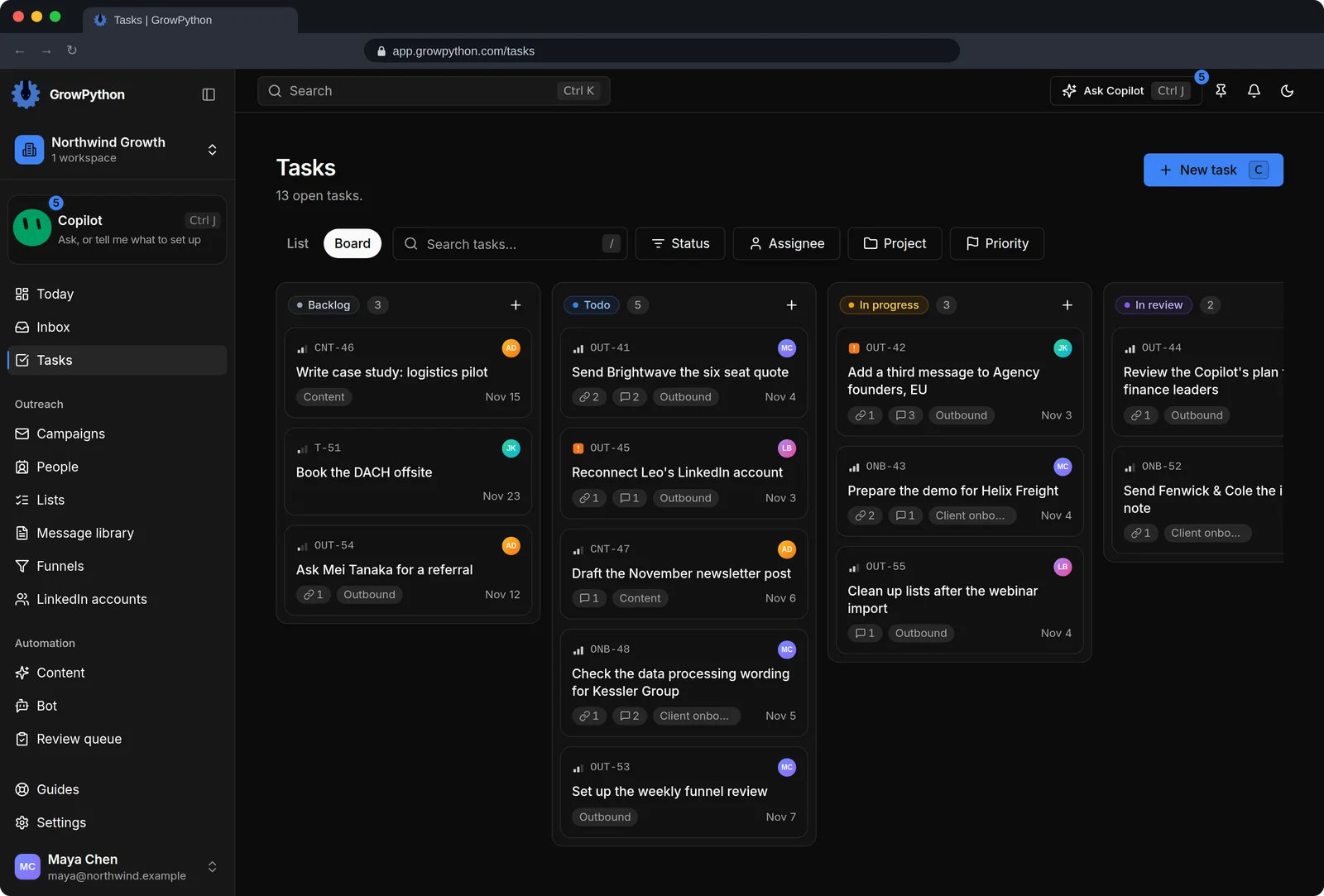
    The Tasks page in Board view with columns Backlog, Todo, In progress and In review. Cards such as Send Brightwave the six seat quote and Reconnect Leo's LinkedIn account show a task key, priority, linked records, comment count, project, due date and the assignee's initials.The Tasks page in Board view with columns Backlog, Todo, In progress and In review. Cards such as Send Brightwave the six seat quote and Reconnect Leo's LinkedIn account show a task key, priority, linked records, comment count, project, due date and the assignee's initials. Shown in the dark theme.
  6. Bring a contractor in for one client

    Invite them as a Member and choose the one workspace they may open. Admins and owners keep settings such as Branding to themselves.
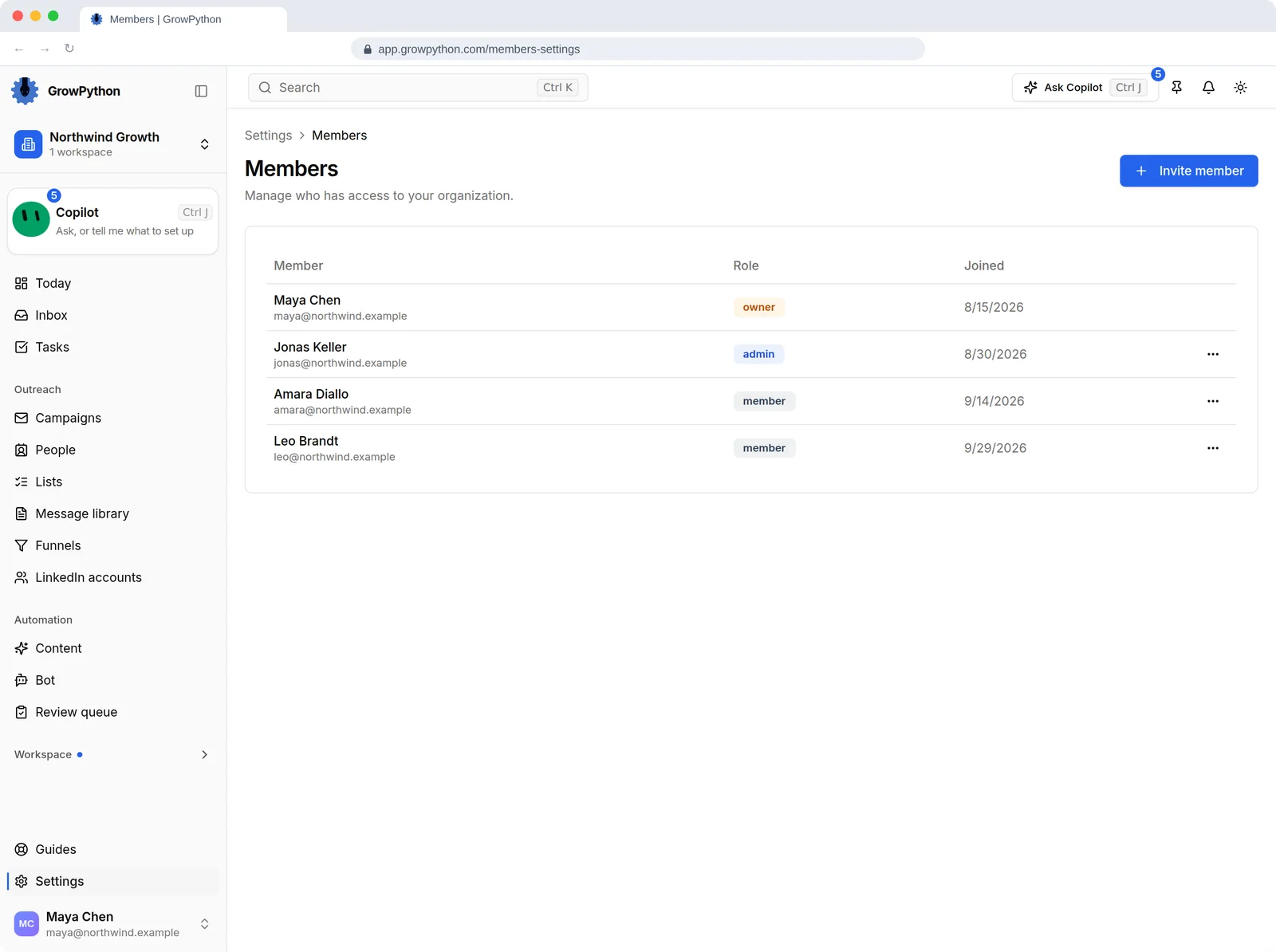
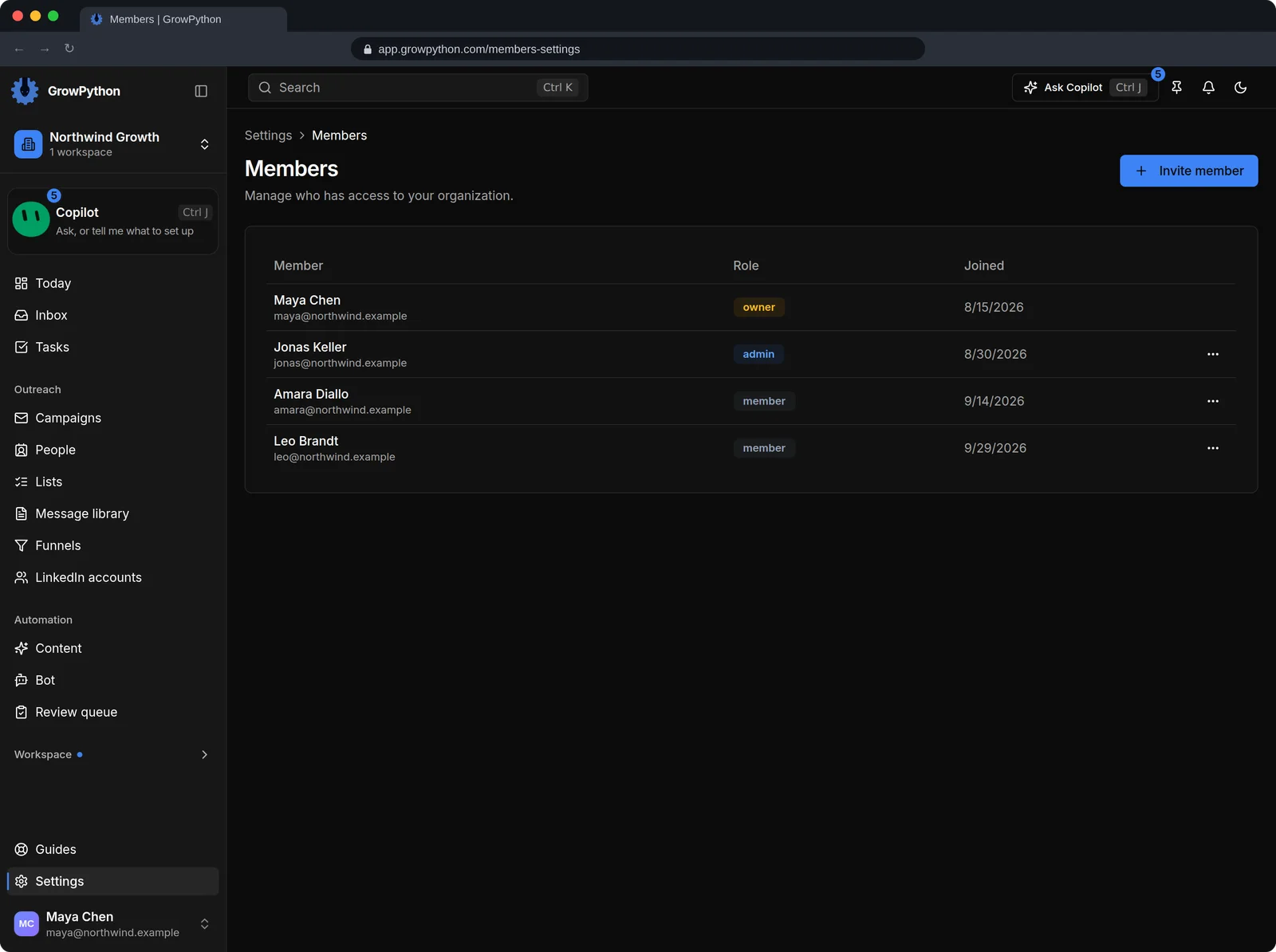
    The Members page listing four people with their roles Owner, Admin and Member and the date they joined, with an Invite member button and a menu for each person.The Members page listing four people with their roles Owner, Admin and Member and the date they joined, with an Invite member button and a menu for each person. Shown in the dark theme.
The Today page of the GrowPython app for the demo workspace Northwind Growth. A briefing lists three things to do, a Needs you list shows five waiting replies and three drafts to review, four tiles show 412 invites sent, 45 percent accepted, a 14 percent reply rate and four campaigns sending, with an activity chart, an outreach funnel and daily capacity per LinkedIn account below.The Today page of the GrowPython app for the demo workspace Northwind Growth. A briefing lists three things to do, a Needs you list shows five waiting replies and three drafts to review, four tiles show 412 invites sent, 45 percent accepted, a 14 percent reply rate and four campaigns sending, with an activity chart, an outreach funnel and daily capacity per LinkedIn account below. Shown in the dark theme.

What you will use, and why

What an agency needs that a single team does not

Separation, access, each client's voice, and your own brand.

A workspace per client

LinkedIn accounts, lists, campaigns, the Inbox, Docs and the Business profile live inside one workspace. Add a workspace for each client from the switcher.

Why it matters to you

Clean separation is what lets you take on the next client without the team mixing them up.

Roles and invitations by workspace

Owner, Admin and Member, and a read only Viewer role in some workspaces. Each invitation names the workspaces a person can open.

Why it matters to you

Contractors and new staff see only the clients they work on.

Each client's voice and rules

A Business profile per workspace with the client's offer, audience segments, voice and red lines, and their SOPs in Docs, each with the AI jobs allowed to read it. Brain check lists where the setup disagrees with them.

Why it matters to you

Drafts and replies sound like the client, and never make a claim the client ruled out.

White label, as an add-on

Your app name, logo, favicon and colors, a custom domain verified with a DNS record, and your own email sender. It is a paid add-on on top of seats.

Why it matters to you

Anyone you invite sees your agency's name, not ours.

After 30 days

What is different after a month

No promise about results for your clients. This is what changes in how the agency runs.

  • Every client is a workspace, not a folder of logins. Accounts, lists, campaigns and conversations sit with the client they belong to.
  • Each client's playbook is written down. Their profile, voice and SOPs are in their workspace, so whoever covers a holiday reads the same rules.
  • Access matches the work. Each person opens the clients they work on, and nothing else.
  • Your own pipeline kept moving. The agency's own workspace ran its campaigns while the team worked on clients.

FAQ

Objections, answered

Do I need my client's LinkedIn password?

No. Connecting is a sign in on a secure page, and GrowPython receives a reference to the account, not the password. The client can do the sign in on a call with you.

Can my client log in and see their campaigns?

You can invite a client into their own workspace and no other. In workspaces with the read only Viewer role they can look without changing anything. They never see your other clients.

Do you produce client reports?

There is no client report feature today. Each campaign has an Overview and a funnel with the count behind every rate, which you can walk a client through on a call, and the People page exports to a CSV file.

How is white label priced?

It is a separate paid add-on on top of seats. The pricing page shows the current price.

Are there limits to white label?

On a custom domain people sign in separately from the main app, and a newly connected domain can show the default brand for a short time.

Take on the next client without mixing up the last one.

Start the trial with your agency's own workspace, then add one client. Ask us about volume and white label.

New customers get a 5-day free trial. Cancel from Billing.