Skip to content

CRM and Inbox

A sales CRM with one inbox for LinkedIn and email

LinkedIn conversations and email threads share one Inbox. People, companies and deals sit beside it, so a reply, the person behind it and the deal it may become are one click apart.

Does the job ofa spreadsheet CRMseparate LinkedIn and email inboxes

What it does

Every reply, person and deal in one place.

  1. Six views

    Needs reply, Bot drafts, Waiting on them, Snoozed, Done and All. Filter by channel, campaign, account, assignee or hot leads.
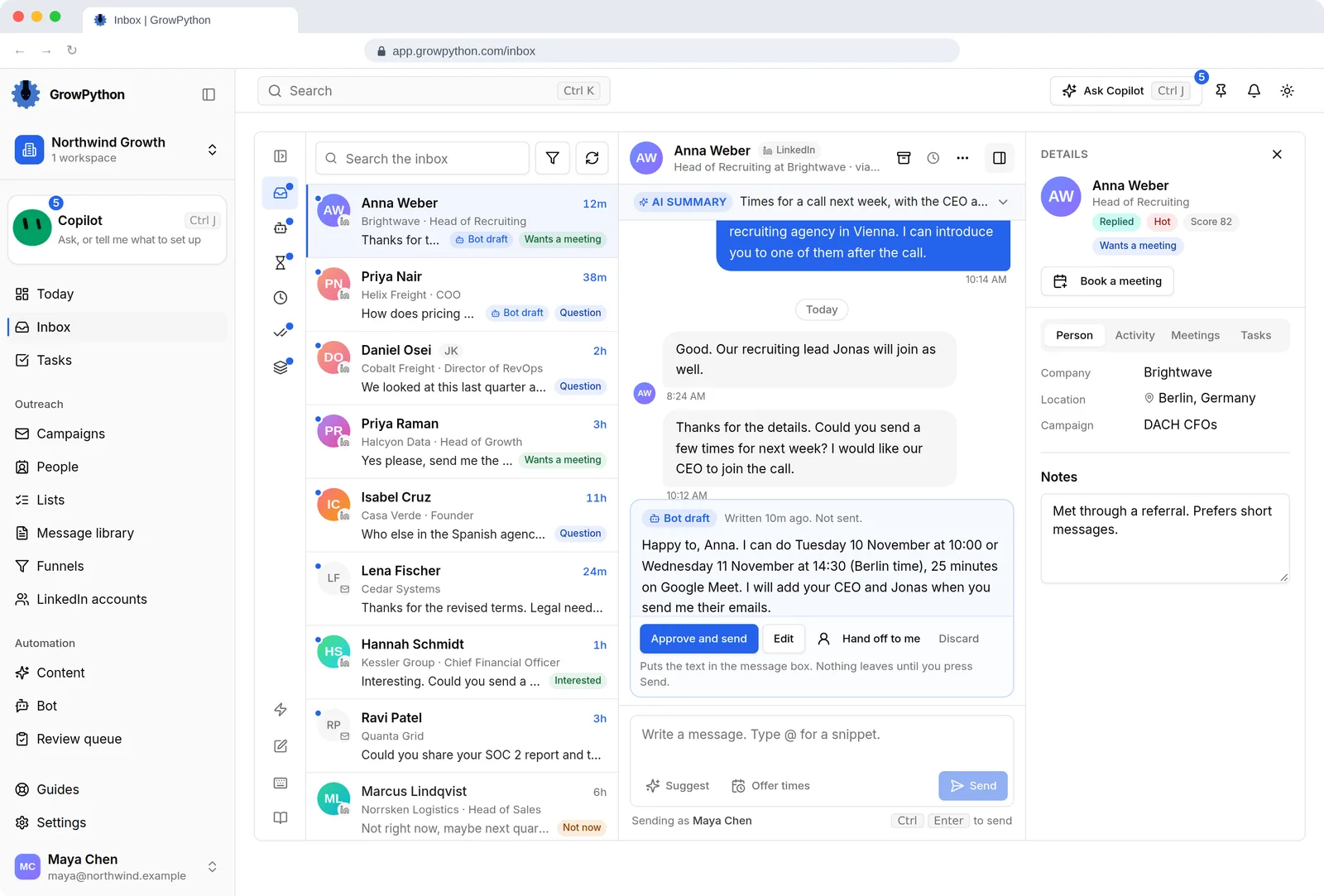
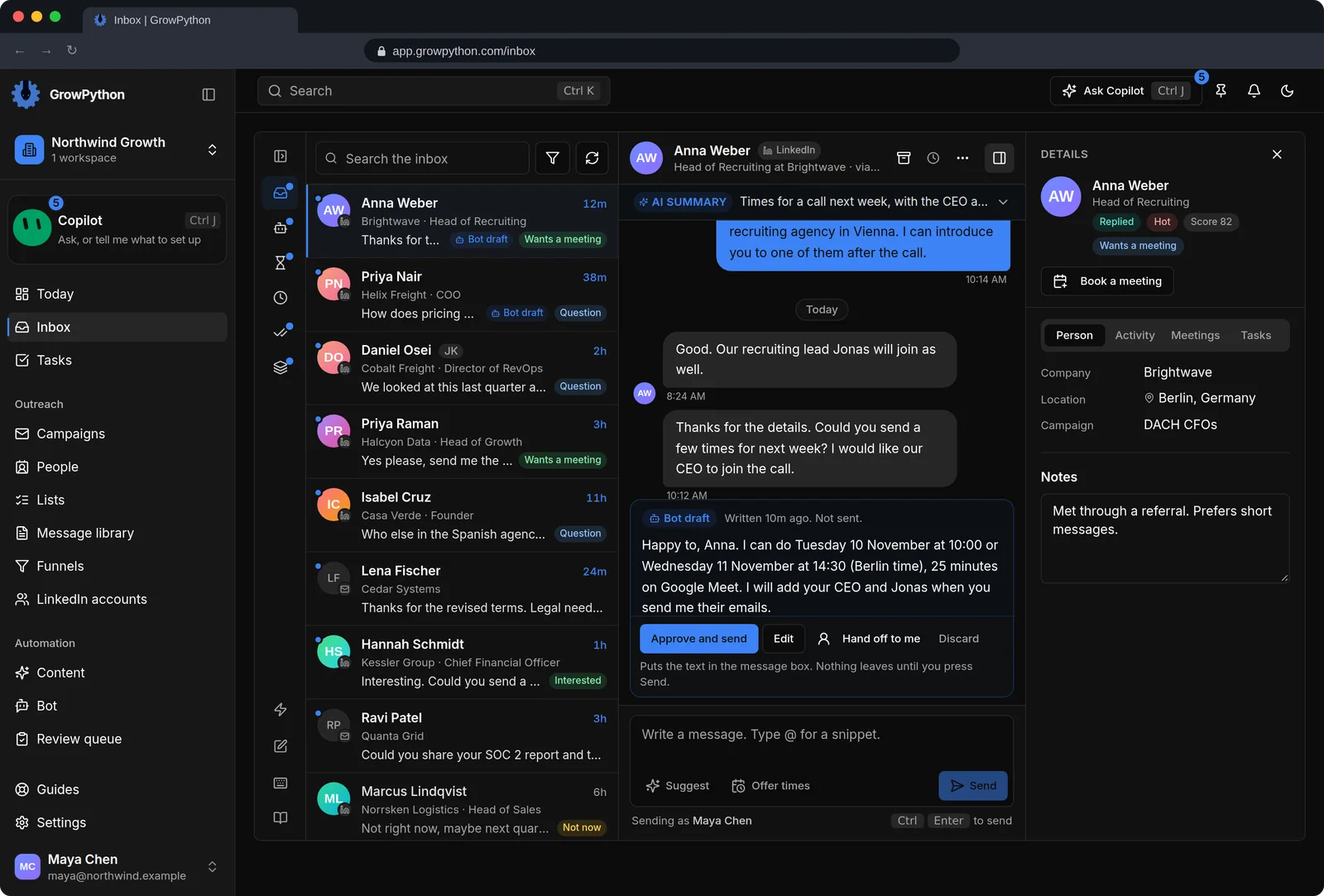
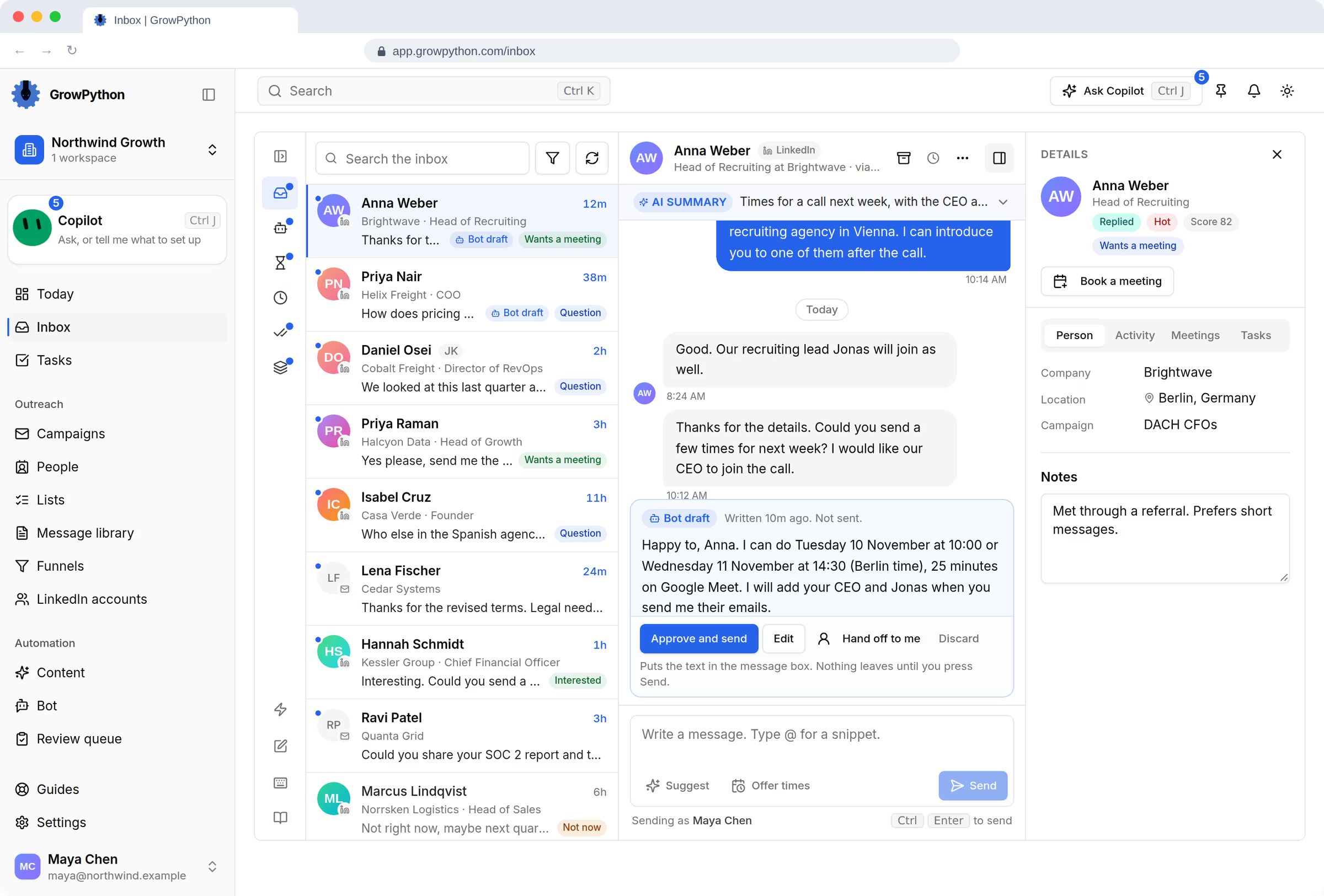
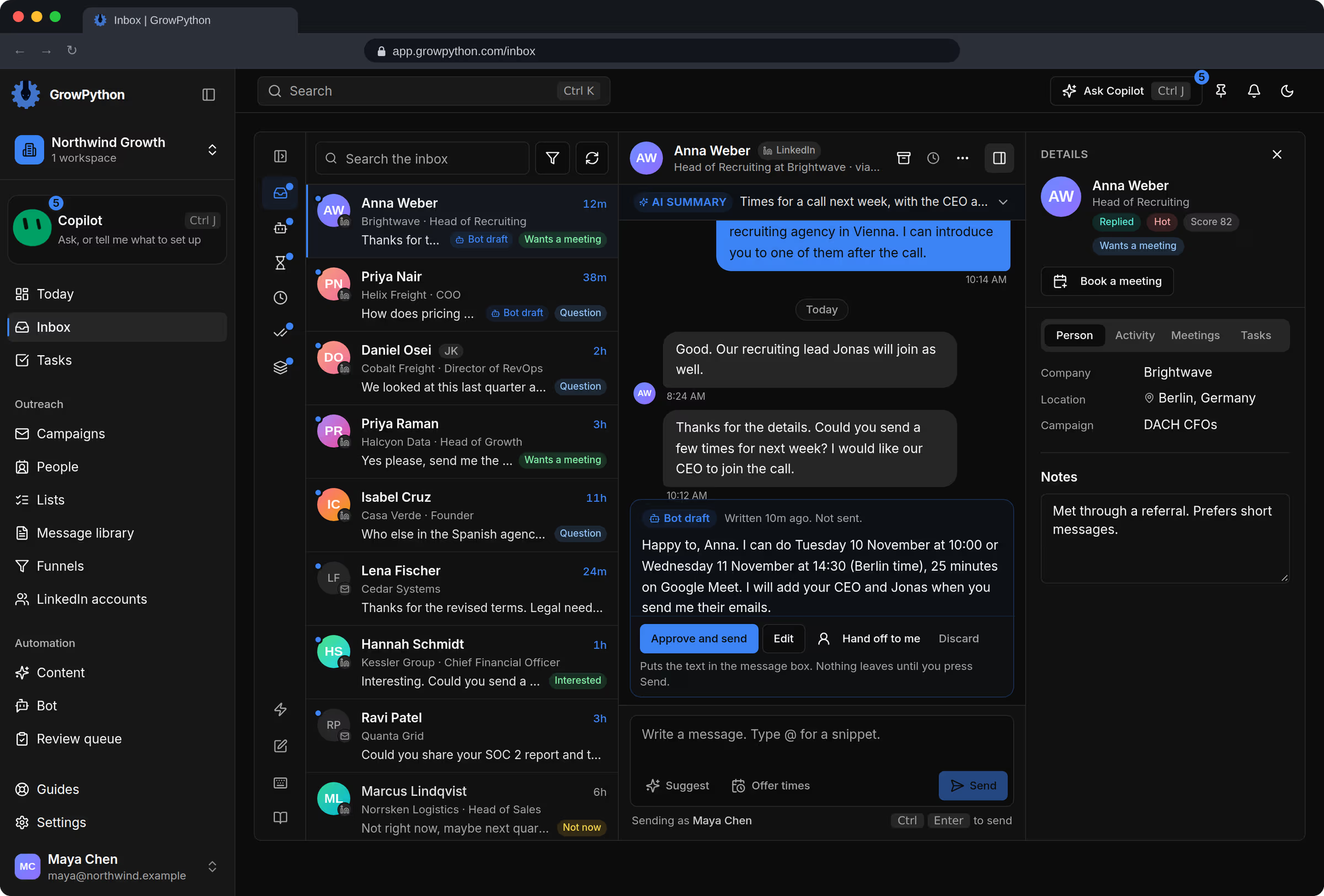
    The unified Inbox with a list of LinkedIn and email conversations on the left, an open conversation with Anna Weber in the middle that has an AI summary and a Copilot reply draft waiting with an Approve and send button, and a details panel on the right showing company, location and campaign.The unified Inbox with a list of LinkedIn and email conversations on the left, an open conversation with Anna Weber in the middle that has an AI summary and a Copilot reply draft waiting with an Approve and send button, and a details panel on the right showing company, location and campaign. Shown in the dark theme.
  2. Triage at keyboard speed

    Move with J and K, snooze to a time you pick, archive, assign to a teammate, or press T for one conversation at a time.
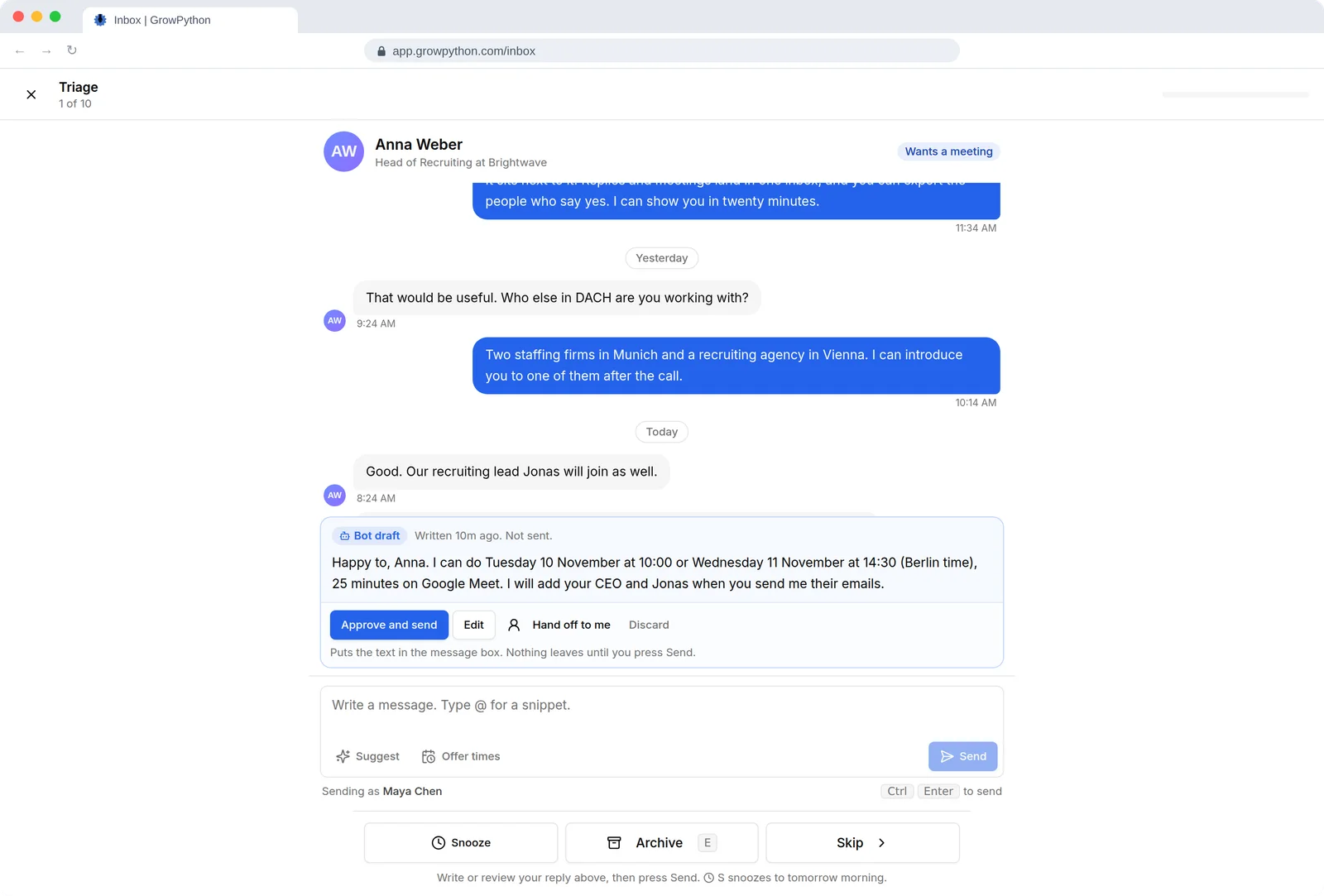
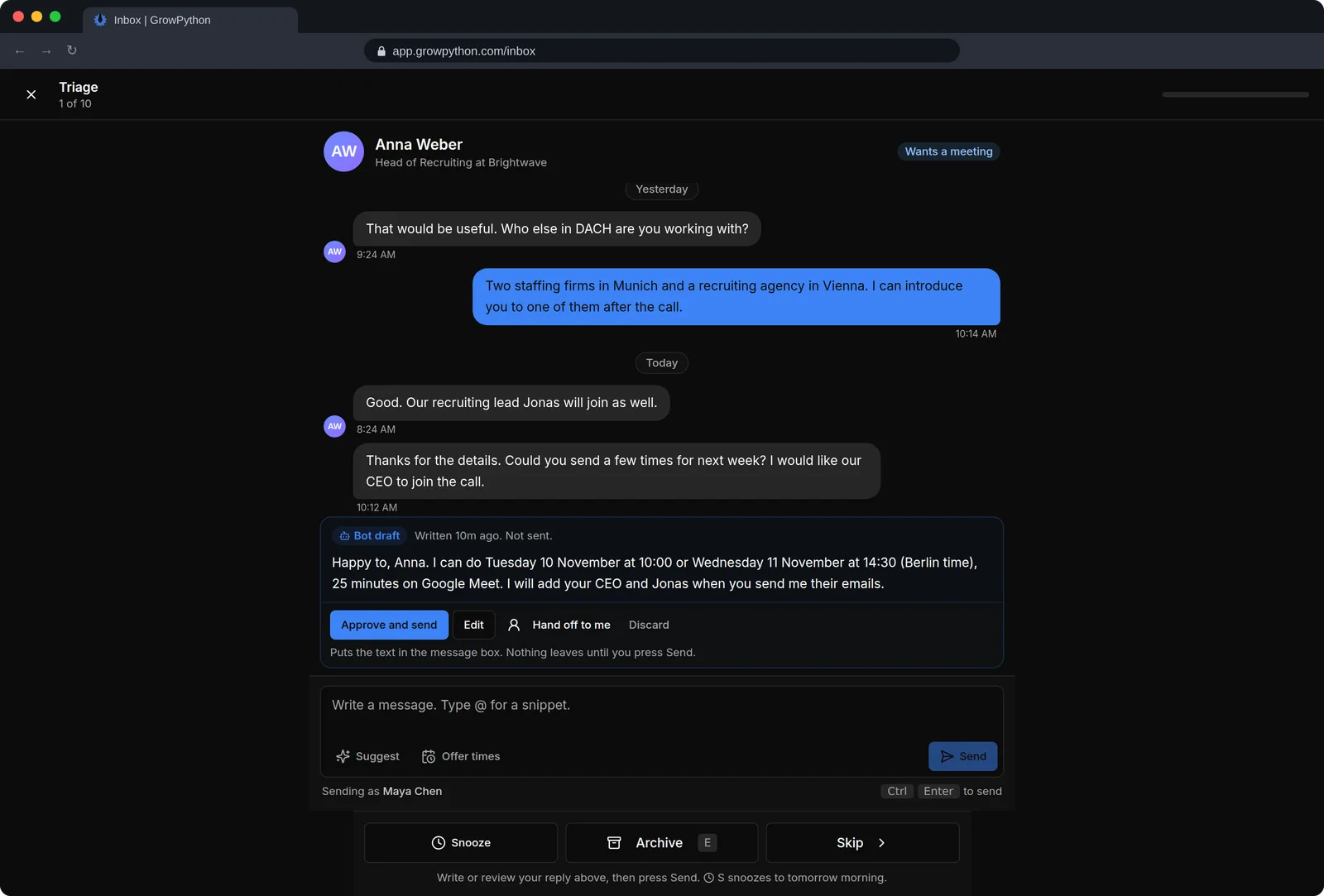
    Triage mode of the Inbox showing one conversation at a time, with Anna Weber's messages, a waiting bot draft with Approve and send, Edit, Hand off to me and Discard buttons, a reply box, and large Snooze, Archive and Skip buttons at the bottom.Triage mode of the Inbox showing one conversation at a time, with Anna Weber's messages, a waiting bot draft with Approve and send, Edit, Hand off to me and Discard buttons, a reply box, and large Snooze, Archive and Skip buttons at the bottom. Shown in the dark theme.
  3. Hints from a reply classifier

    Labels such as Wants a meeting, Question, Interested, Not now or Out of office are suggested for each conversation. Treat them as a hint and read the message.

    The unified Inbox with a list of LinkedIn and email conversations on the left, an open conversation with Anna Weber in the middle that has an AI summary and a Copilot reply draft waiting with an Approve and send button, and a details panel on the right showing company, location and campaign.The unified Inbox with a list of LinkedIn and email conversations on the left, an open conversation with Anna Weber in the middle that has an AI summary and a Copilot reply draft waiting with an Approve and send button, and a details panel on the right showing company, location and campaign. Shown in the dark theme.
  4. Suggest and Offer times

    Suggest gives three drafts marked AI drafts. Offer times adds free times and a booking link. Both only fill the message box.

    The unified Inbox with a list of LinkedIn and email conversations on the left, an open conversation with Anna Weber in the middle that has an AI summary and a Copilot reply draft waiting with an Approve and send button, and a details panel on the right showing company, location and campaign.The unified Inbox with a list of LinkedIn and email conversations on the left, an open conversation with Anna Weber in the middle that has an AI summary and a Copilot reply draft waiting with an Approve and send button, and a details panel on the right showing company, location and campaign. Shown in the dark theme.
  5. People and companies

    A record for each person with a timeline, tags, properties and saved views, and a record for each company.
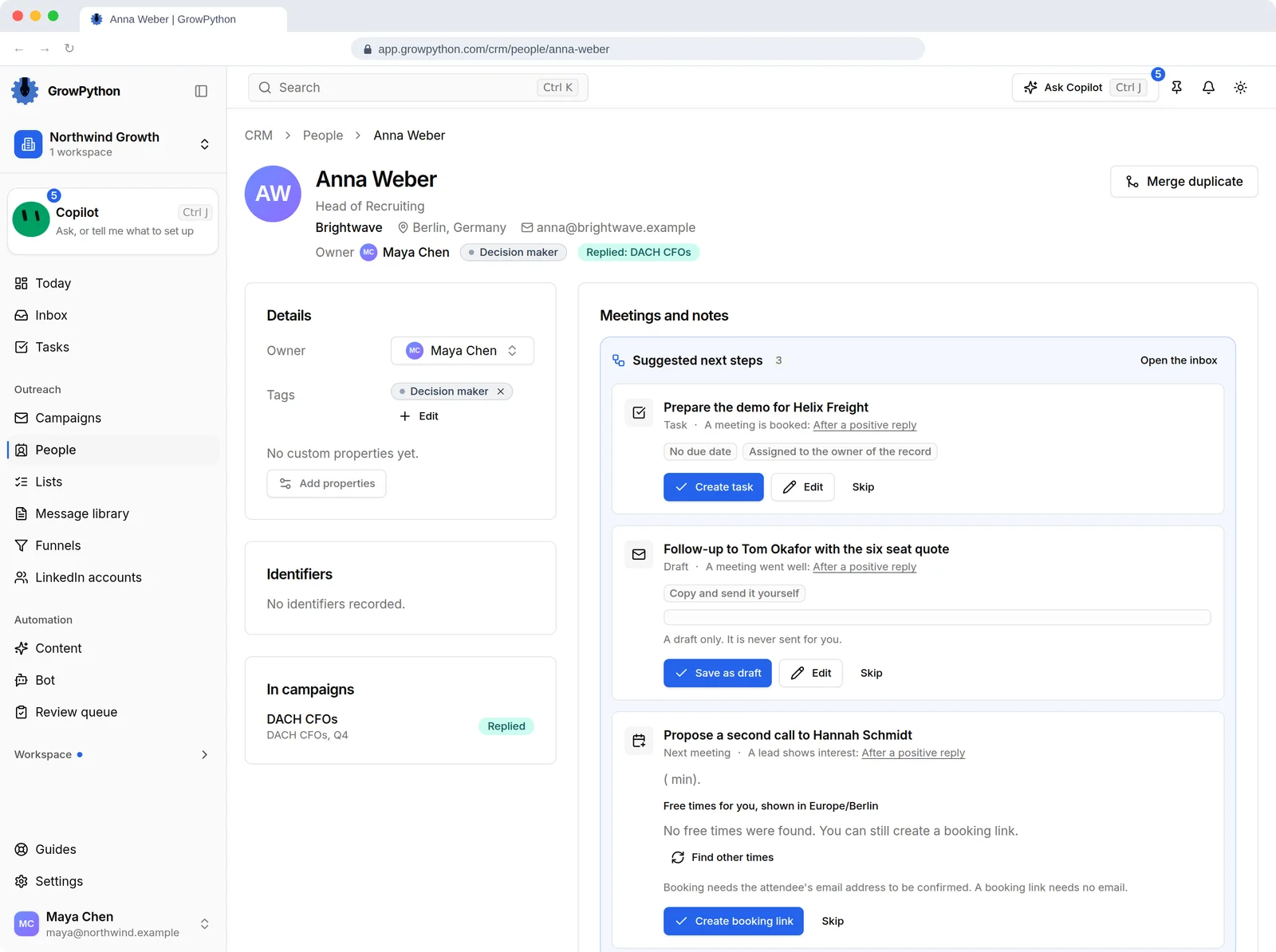
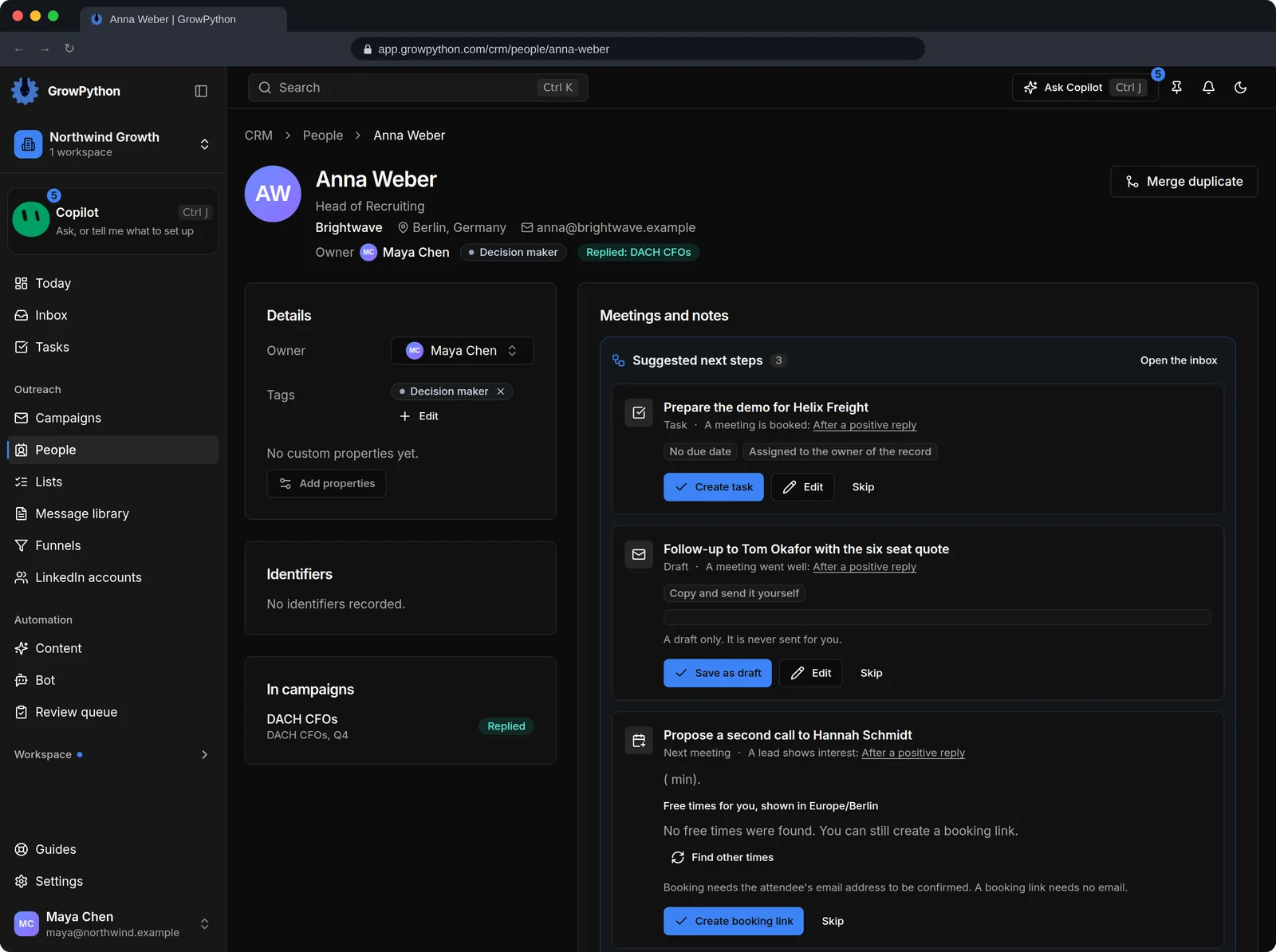
    The record of Anna Weber, Head of Recruiting at Brightwave in Berlin. The page shows owner, a Decision maker tag, the campaign Anna replied in, the meetings, and a timeline of activity: a reply today, a message sent yesterday, the connection accepted and the request sent.The record of Anna Weber, Head of Recruiting at Brightwave in Berlin. The page shows owner, a Decision maker tag, the campaign Anna replied in, the meetings, and a timeline of activity: a reply today, a message sent yesterday, the connection accepted and the request sent. Shown in the dark theme.
  6. Deals by stage

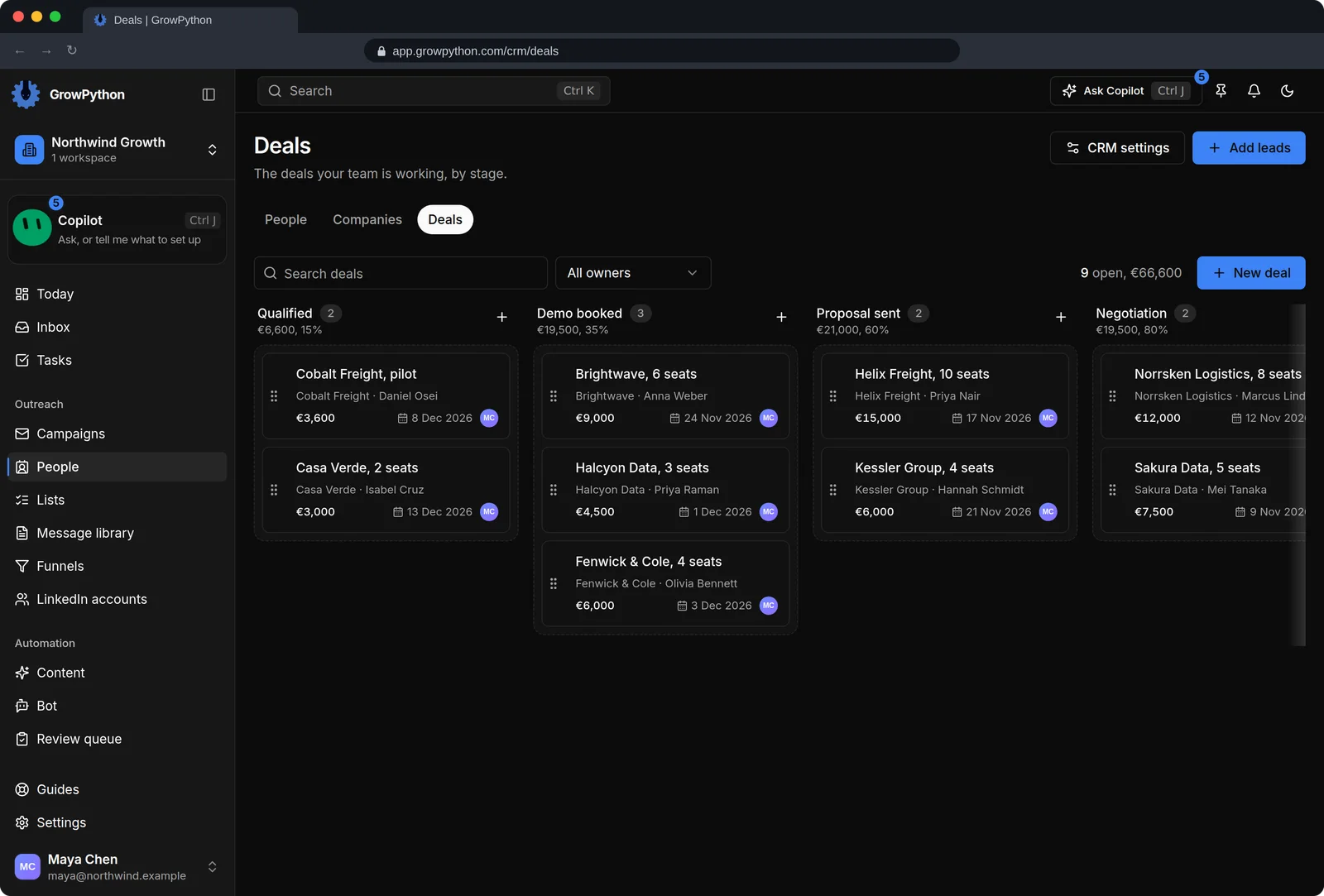
    A board of deals by stage, with pipelines you can drag deals through.
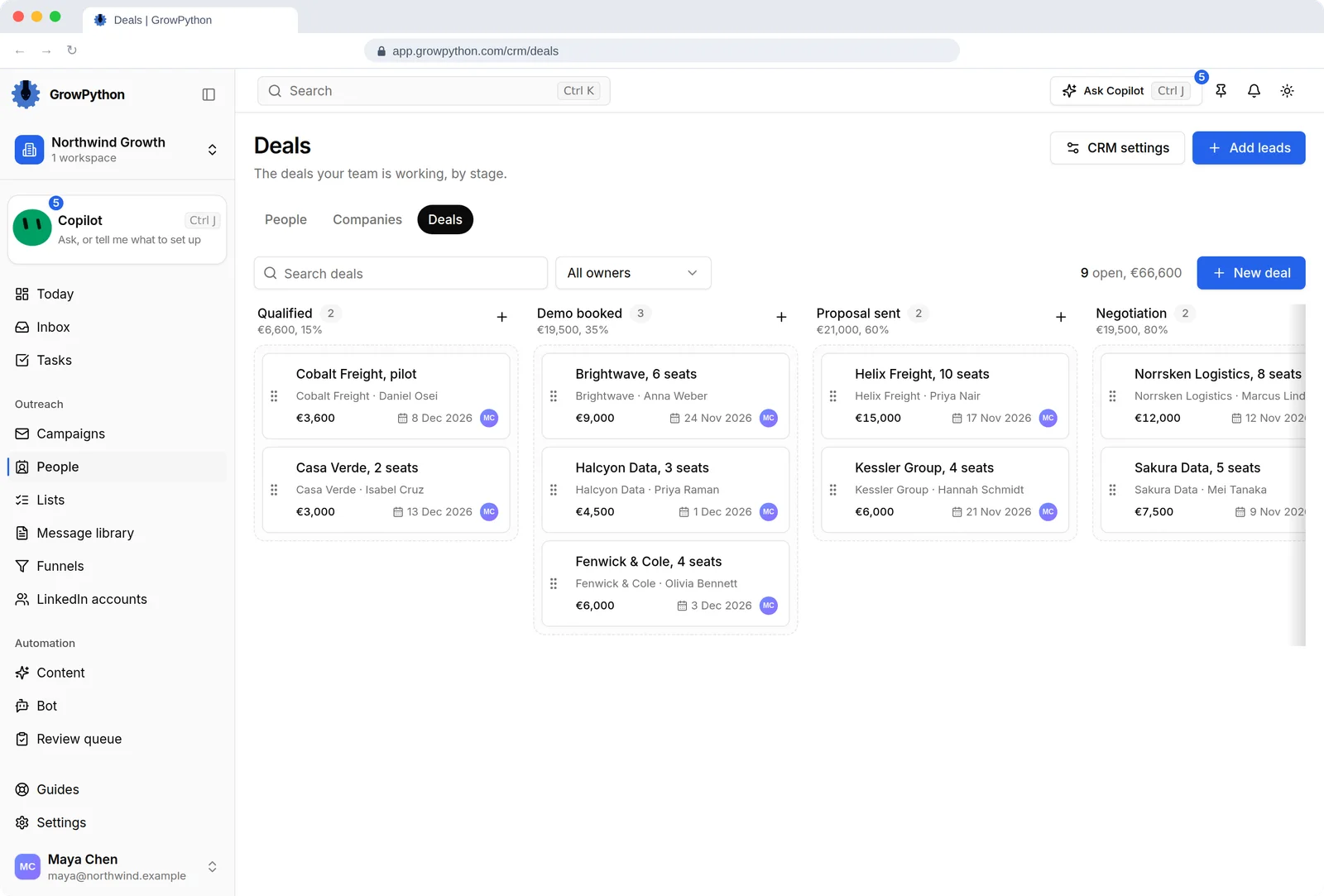
    The Deals board of the built-in CRM with stages Qualified, Demo booked, Proposal sent and Negotiation. Cards show deals such as Brightwave with 6 seats for 9,000 euros and Helix Freight with 10 seats for 15,000 euros, each with its contact, expected close date and owner. The header shows 9 open deals worth 66,600 euros.The Deals board of the built-in CRM with stages Qualified, Demo booked, Proposal sent and Negotiation. Cards show deals such as Brightwave with 6 seats for 9,000 euros and Helix Freight with 10 seats for 15,000 euros, each with its contact, expected close date and owner. The header shows 9 open deals worth 66,600 euros. Shown in the dark theme.
The unified Inbox with a list of LinkedIn and email conversations on the left, an open conversation with Anna Weber in the middle that has an AI summary and a Copilot reply draft waiting with an Approve and send button, and a details panel on the right showing company, location and campaign.The unified Inbox with a list of LinkedIn and email conversations on the left, an open conversation with Anna Weber in the middle that has an AI summary and a Copilot reply draft waiting with an Approve and send button, and a details panel on the right showing company, location and campaign. Shown in the dark theme.

Up close

CRM and Inbox

The unified Inbox with a list of LinkedIn and email conversations on the left, an open conversation with Anna Weber in the middle that has an AI summary and a Copilot reply draft waiting with an Approve and send button, and a details panel on the right showing company, location and campaign.The unified Inbox with a list of LinkedIn and email conversations on the left, an open conversation with Anna Weber in the middle that has an AI summary and a Copilot reply draft waiting with an Approve and send button, and a details panel on the right showing company, location and campaign. Shown in the dark theme.
AA suggested reply Approve and send puts the text in the message box. Nothing leaves until you press Send.
The unified Inbox with a list of LinkedIn and email conversations on the left, an open conversation with Anna Weber in the middle that has an AI summary and a Copilot reply draft waiting with an Approve and send button, and a details panel on the right showing company, location and campaign.The unified Inbox with a list of LinkedIn and email conversations on the left, an open conversation with Anna Weber in the middle that has an AI summary and a Copilot reply draft waiting with an Approve and send button, and a details panel on the right showing company, location and campaign. Shown in the dark theme.
BThe person beside the conversation Status tags, a score and a Book a meeting button, next to the thread.

How it works

CRM and Inbox

  1. Step 1 of 4

    Open the Inbox

    Replies from your campaigns and from a connected mailbox show up as conversations.

  2. Step 2 of 4

    Decide

    Answer, snooze, archive or assign. Snooze and archive never message the person.

  3. Step 3 of 4

    Reply

    Press R, try Suggest, read the draft and press Send.

  4. Step 4 of 4

    Track the person

    Open their record to see the timeline, add a note or tag, or start a deal.

Limits and guardrails

What it will not do, and what you should know before you rely on it.

  • The Inbox never sends by itself. A message leaves only when you press Send, or Ctrl or Cmd with Enter in the message box. There is no bulk send.
  • The reply bot writes drafts that wait for your approval. Sending them is your click.
  • AI drafts and labels can be wrong. Read every message before you send it.
  • Archiving only changes how a conversation shows in GrowPython. It does not touch LinkedIn or your mailbox.
  • Conversations appear once people reply to your campaigns or write to a connected mailbox.

CRM and Inbox

More screens

  • Triage one conversation at a time.

  • Everyone behind your leads, with where each one stands.

  • One record per person with the whole history.

  • Companies with the people and deals attached.

  • Deals by stage, linked to the people and companies behind them.

FAQ

Questions

Does the Inbox answer replies for me?

No. It never sends anything by itself. Suggest and the reply bot prepare drafts, and you read and send them.

Are LinkedIn and email replies in the same list?

Yes. LinkedIn conversations and email threads share one Inbox, and you can filter by channel.

Is there a CRM?

Yes. People, Companies and Deals live under People in the sidebar, with a timeline on each person.

Can I hand a conversation to a teammate?

Yes. Assign it to a workspace member, and use the Assigned to me filter to see yours.

Ready to run client acquisition from one place?

Start your free trial, connect an account and build a small list first.

5-day free trial for new customers