Skip to content

RECRUITERS

Build a candidate list from a LinkedIn search, run a short sequence on LinkedIn and email, keep every reply and every 'not right now' in one Inbox, and let candidates book their own screening call. GrowPython does the sourcing legwork; you do the conversations.

Sound familiar?

If this sounds like your desk

The problems this page is about, in the words recruiters use for them.

  • “My pending invitations keep piling up, and I worry what LinkedIn makes of it.”

    In GrowPython

    A Withdraw step clears requests nobody answered, and is on for a new campaign. Weekly limits per account keep the pace where you set it.

  • “A great candidate said 'maybe after the new year', and I forgot to ask again.”

    In GrowPython

    Snooze the conversation to the date you pick. Nothing is sent, and it comes back to Needs reply on that day with the whole thread.

  • “Every screening call starts with a thread of emails about a time.”

    In GrowPython

    Send your booking page, or use Offer times inside the reply. A meeting type can ask its questions up front, and candidates book without an account.

  • “My messages read like everyone else's template.”

    In GrowPython

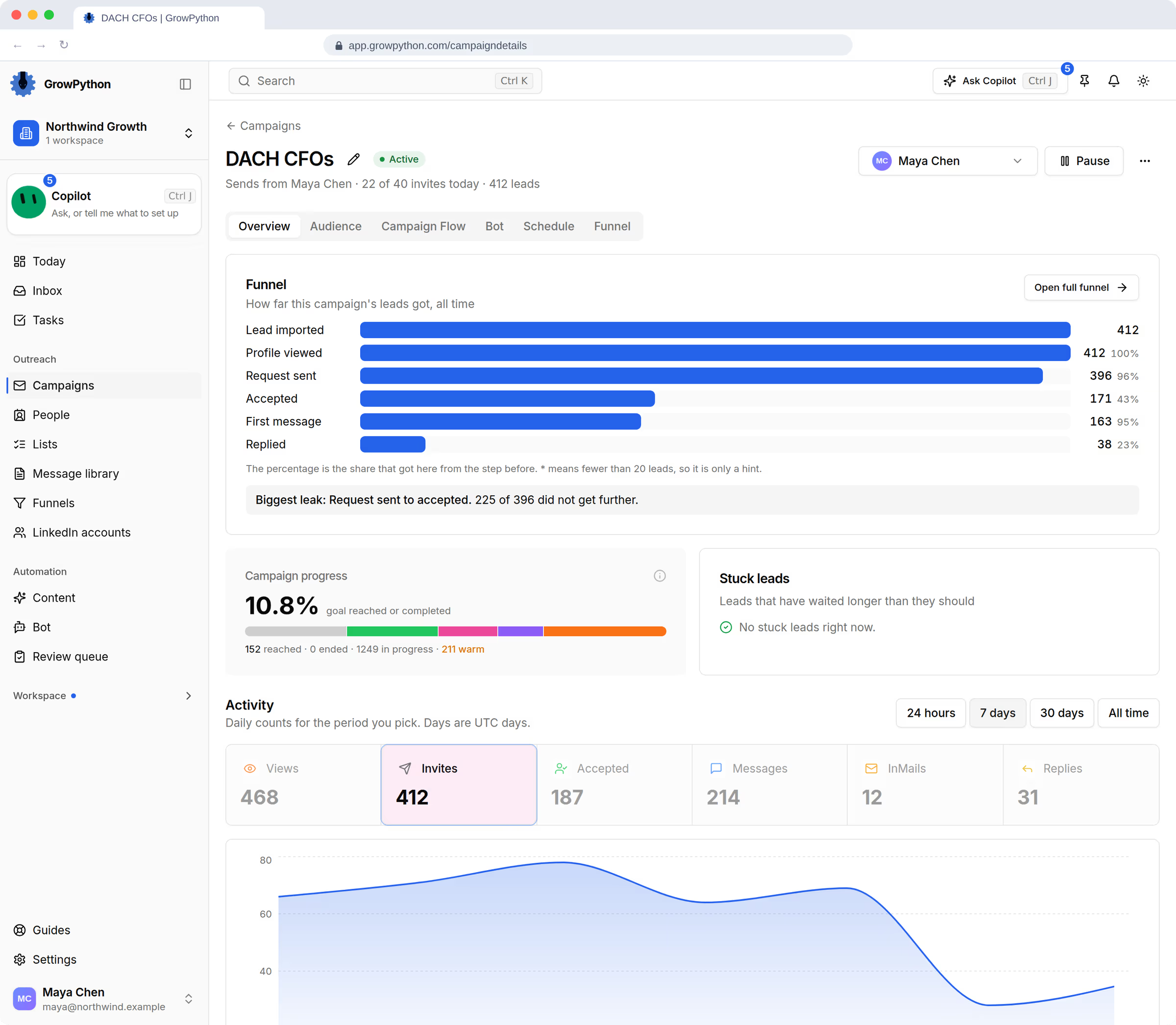
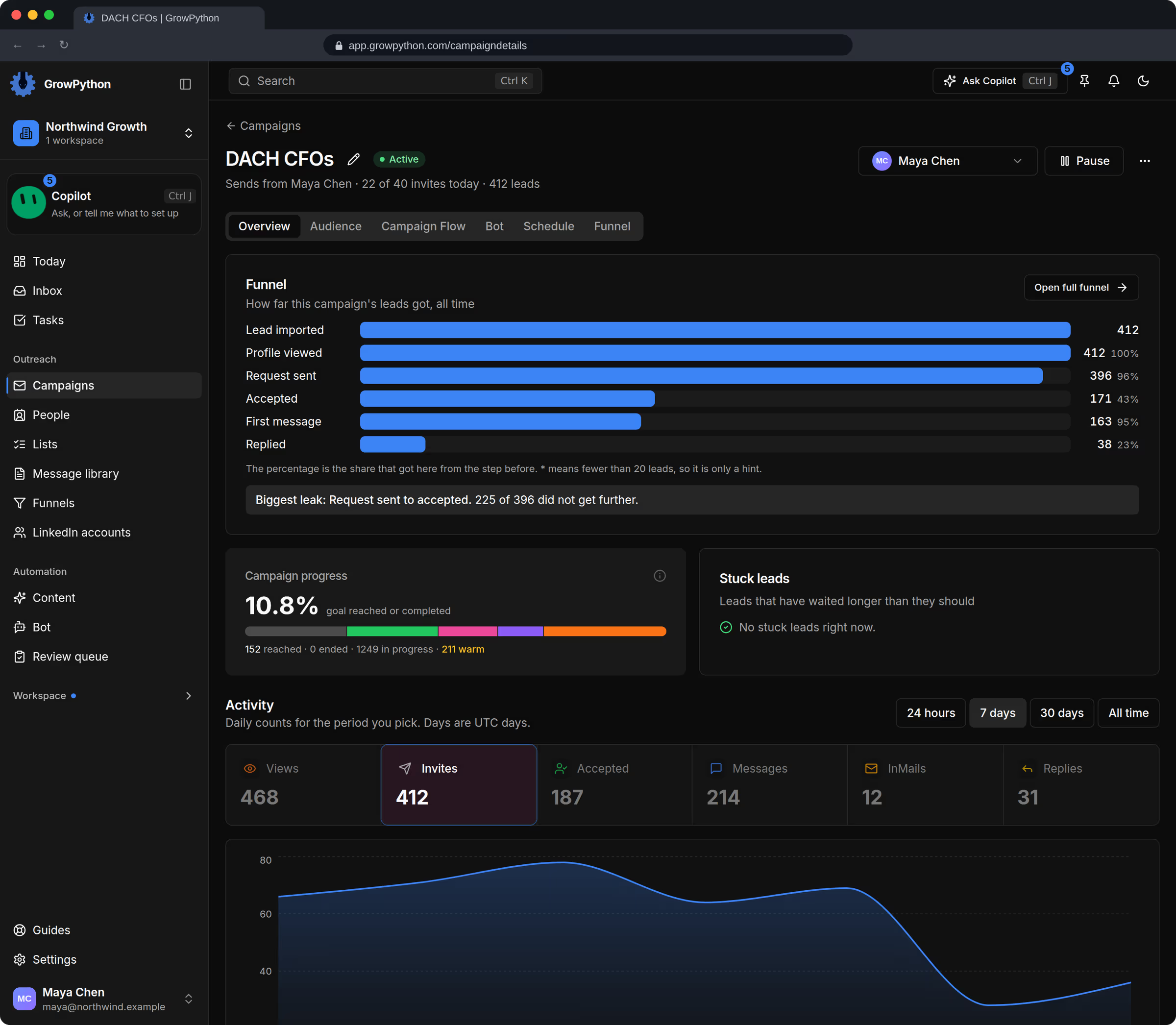
    Variables fill in the name, company, headline and job title, the preview shows the message for a real person, and Xupy follow-ups can write each follow-up from the candidate's profile and your own guidelines.

  • “Finding the next client is half my job, and I always do it last.”

    In GrowPython

    Daily ICP leads starts from companies posting jobs for the roles you name, and brings the decision makers there into a list each day for you to review.

A day in GrowPython

A recruiter's day, from sourcing to screening

One way a recruiter might run a day in GrowPython. An example with demo data. Every screen is the real product.

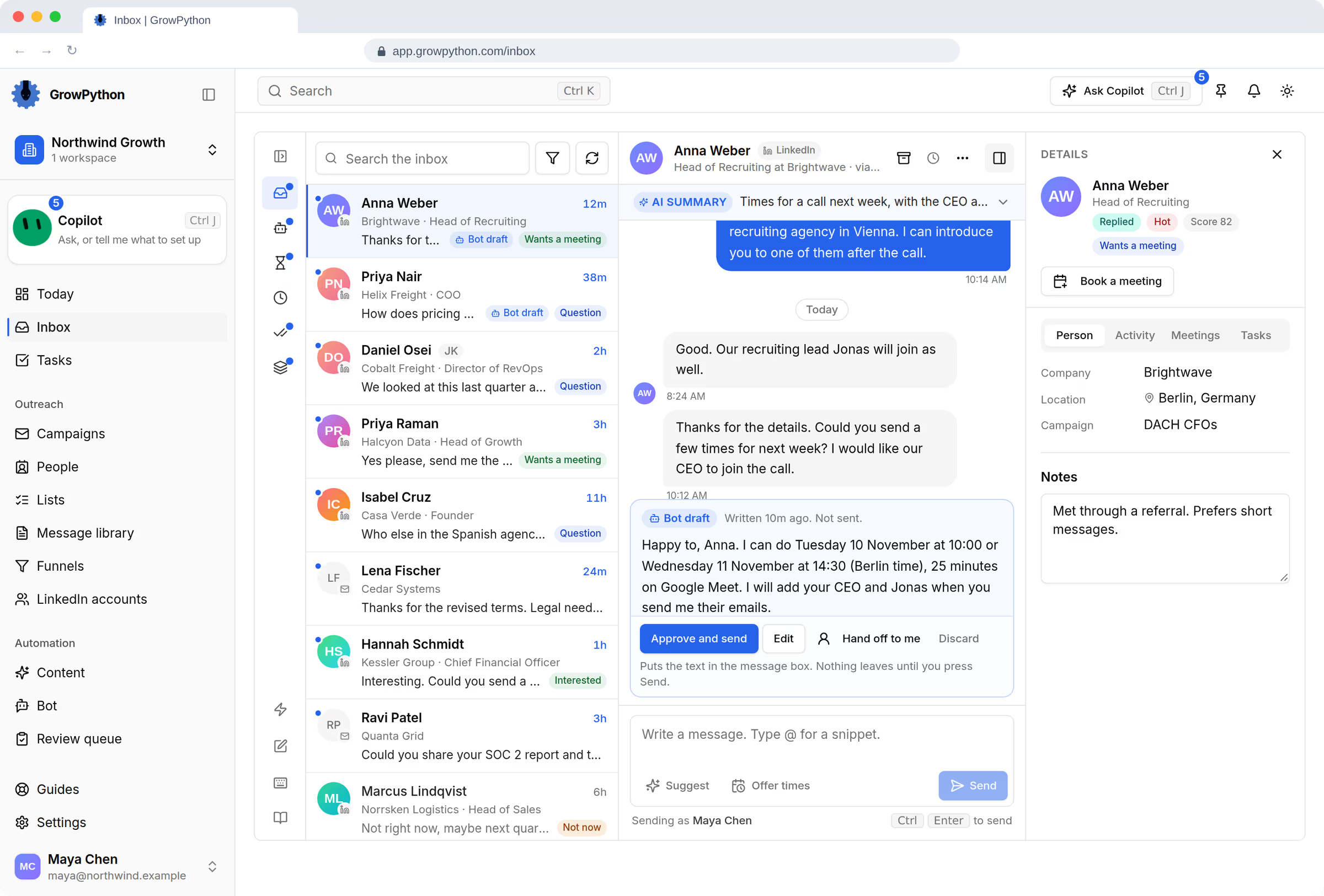
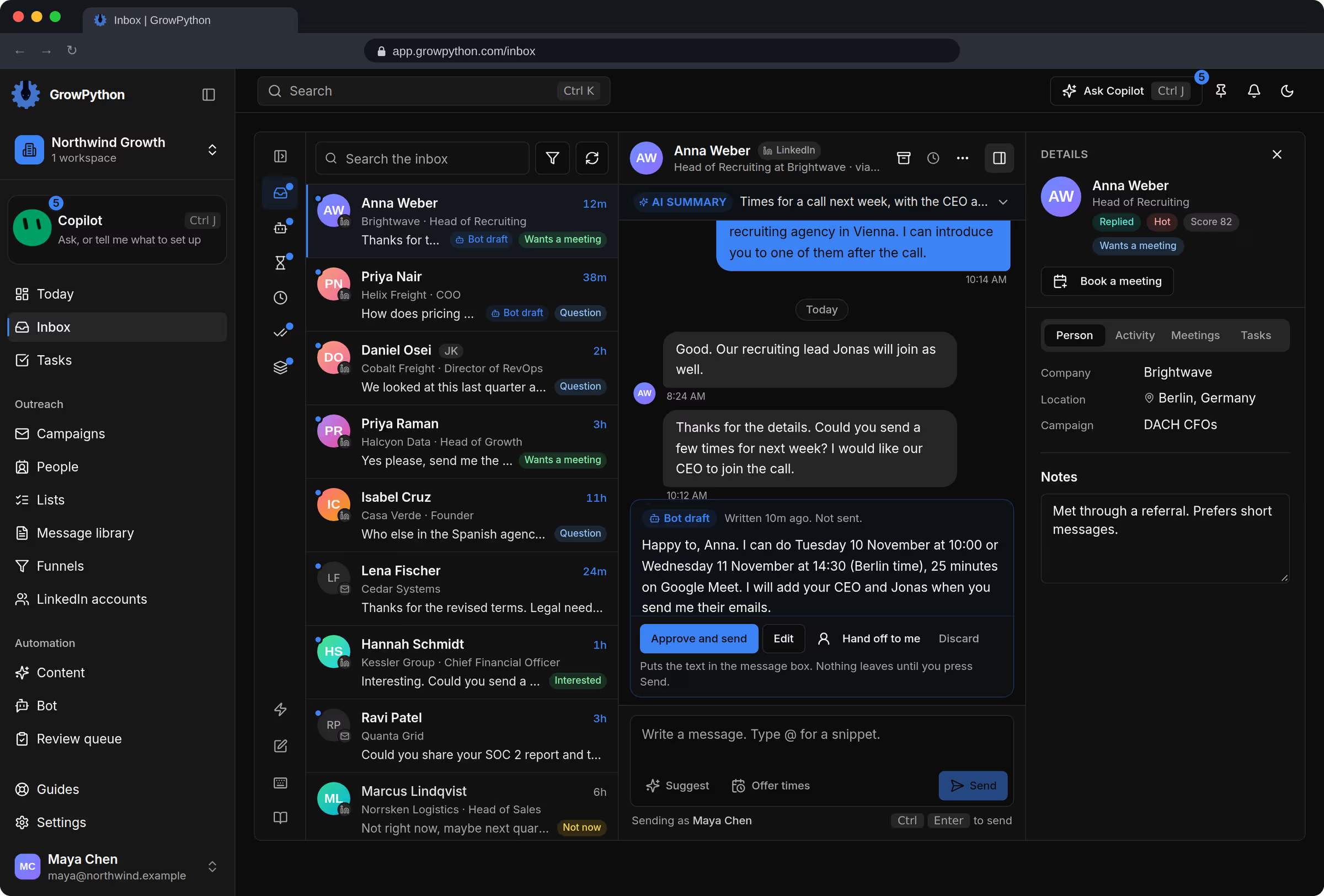
  1. Read the replies that came in overnight

    Needs reply puts the candidates who asked a question first. Answer them, snooze the ones who said later, archive the ones who said no. Archiving never touches LinkedIn.
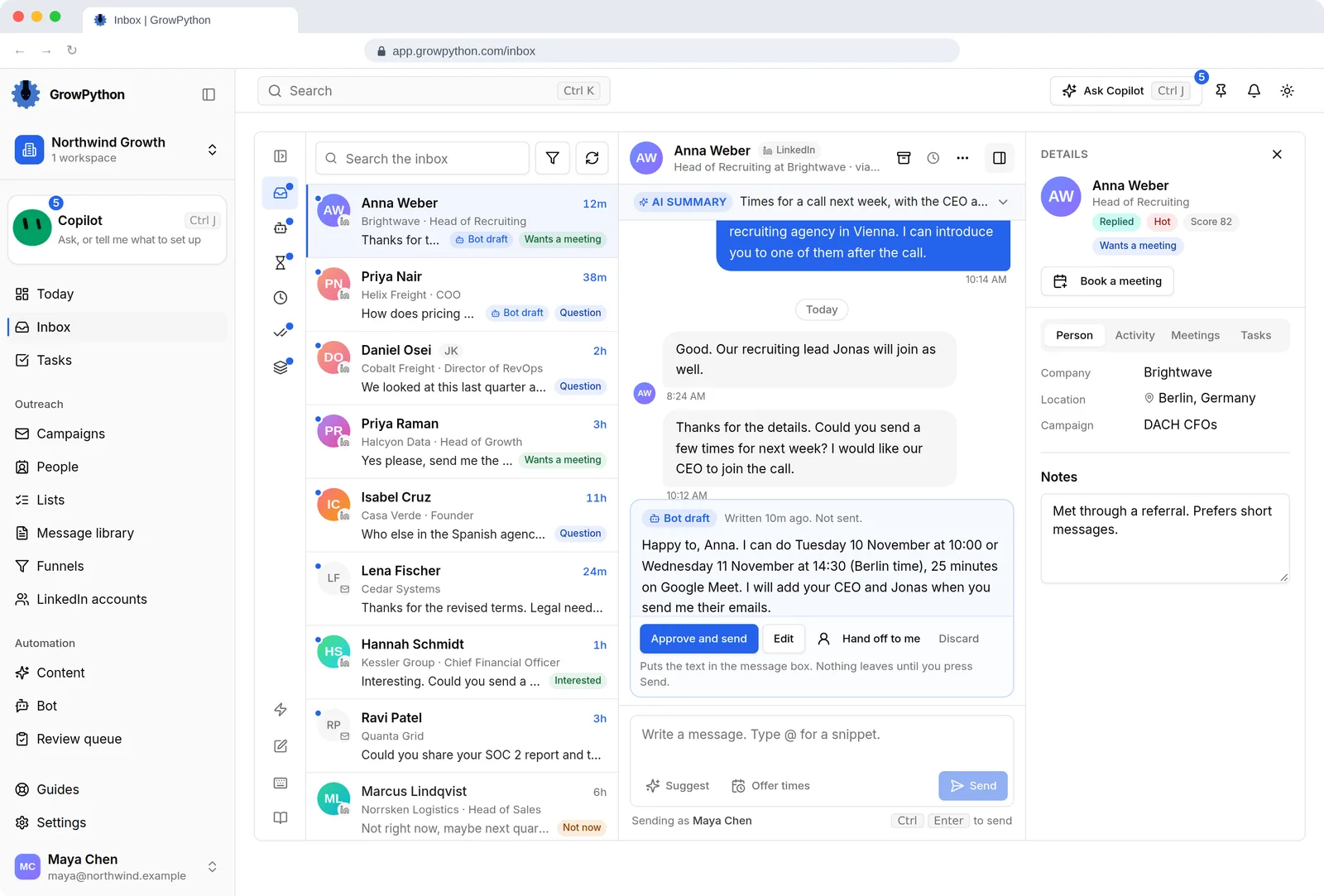
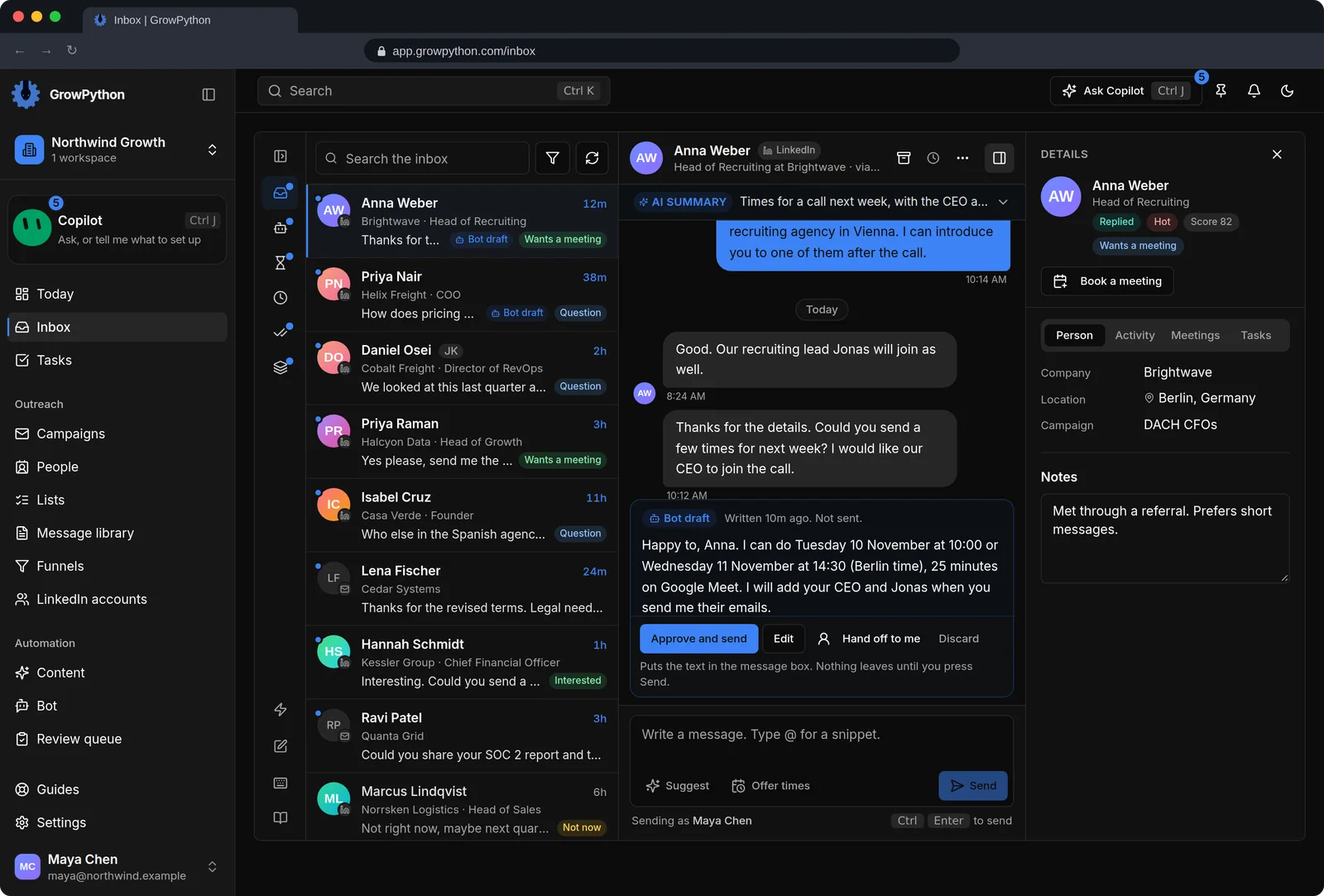
    The unified Inbox with a list of LinkedIn and email conversations on the left, an open conversation with Anna Weber in the middle that has an AI summary and a reply draft from Xupy waiting with an Approve and send button, and a details panel on the right showing company, location and campaign.The unified Inbox with a list of LinkedIn and email conversations on the left, an open conversation with Anna Weber in the middle that has an AI summary and a reply draft from Xupy waiting with an Approve and send button, and a details panel on the right showing company, location and campaign. Shown in the dark theme.
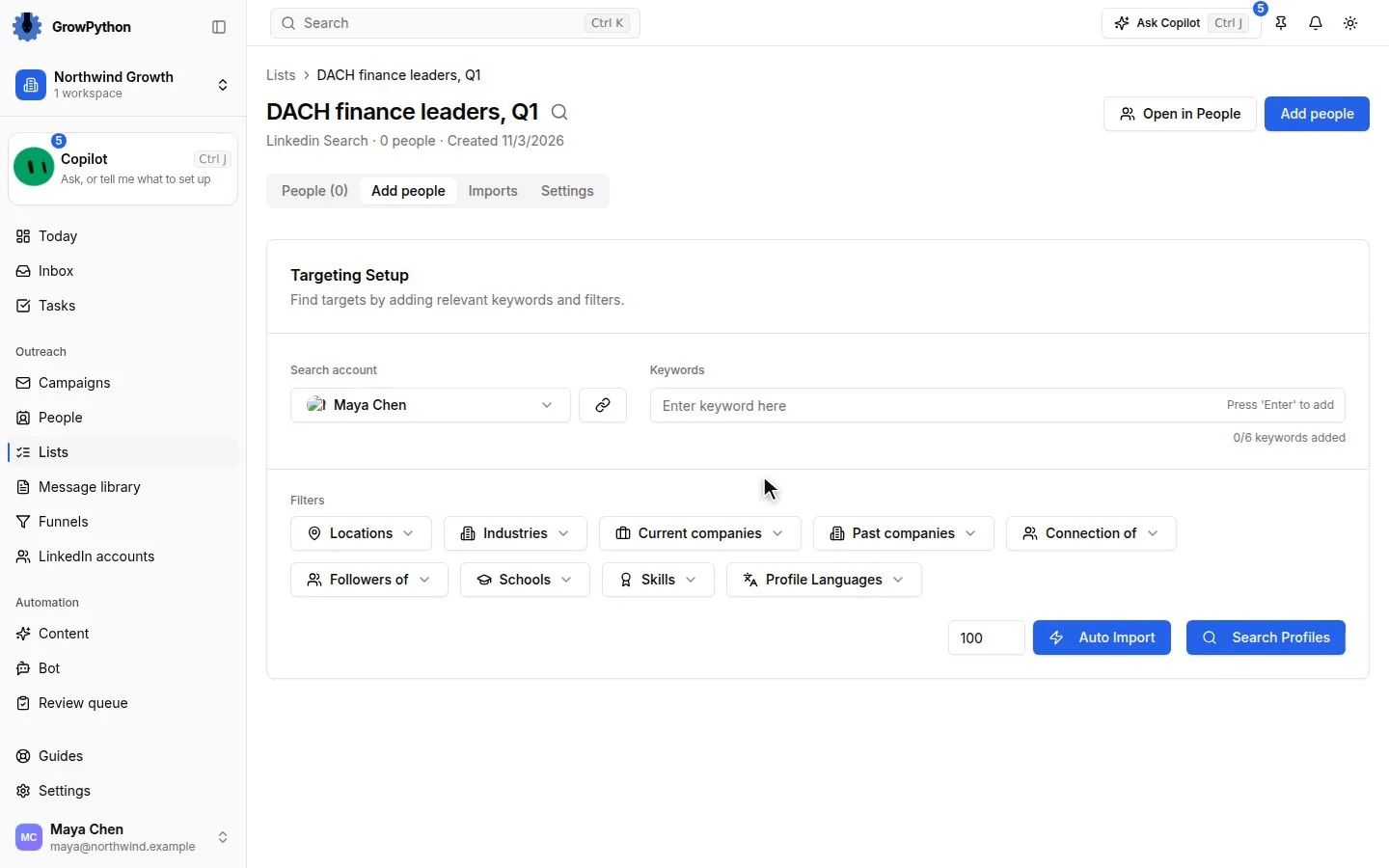
  2. Source for a new role

    Run a LinkedIn people search with the job title and location, or paste the address of a LinkedIn or Sales Navigator search. One import brings in up to 800 people. Skim the first ones and ignore anyone who does not fit.
  3. Write the outreach once

    Keep openers and follow-ups in the Message library, with variables, a character counter for the connection note, checks while you type and a preview for a real candidate.
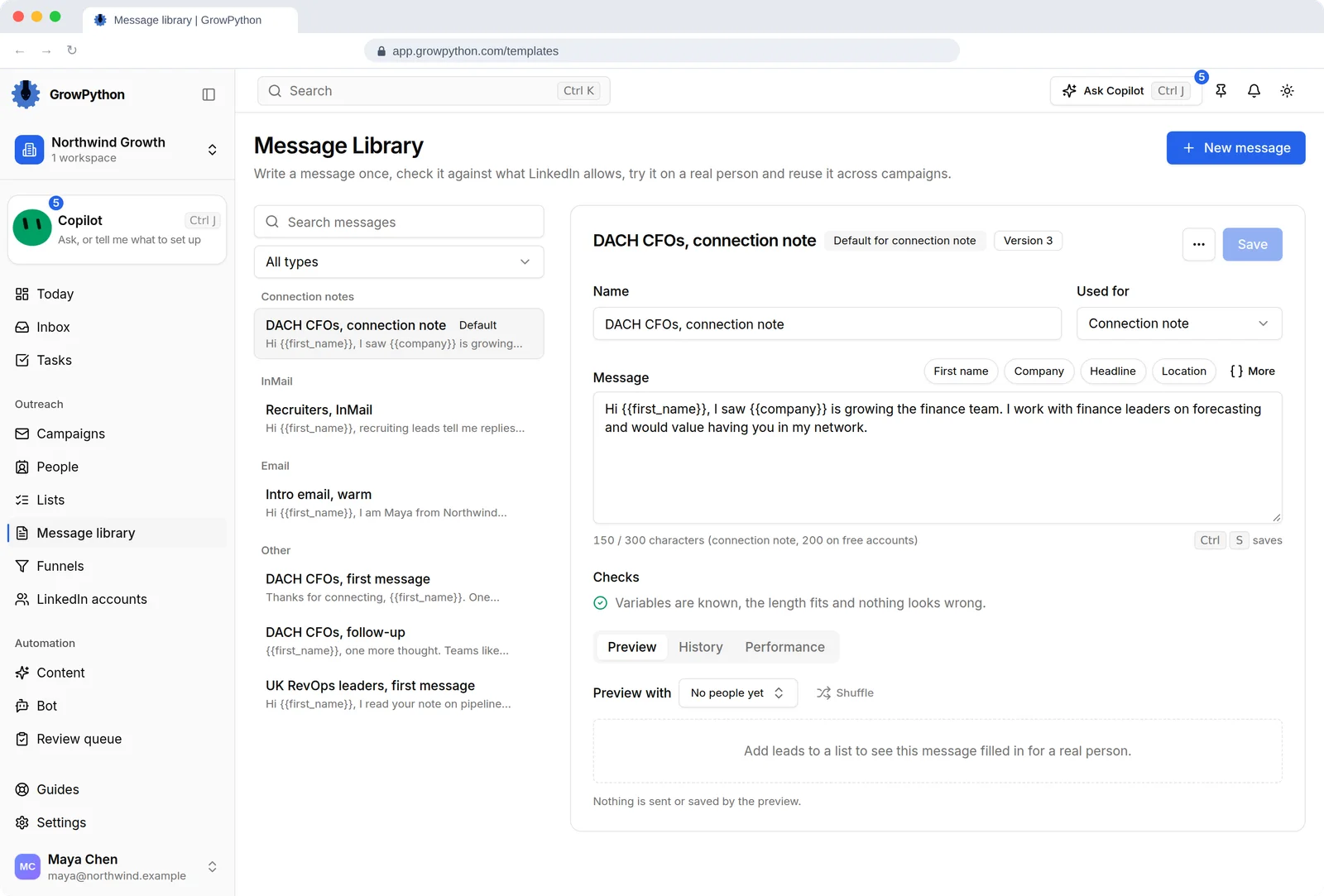
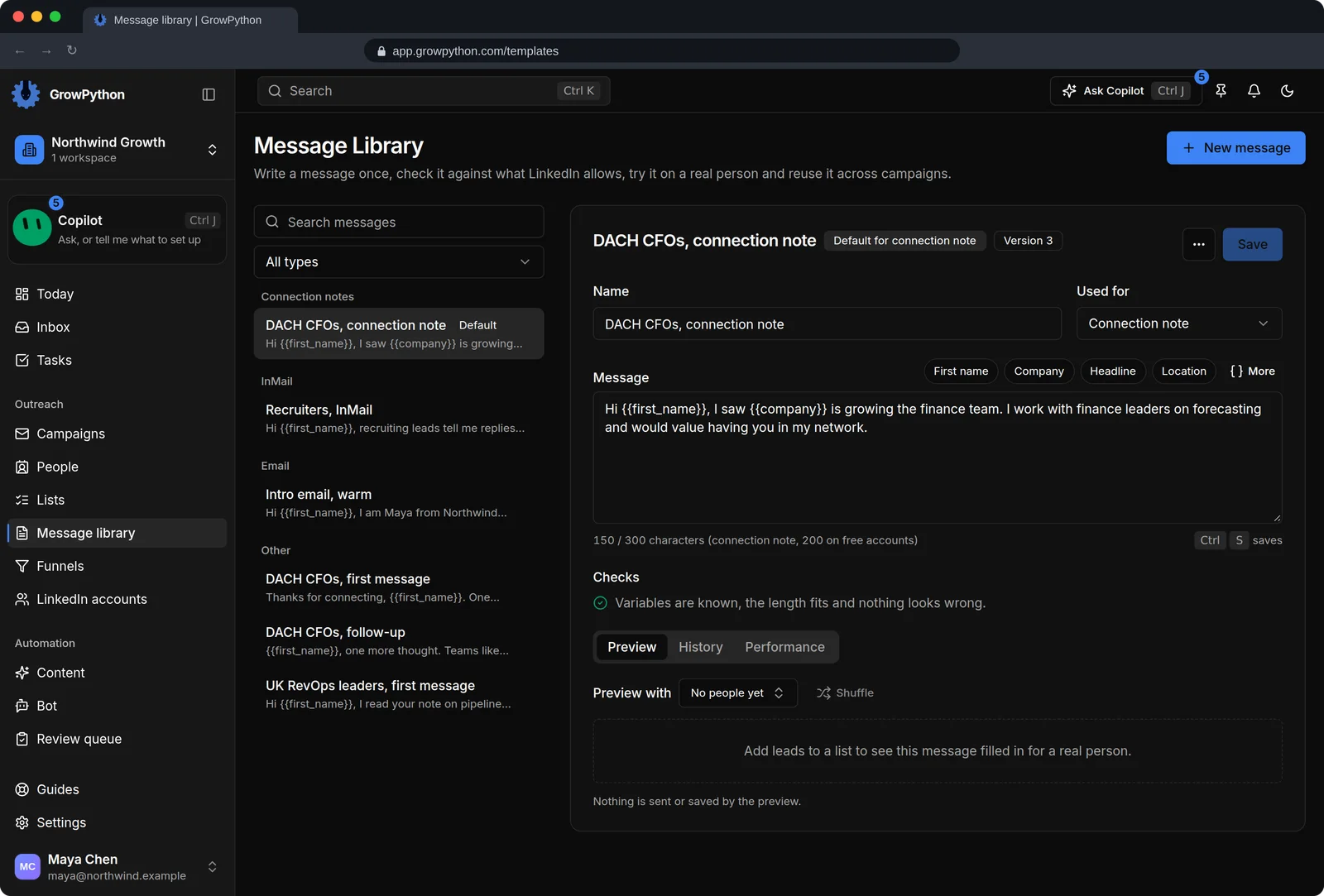
    The Message library with a list of saved messages grouped by type: connection notes, InMail, email and other messages. The editor shows DACH CFOs, connection note with its text, variables such as first name and company, a character count against the 300 limit, and a check that confirms the variables are known and the length fits.The Message library with a list of saved messages grouped by type: connection notes, InMail, email and other messages. The editor shows DACH CFOs, connection note with its text, variables such as first name and company, a character count against the 300 limit, and a check that confirms the variables are known and the length fits. Shown in the dark theme.
  4. Start the campaign yourself

    The Setup checklist shows what is missing. Start stays off until there is a sender, a follow-up message and working hours, and nobody but you presses it.
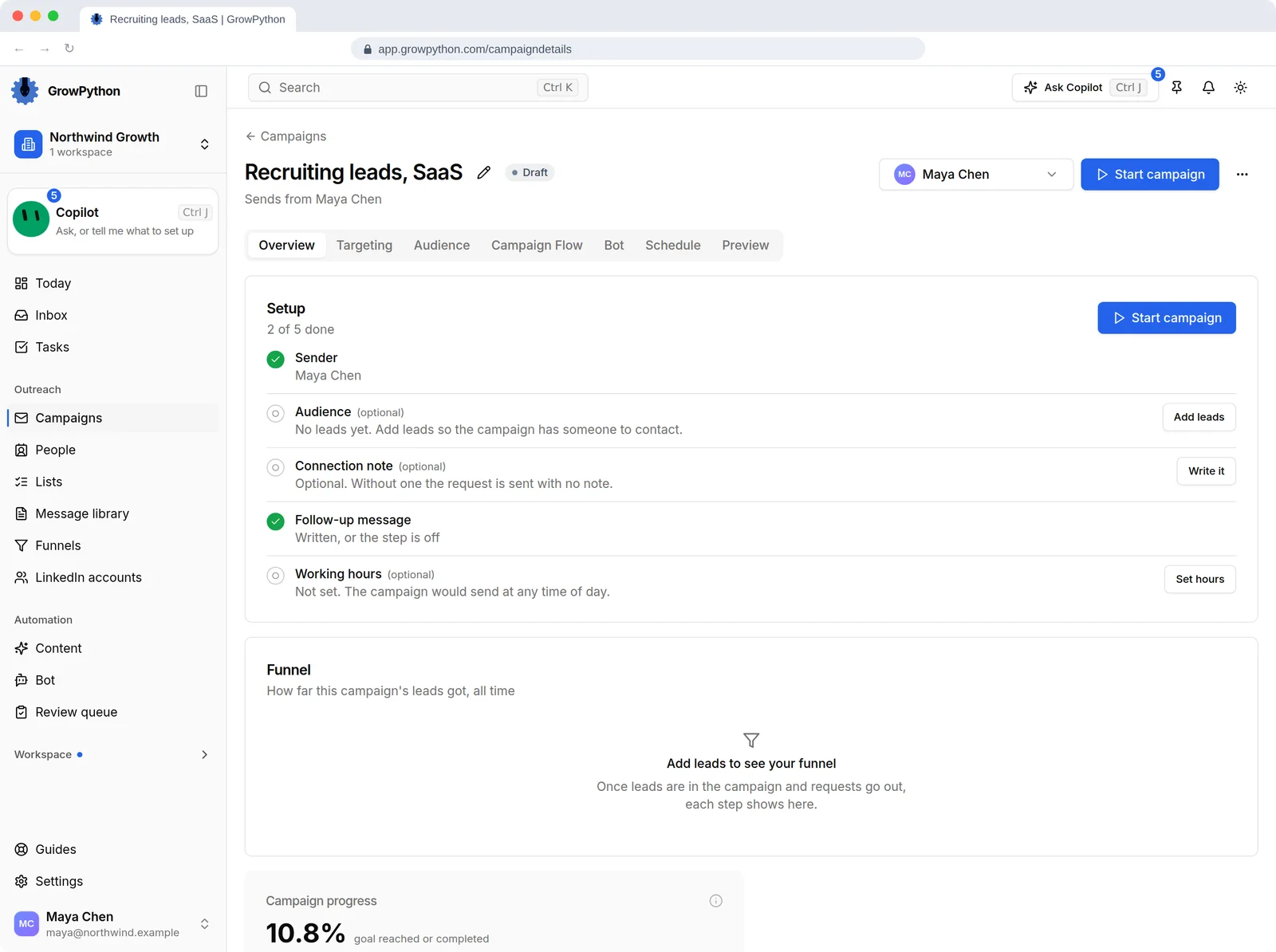
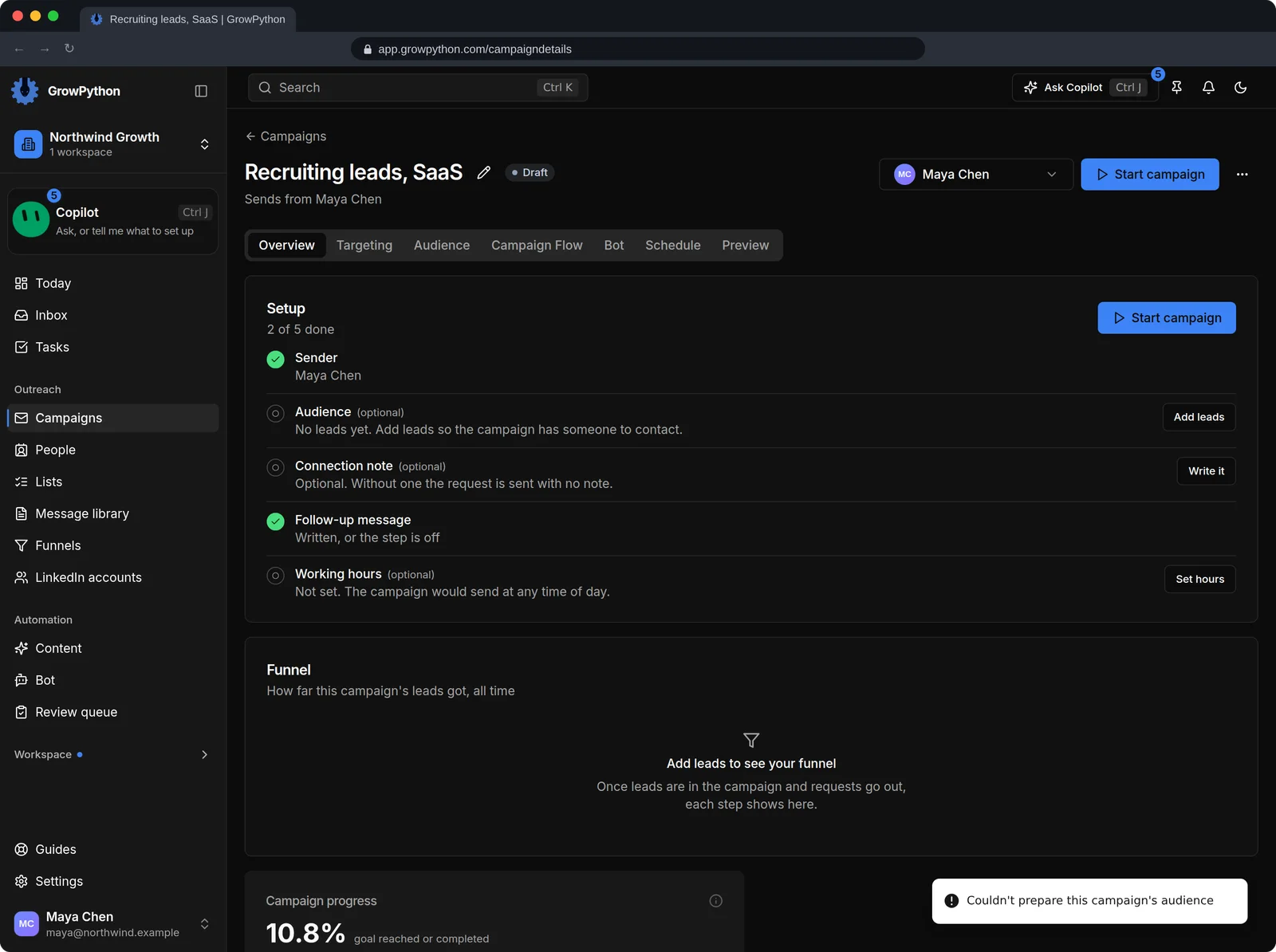
    A draft campaign, Recruiting leads SaaS, with a Start campaign button in the header. Nothing starts until a person presses it.A draft campaign, Recruiting leads SaaS, with a Start campaign button in the header. Nothing starts until a person presses it. Shown in the dark theme.
  5. Candidates pick a time

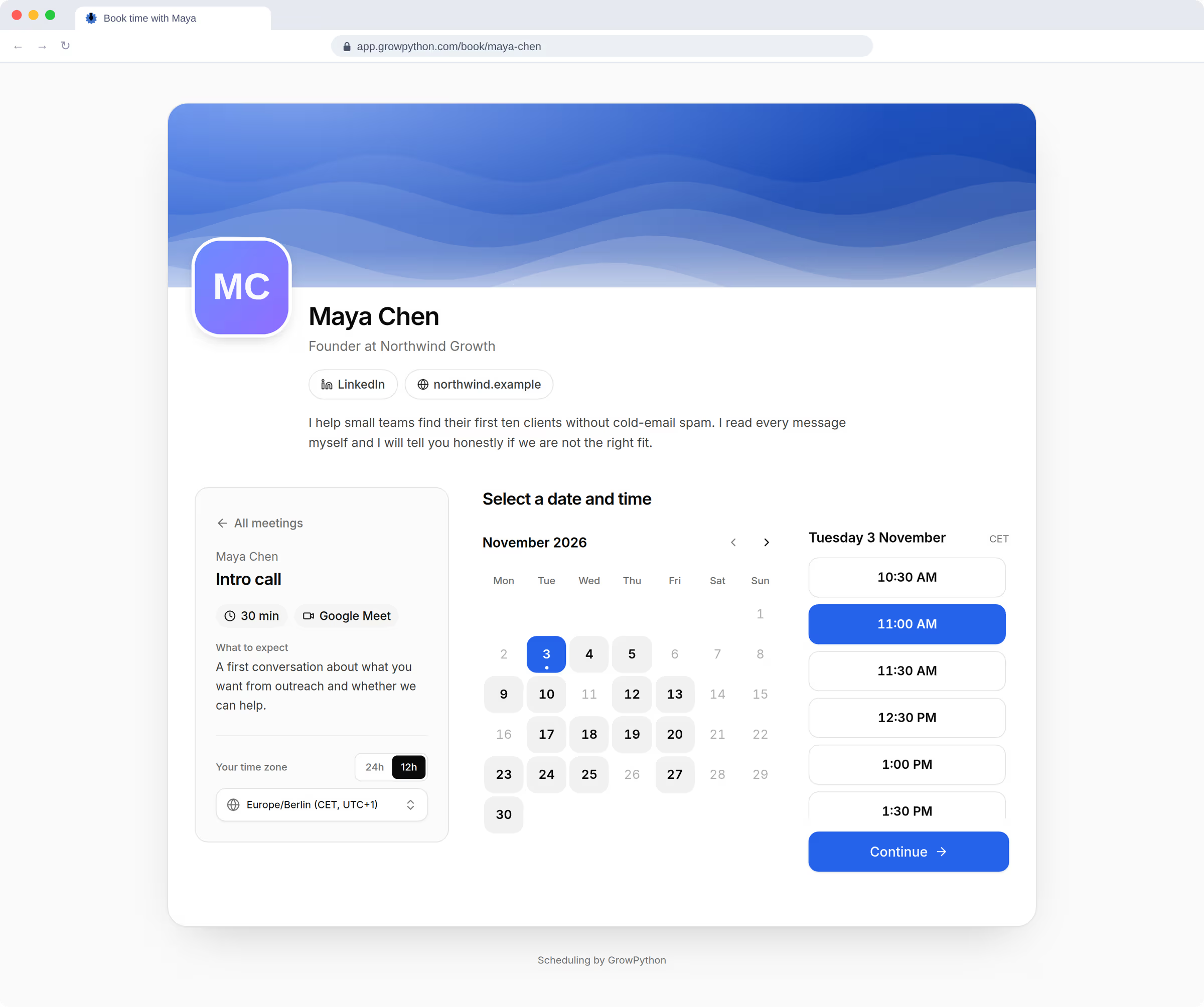
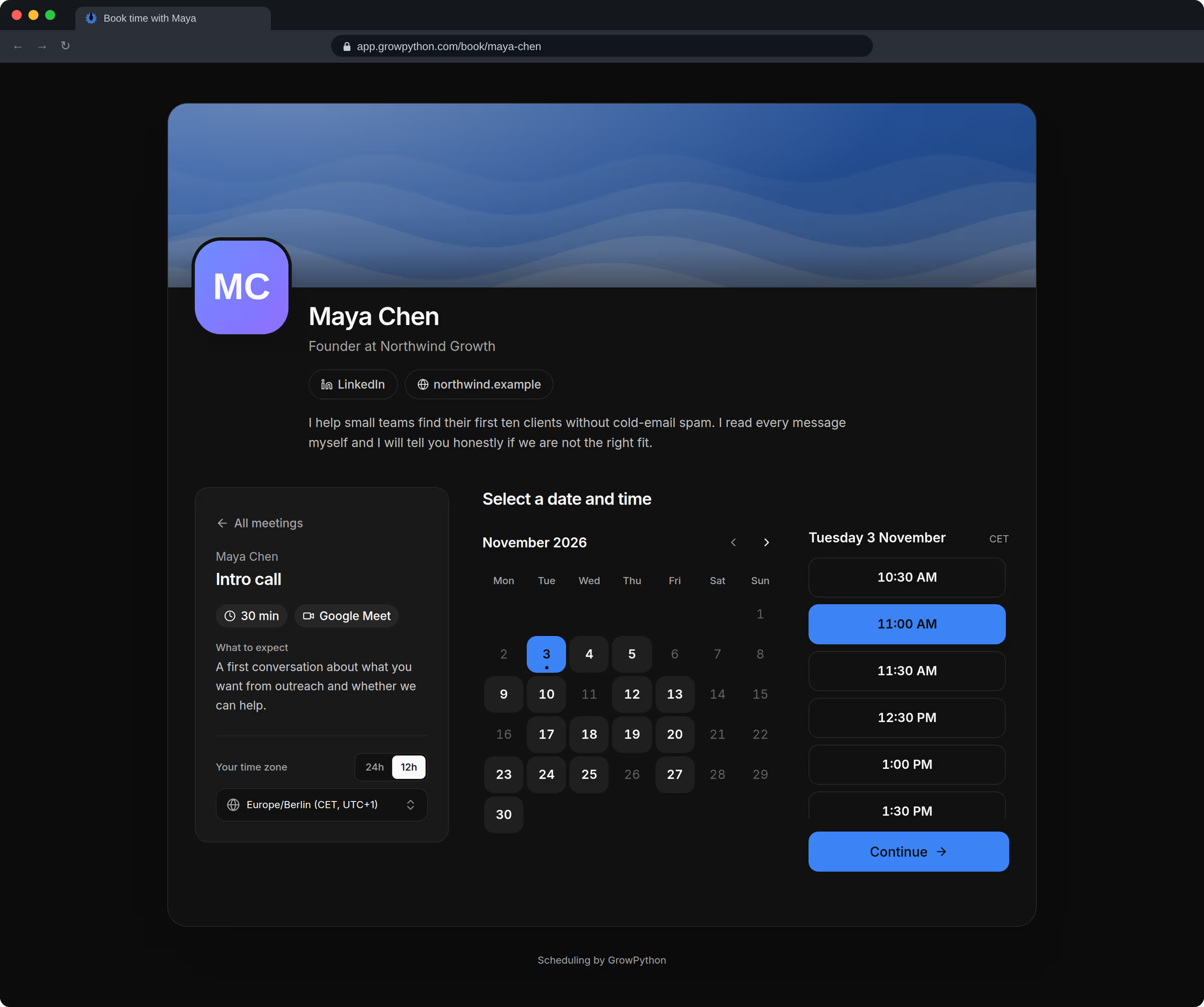
    A screening call meeting type with its own length, questions, buffers and minimum notice. Candidates book on your page, inside your weekly hours, from their phone if they like.
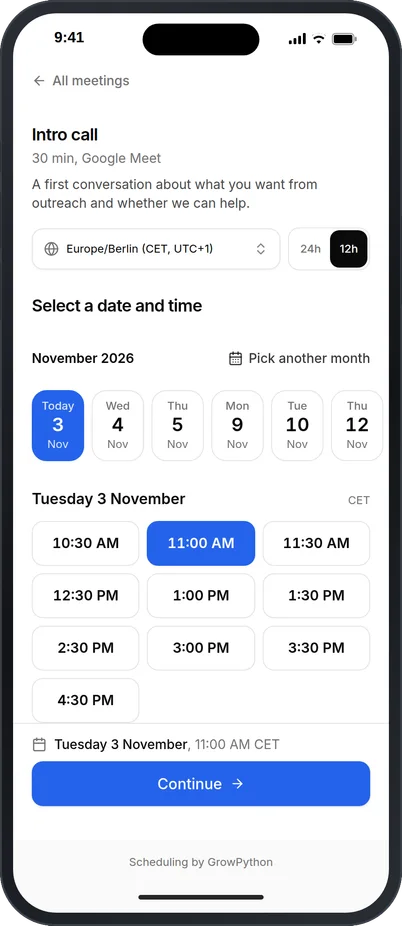
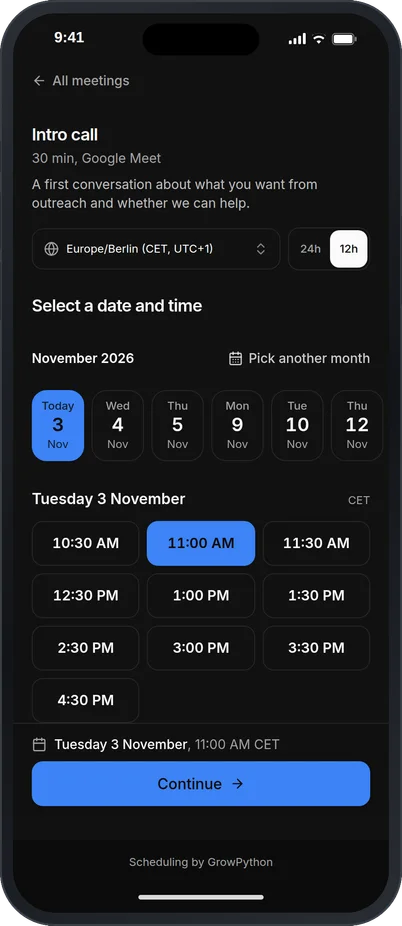
    The public booking page on a phone for Maya Chen after choosing the Intro call: a time zone selector, a list of open days and a list of times with 11:00 AM selected and a Continue button.The public booking page on a phone for Maya Chen after choosing the Intro call: a time zone selector, a list of open days and a list of times with 11:00 AM selected and a Continue button. Shown in the dark theme.
  6. Keep the record straight

    Each person's record shows the campaign they replied in, their tags and the conversation. Meeting notes from a recorded or uploaded call add a summary and action items.
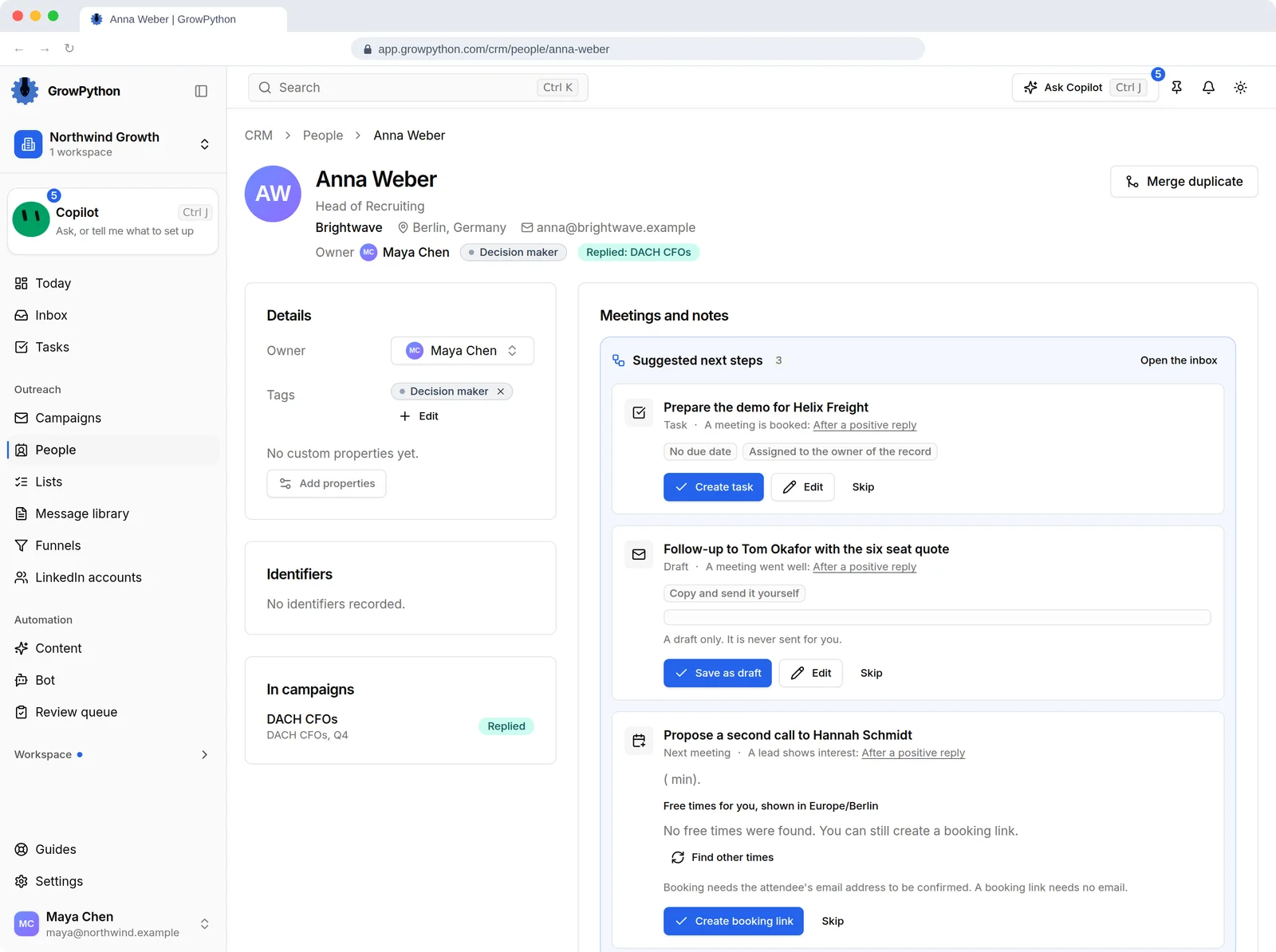
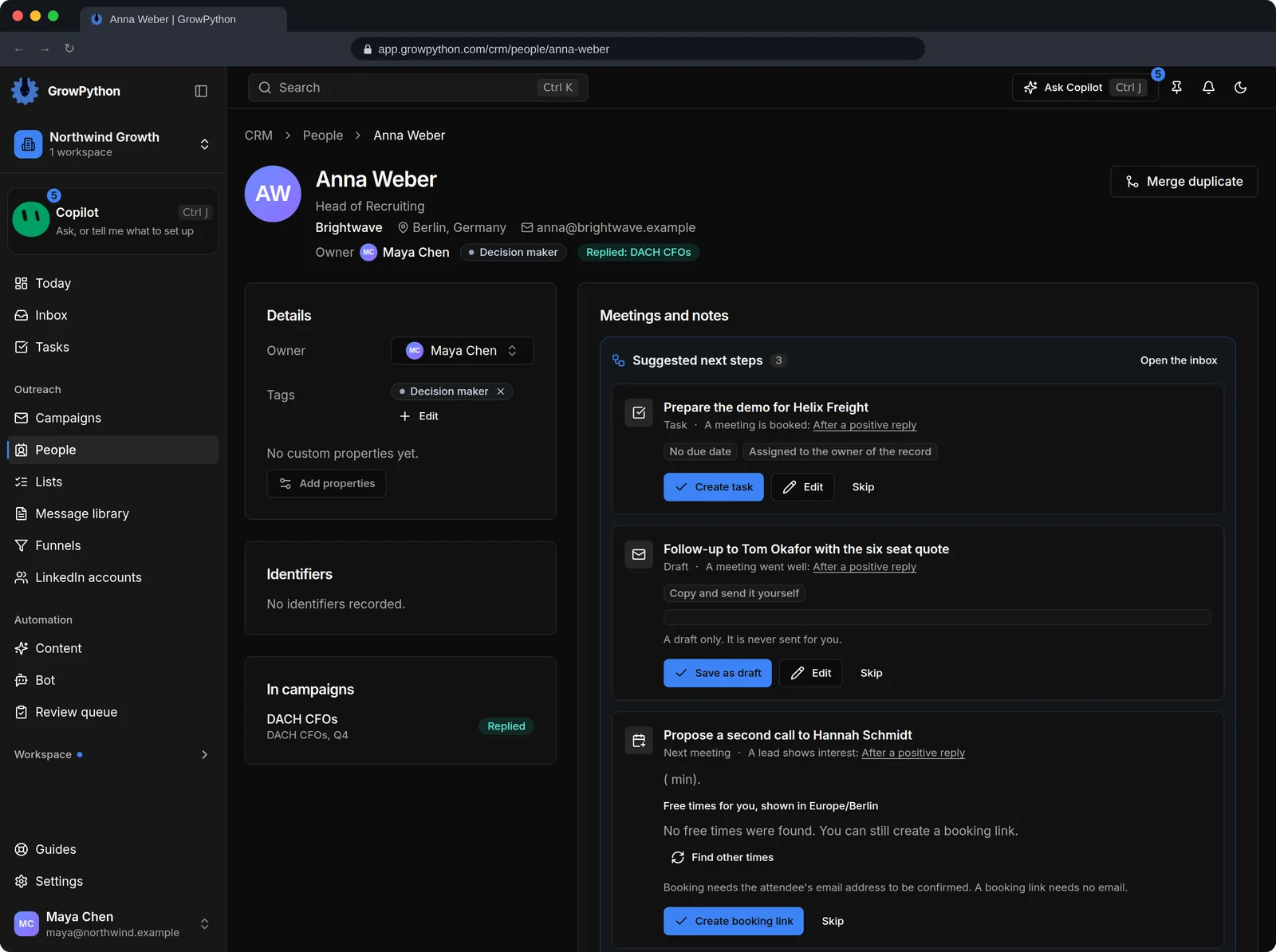
    The record of Anna Weber, Head of Recruiting at Brightwave in Berlin. The page shows owner, a Decision maker tag, the campaign Anna replied in, the meetings, and a timeline of activity: a reply today, a message sent yesterday, the connection accepted and the request sent.The record of Anna Weber, Head of Recruiting at Brightwave in Berlin. The page shows owner, a Decision maker tag, the campaign Anna replied in, the meetings, and a timeline of activity: a reply today, a message sent yesterday, the connection accepted and the request sent. Shown in the dark theme.
The unified Inbox with a list of LinkedIn and email conversations on the left, an open conversation with Anna Weber in the middle that has an AI summary and a reply draft from Xupy waiting with an Approve and send button, and a details panel on the right showing company, location and campaign.The unified Inbox with a list of LinkedIn and email conversations on the left, an open conversation with Anna Weber in the middle that has an AI summary and a reply draft from Xupy waiting with an Approve and send button, and a details panel on the right showing company, location and campaign. Shown in the dark theme.

What you will use, and why

What a recruiter uses most

Sourcing, pacing, follow-up memory and booking: the four places a recruiting day leaks time.

Candidate lists from LinkedIn

A LinkedIn people search with filters, the address of a LinkedIn or Sales Navigator search, your existing connections, people who engaged with a post, or a CSV from your own records with a dry run before anything is added.

Why it matters to you

Sourcing is where the hours go. Importing never contacts anyone, so you can build and prune the list before a single message is sent.

Pacing that protects your account

Weekly limits for connection requests, messages and InMails, each from 10 to 200, split into a daily number and worked in small steps inside working hours. A Withdraw step clears old pending requests.

Why it matters to you

Your LinkedIn account is how you work. Keeping it in good standing matters more than any single campaign.

Snooze, so 'not now' is not lost

Snooze a conversation to later today, tomorrow, next Monday, in a week or a date you pick. It returns to Needs reply with the thread intact. Assign it to a colleague if they own the role.

Why it matters to you

Passive candidates say 'not now' far more often than 'no'. The follow-up is where the placement is.

Screening calls that arrive prepared

Meeting types with a length, a location, questions for the person booking, buffers and minimum notice. Each recruiter on the team has their own booking page.

Why it matters to you

The basics you would ask in the first minutes of the call are answered before it starts.

After 30 days

What is different after a month

No promise about placements or reply rates. This is what changes on your desk.

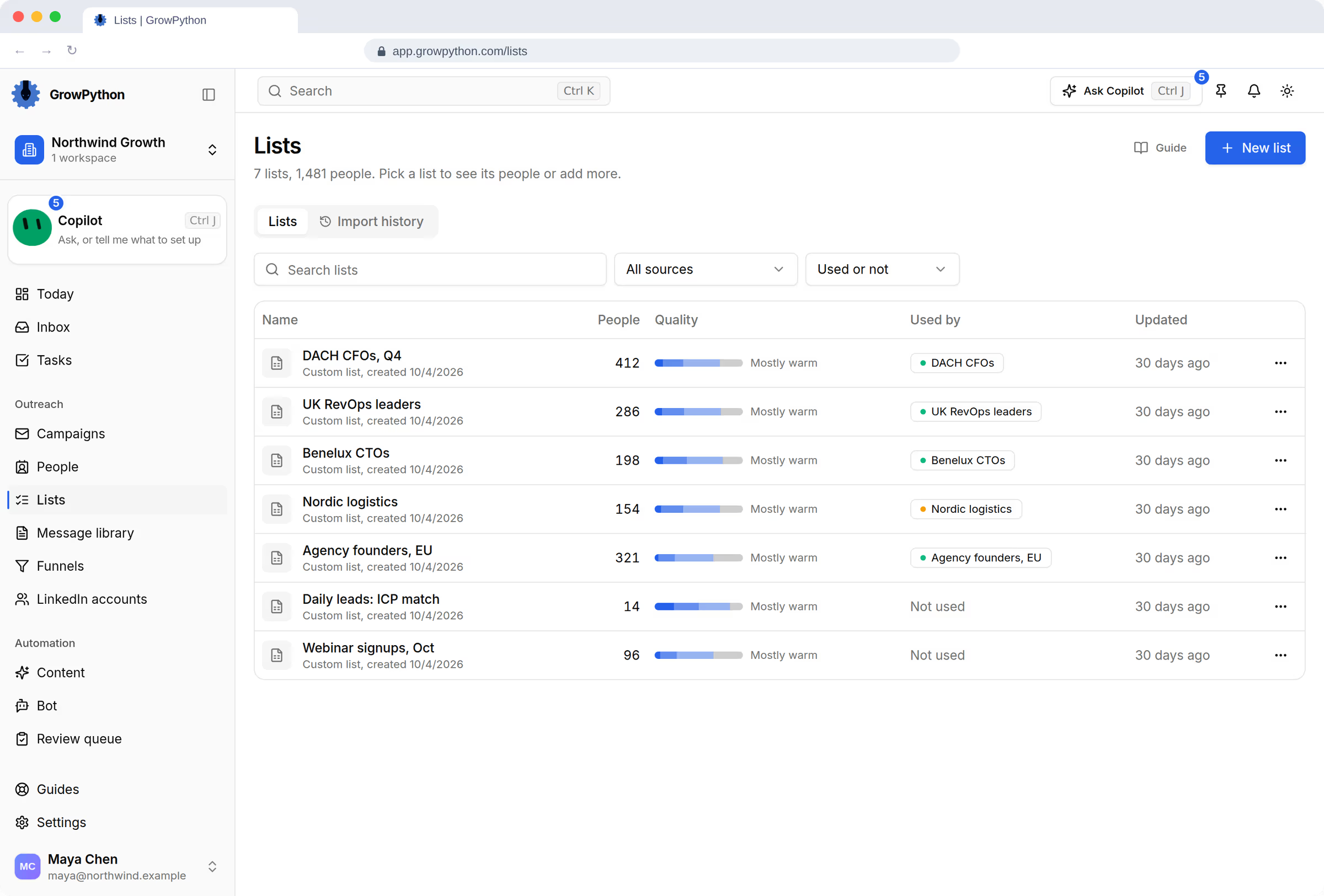
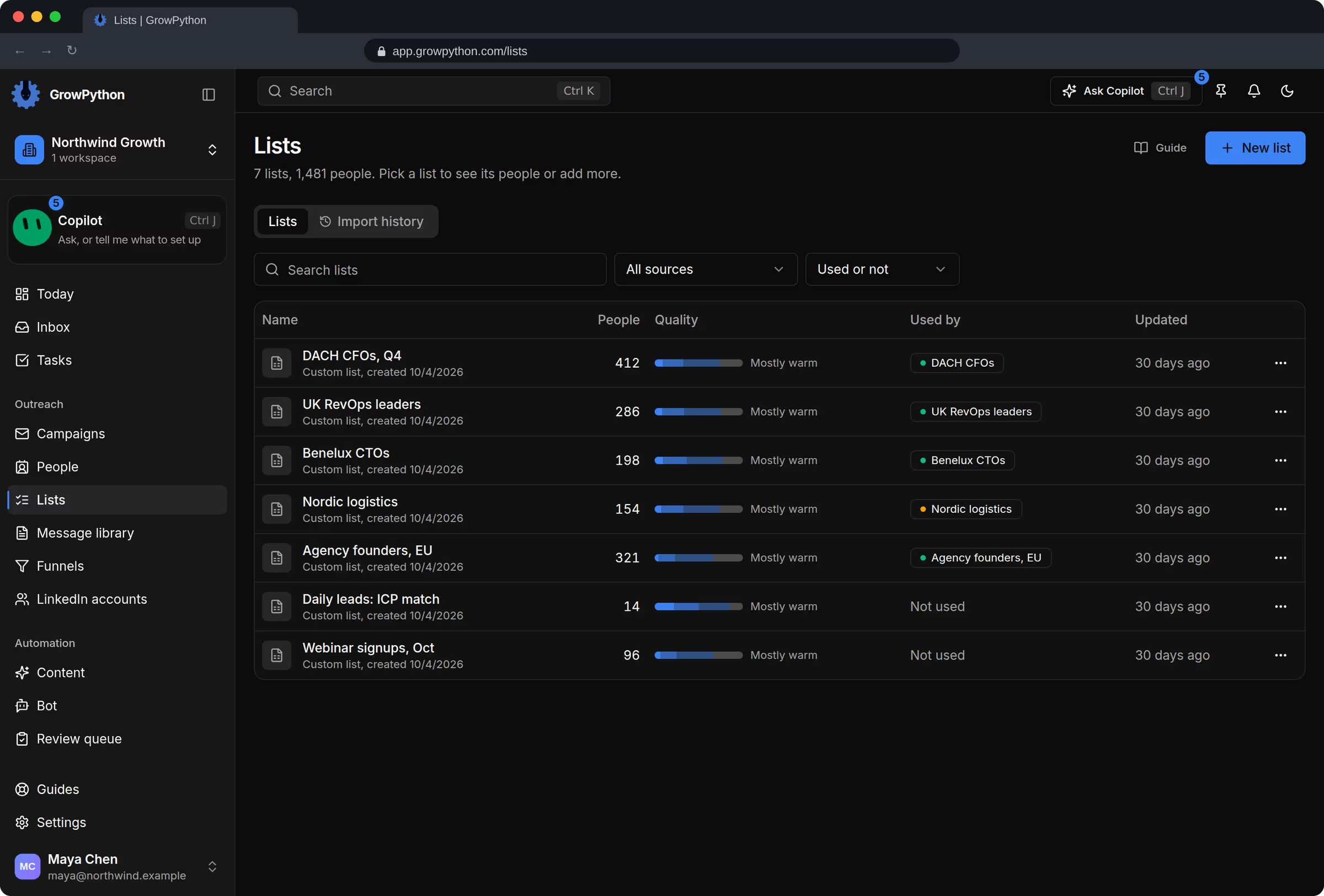
  • Your sourcing lives in lists, not tabs. Each role has its list, its import history and a quality bar, so a good search is not lost when a tab closes.
  • No candidate falls through on a 'later'. Everyone who said not now is snoozed to a date, and comes back on that day.
  • Your outreach has a house style. The messages that worked sit in the Message library with their history, so a new recruiter starts from them.
  • Your next client list kept growing. If you switched on Daily ICP leads, a list of decision makers at hiring companies filled up while you worked on roles.

Private beta

Coming for recruiters: the Recruit suite.

Jobs with their must-haves, LinkedIn sourcing that starts from the job, a fit you can check for every person, one pipeline per job and, for agencies, clients, a talent pool, placements and shortlists a client answers by private link. It is in private beta and is not part of the trial yet. Recruiters can ask for an invite now.

FAQ

Objections, answered

Is GrowPython an applicant tracking system?

No. It handles the sourcing outreach, the replies and the first call. Keep your applicant tracking system for applications, interviews and offers. There is no sync with outside systems today.

Do I need LinkedIn Premium?

Not to start. A connection note needs a Premium account, so with a free account the request goes out without a note and your reason to talk goes into the first message. Importing from Sales Navigator needs a Premium account too.

Will it message candidates without me?

Only inside a campaign you started yourself, at the pace and in the hours you set, and you can pause it at any time. Replies are never sent for you: the reply bot writes drafts that wait for your approval.

Can my whole desk use it?

Yes. Invite recruiters as Members, assign conversations, and give each person their own booking page. A seat is a connected LinkedIn account, not a person. Inviting a teammate to work the Inbox, the CRM or the calendar does not use a seat. Connecting their LinkedIn account does.

Can it record screening calls?

Meeting notes work from a recorded Google Meet or Zoom web call, with a browser extension for Chrome and Edge, or from an uploaded recording. Tell the candidate you are recording. The audio is deleted once the transcript is made.

Spend your hours on candidates, not on tabs.

Start the trial, connect your LinkedIn account and build one list for the role you are working on now.

New customers get a 5-day free trial. Cancel from Billing.