Skip to content

Company Brain

A company brain for your AI sales assistants

Write your Business profile once and add your SOPs to Docs. The Copilot, the reply bot and the content tools read the same description, and you choose which helper reads which document.

Does the job ofpasting the same context into every AI tool

What it does

Teach the AI helpers how your company talks and sells.

  1. A Business profile

    Your company, audience segments, keywords, voice, red lines and how you sell, written once and read by the Copilot, the reply bot, the booking bot and the content tools.
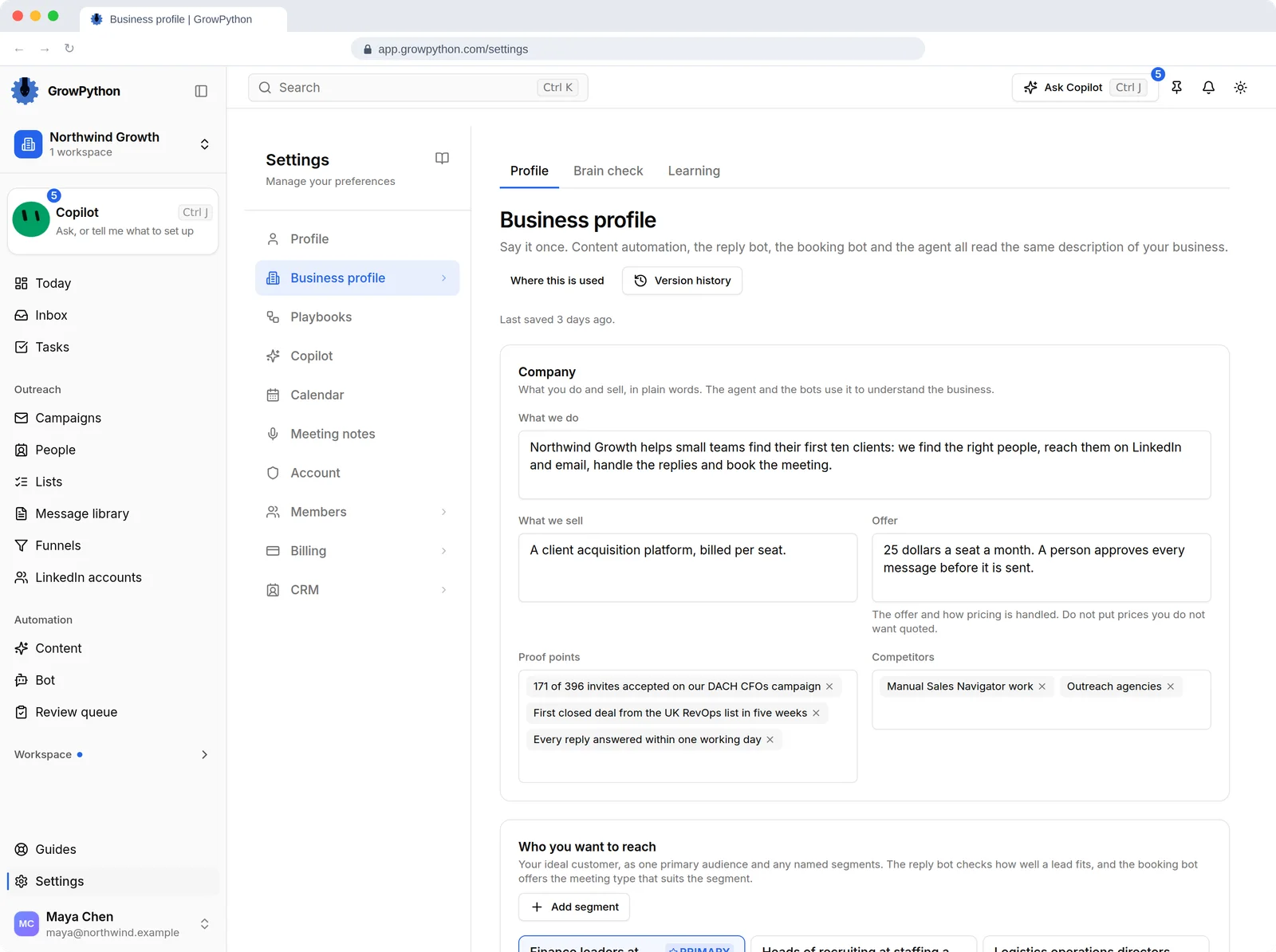
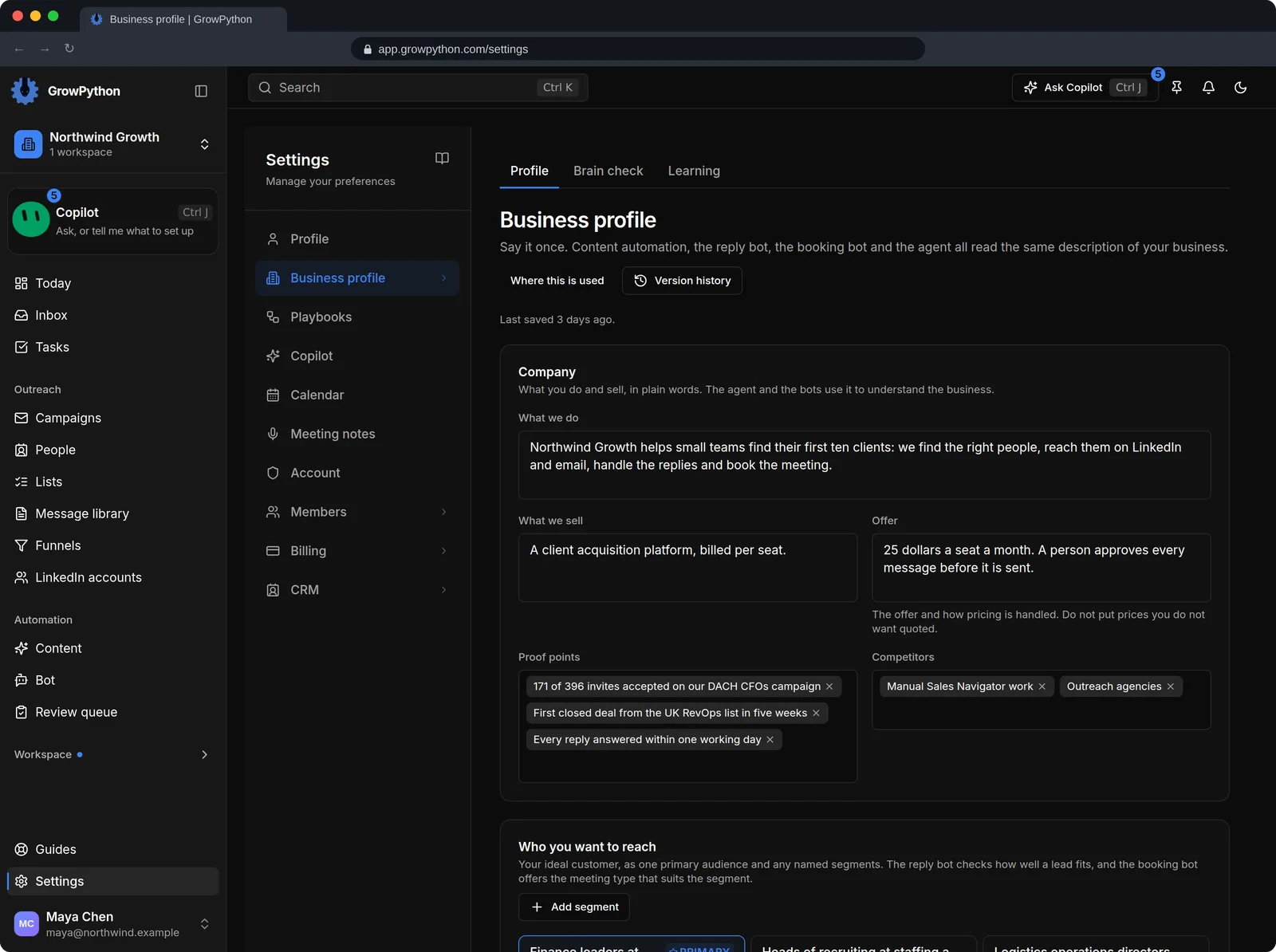
    The Business profile settings page with sub tabs Profile, Brain check and Learning. The Company section has fields for what we do, what we sell, the offer, proof points and competitors, followed by a Who you want to reach section with audience segments.The Business profile settings page with sub tabs Profile, Brain check and Learning. The Company section has fields for what we do, what we sell, the offer, proof points and competitors, followed by a Who you want to reach section with audience segments. Shown in the dark theme.
  2. SOPs in Docs

    Import a PDF, Word, Markdown or text file, paste text or give a public link. You see a preview first, and nothing is saved until you confirm.
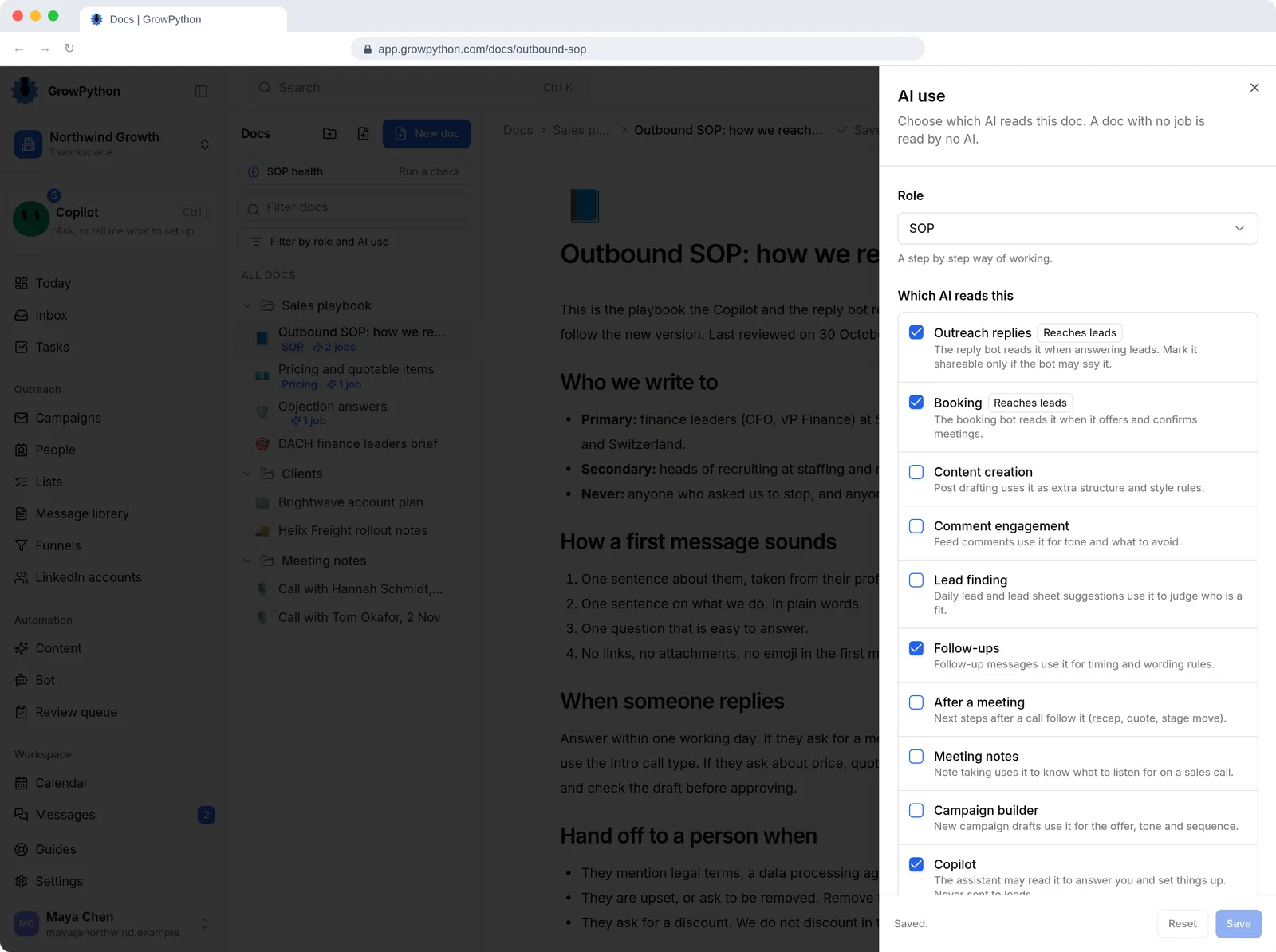
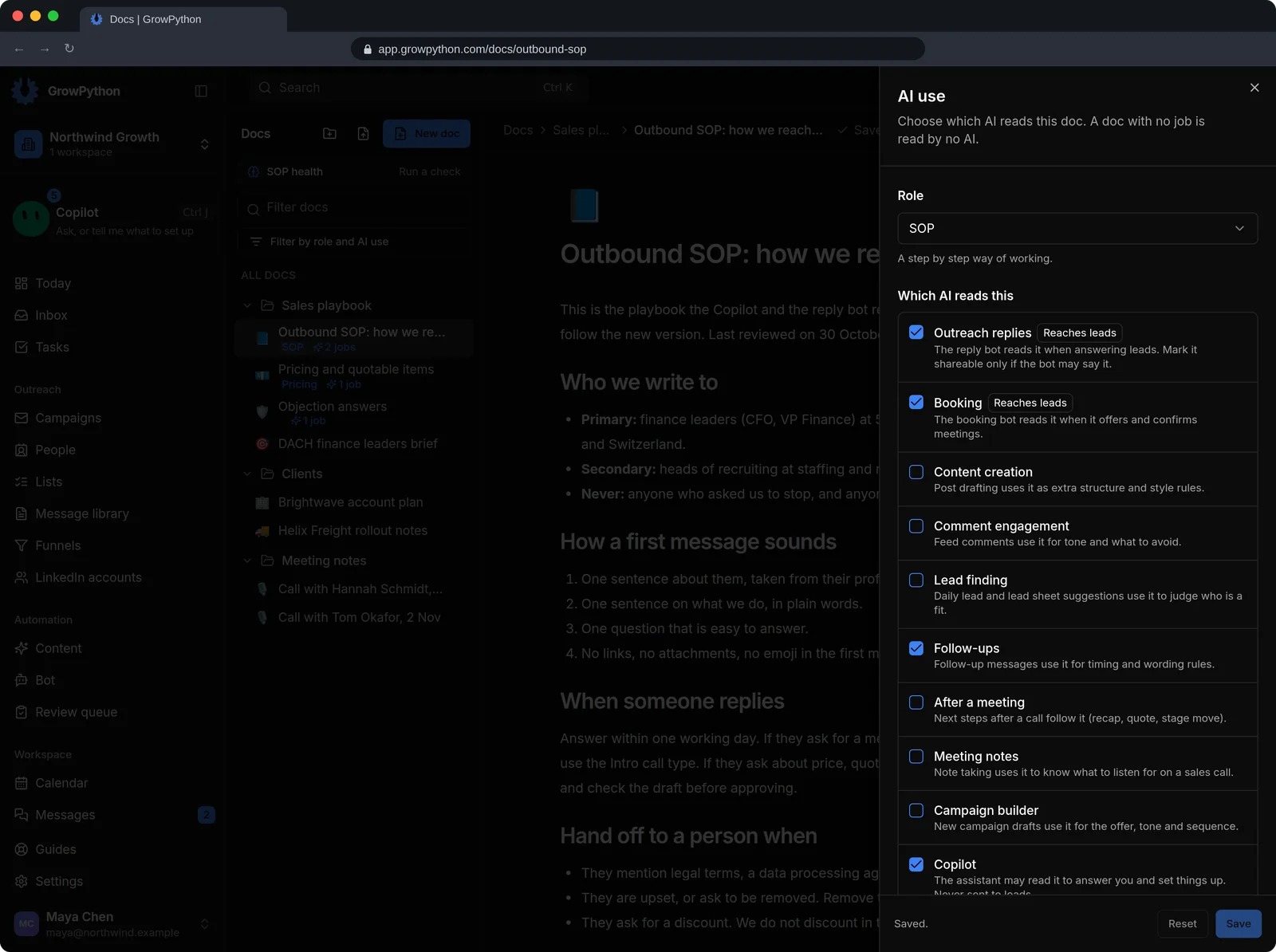
    The AI use panel of a document called Outbound SOP. A Role of SOP is chosen and the list Which AI reads this has Outreach replies, Booking, Follow-ups and Copilot ticked, with notes on which ones can reach leads.The AI use panel of a document called Outbound SOP. A Role of SOP is chosen and the list Which AI reads this has Outreach replies, Booking, Follow-ups and Copilot ticked, with notes on which ones can reach leads. Shown in the dark theme.
  3. You choose who reads what

    Give each doc an AI job: replies, booking, content, comments, lead finding, follow-ups, meeting notes, campaign builder or the Copilot. The AI use panel shows what each one sees.

    The AI use panel of a document called Outbound SOP. A Role of SOP is chosen and the list Which AI reads this has Outreach replies, Booking, Follow-ups and Copilot ticked, with notes on which ones can reach leads.The AI use panel of a document called Outbound SOP. A Role of SOP is chosen and the list Which AI reads this has Outreach replies, Booking, Follow-ups and Copilot ticked, with notes on which ones can reach leads. Shown in the dark theme.
  4. Brain check

    It compares your messages, campaigns, bot, content setup and calendar with your profile and SOPs, lists what disagrees and proposes a fix. Nothing changes until you confirm.
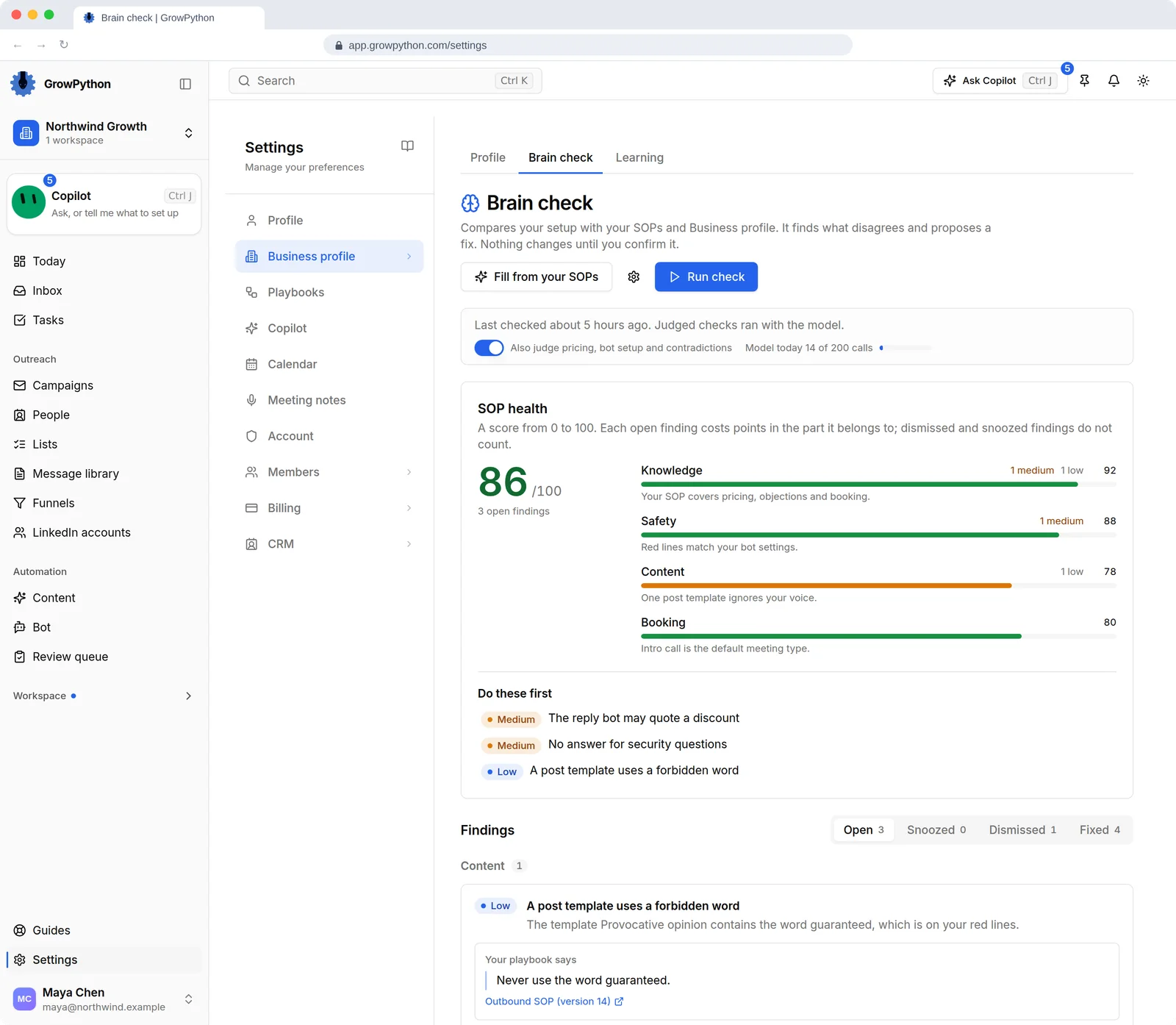
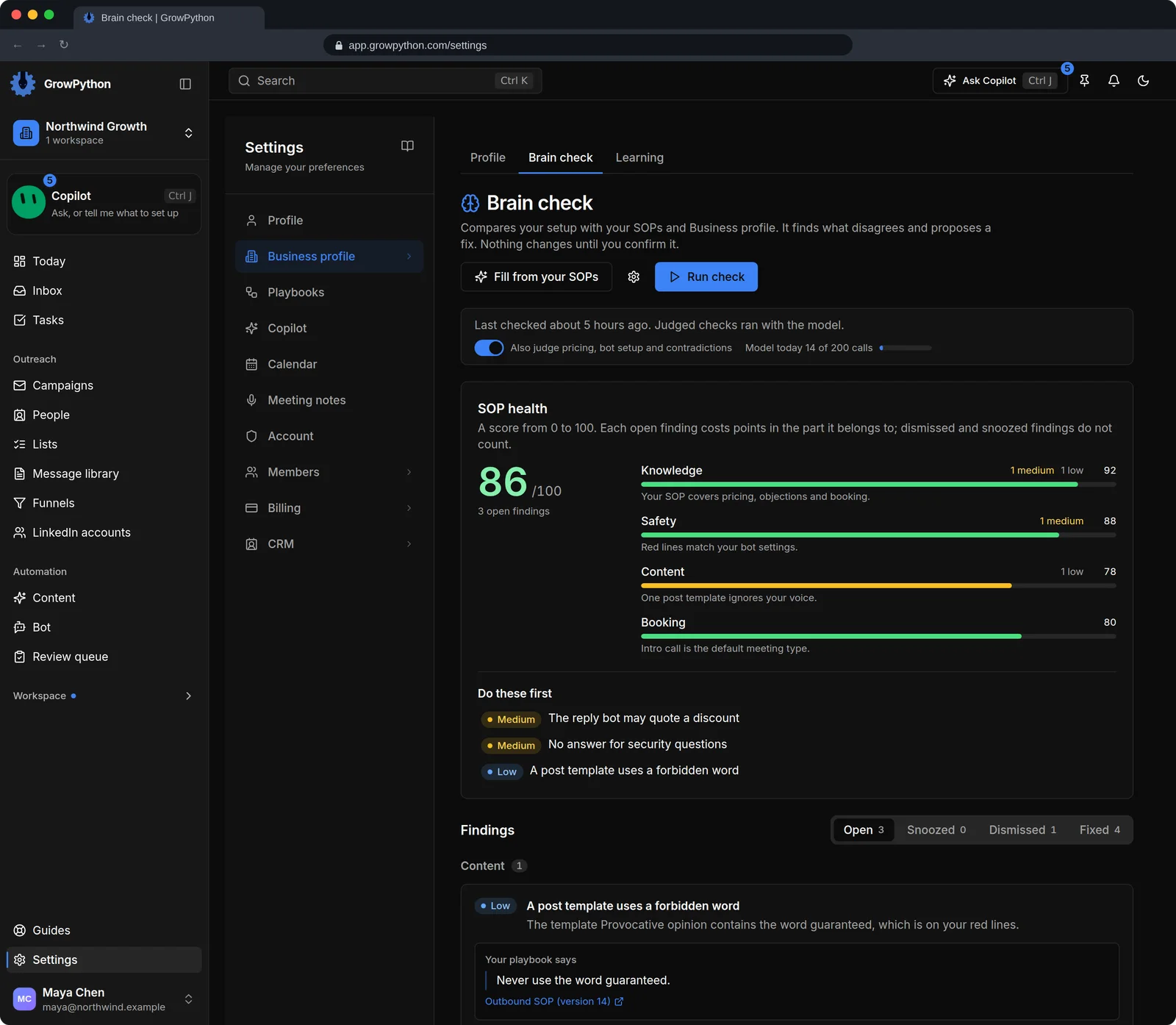
    The Brain check tab of the Business profile settings. An SOP health score of 86 out of 100 sits beside four bars for Knowledge, Safety, Content and Booking, with a Do these first list of three findings such as The reply bot may quote a discount, and Findings tabs Open, Snoozed, Dismissed and Fixed.The Brain check tab of the Business profile settings. An SOP health score of 86 out of 100 sits beside four bars for Knowledge, Safety, Content and Booking, with a Do these first list of three findings such as The reply bot may quote a discount, and Findings tabs Open, Snoozed, Dismissed and Fixed. Shown in the dark theme.
  5. Memory

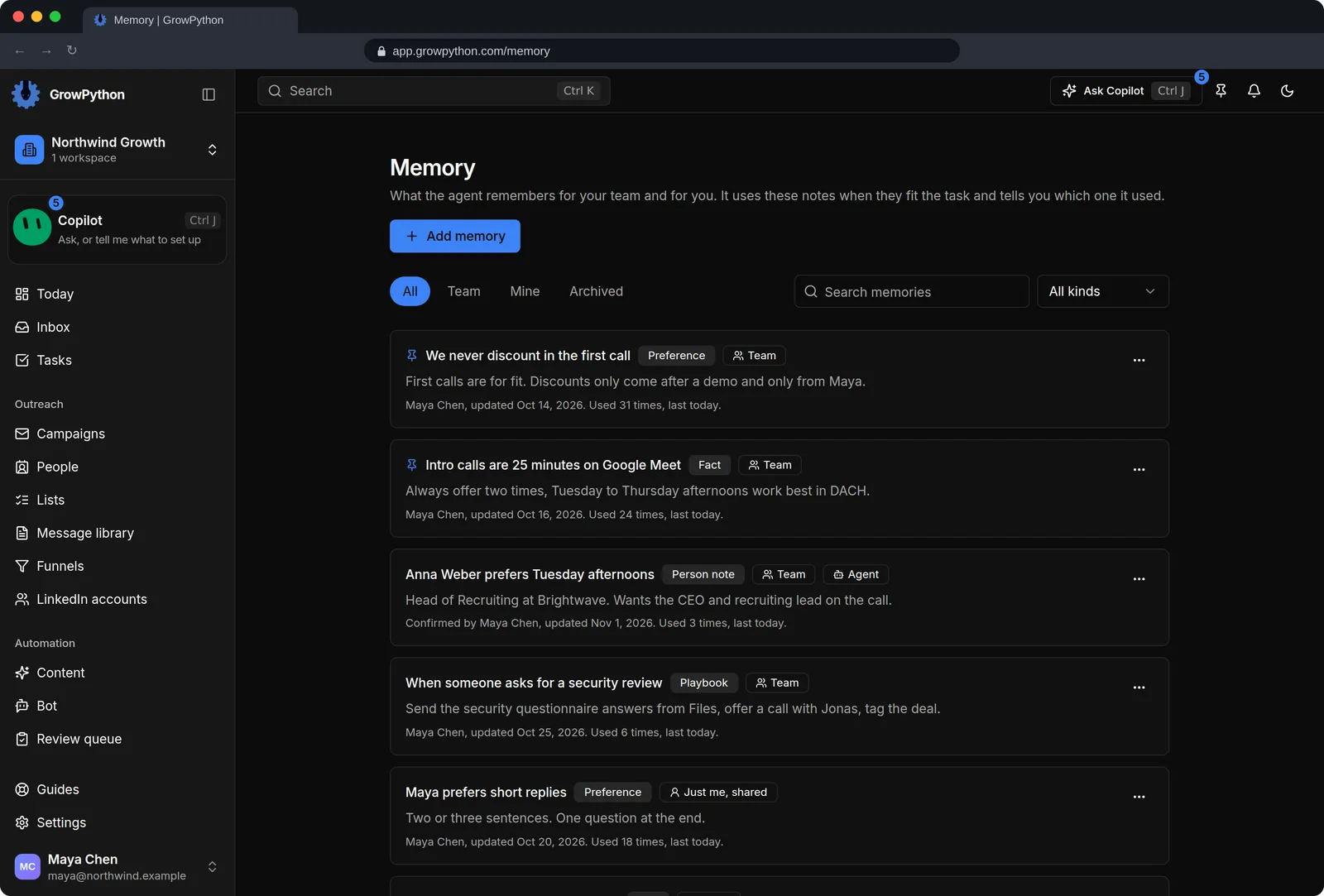
    Short notes that the agent remembers for your team and for you, with a note of which one it used.
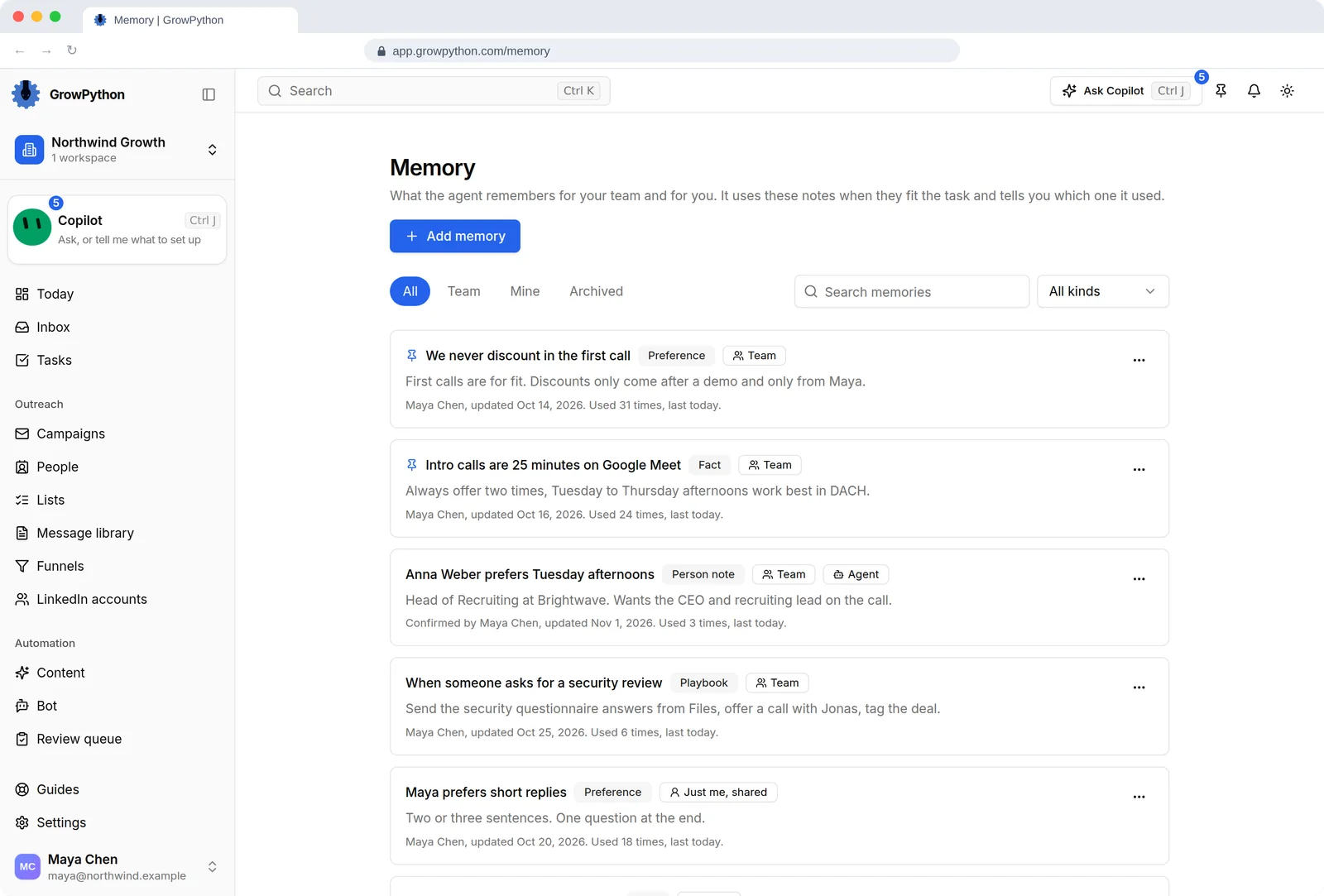
    The Memory page listing notes the agent remembers, such as We never discount in the first call and Intro calls are 25 minutes on Google Meet. Each note shows its kind, whether it is shared with the team, who updated it and how many times it was used.The Memory page listing notes the agent remembers, such as We never discount in the first call and Intro calls are 25 minutes on Google Meet. Each note shows its kind, whether it is shared with the team, who updated it and how many times it was used. Shown in the dark theme.
The Business profile settings page with sub tabs Profile, Brain check and Learning. The Company section has fields for what we do, what we sell, the offer, proof points and competitors, followed by a Who you want to reach section with audience segments.The Business profile settings page with sub tabs Profile, Brain check and Learning. The Company section has fields for what we do, what we sell, the offer, proof points and competitors, followed by a Who you want to reach section with audience segments. Shown in the dark theme.

How it works

Company Brain

  1. Step 1 of 4

    Write the Business profile

    Company, audience segments, keywords, voice, red lines and how you sell.

  2. Step 2 of 4

    Import your SOPs

    Choose which AI helpers may read each one.

  3. Step 3 of 4

    Decide what may be said to leads

    A doc is internal by default. Only an admin or owner can mark one shareable.

  4. Step 4 of 4

    Run a Brain check

    Read what disagrees and approve the fixes you want.

Limits and guardrails

What it will not do, and what you should know before you rely on it.

  • A doc with no AI job is read by no AI. New imports start with the Copilot only, so nothing reaches a lead by accident.
  • An AI helper only knows what you have told it. Gaps in the profile become gaps in its drafts.
  • Basic Brain checks run in seconds at no charge. Extra checks that use the AI model have a daily budget.
  • Do not paste passwords, keys or private customer data into the profile, Docs or Memory.
  • Pages behind a login cannot be imported from a link.

Company Brain

More screens

  • Describe your business once. Every agent reads the same profile.

  • Choose which AI may read each doc.

  • A health score for your playbook, with the fixes it proposes.

  • What the Copilot remembers, in notes you can read and edit.

FAQ

Questions

Does the AI quote my internal documents to leads?

No. A doc is internal by default and guides the AI without being quoted. Marking it shareable, which only admins and owners can do, lets the reply and booking AI quote it.

What are red lines?

Words never to use, claims never to make and topics never to discuss. The reply bot and content automation respect them.

What is Brain check?

A check that compares your setup with your profile and SOPs and lists what disagrees, with a proposed fix and an SOP health score from 0 to 100.

Can I delete a memory?

Yes. Erasing deletes a memory for good, which is different from archiving it.

Ready to run client acquisition from one place?

Start your free trial, connect an account and build a small list first.

5-day free trial for new customers