Skip to content

Email outreach

An email outreach platform that shares an inbox with LinkedIn

Connect a mailbox with SMTP and IMAP, add an email follow-up to a campaign, and read the replies in the same Inbox as your LinkedIn conversations. Warmup is optional and off by default.

Does the job ofa separate cold email tool

What it does

Email follow-ups and replies in the same inbox.

  1. Any mailbox with SMTP and IMAP

    Presets for Gmail, Outlook and Microsoft 365, Yahoo and Zoho. A Test connection button checks the details before you connect.
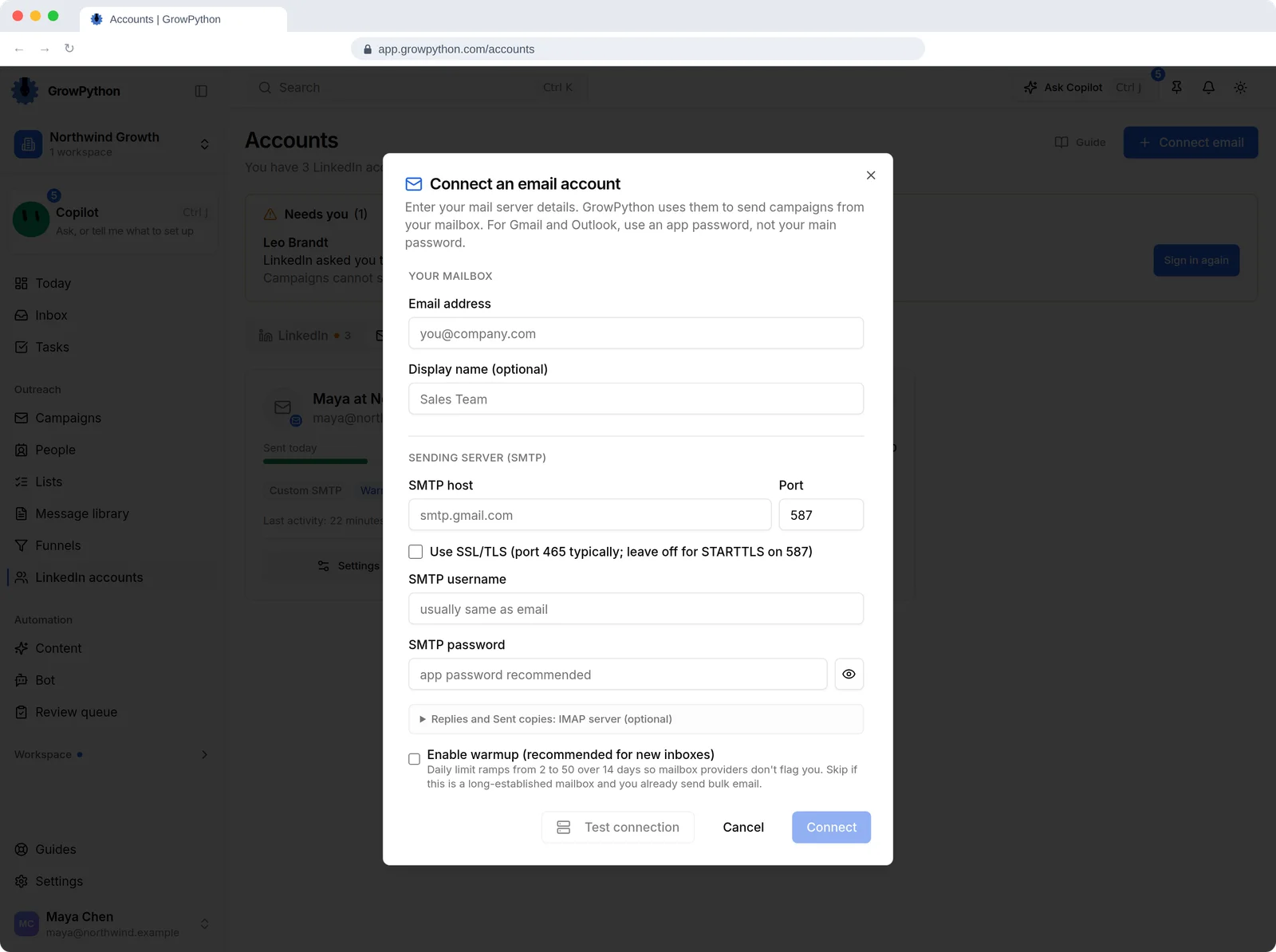
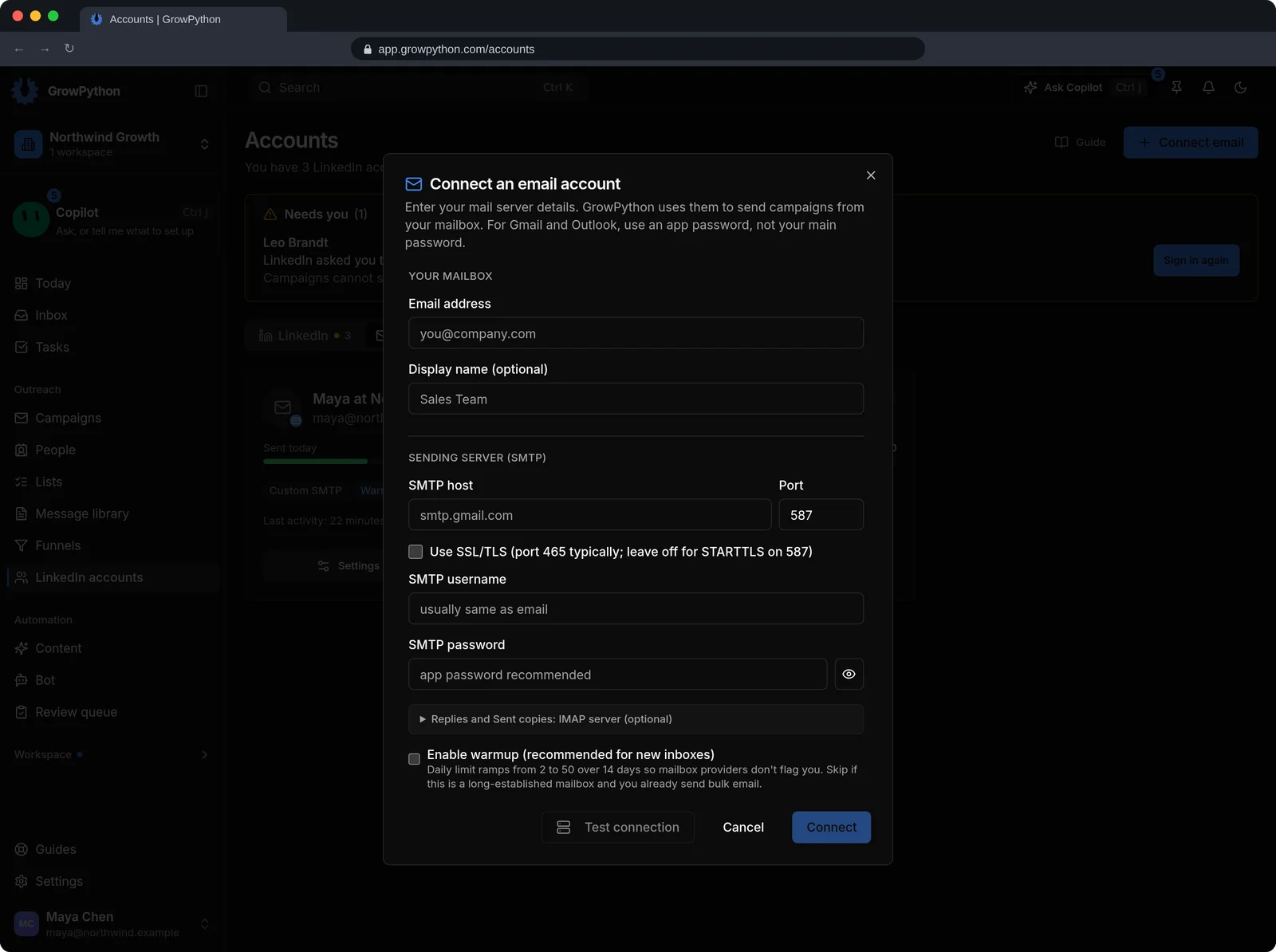
    The Connect an email account dialog asking for an email address, a display name, SMTP host and port, SSL setting, username and password, an optional IMAP section for replies and sent copies, a warmup checkbox, and Test connection and Connect buttons.The Connect an email account dialog asking for an email address, a display name, SMTP host and port, SSL setting, username and password, an optional IMAP section for replies and sent copies, a warmup checkbox, and Test connection and Connect buttons. Shown in the dark theme.
  2. Email follow-ups inside a campaign

    The Follow-up step in Campaign Flow has an Email Follow-up switch with its own messages, next to your LinkedIn follow-ups.
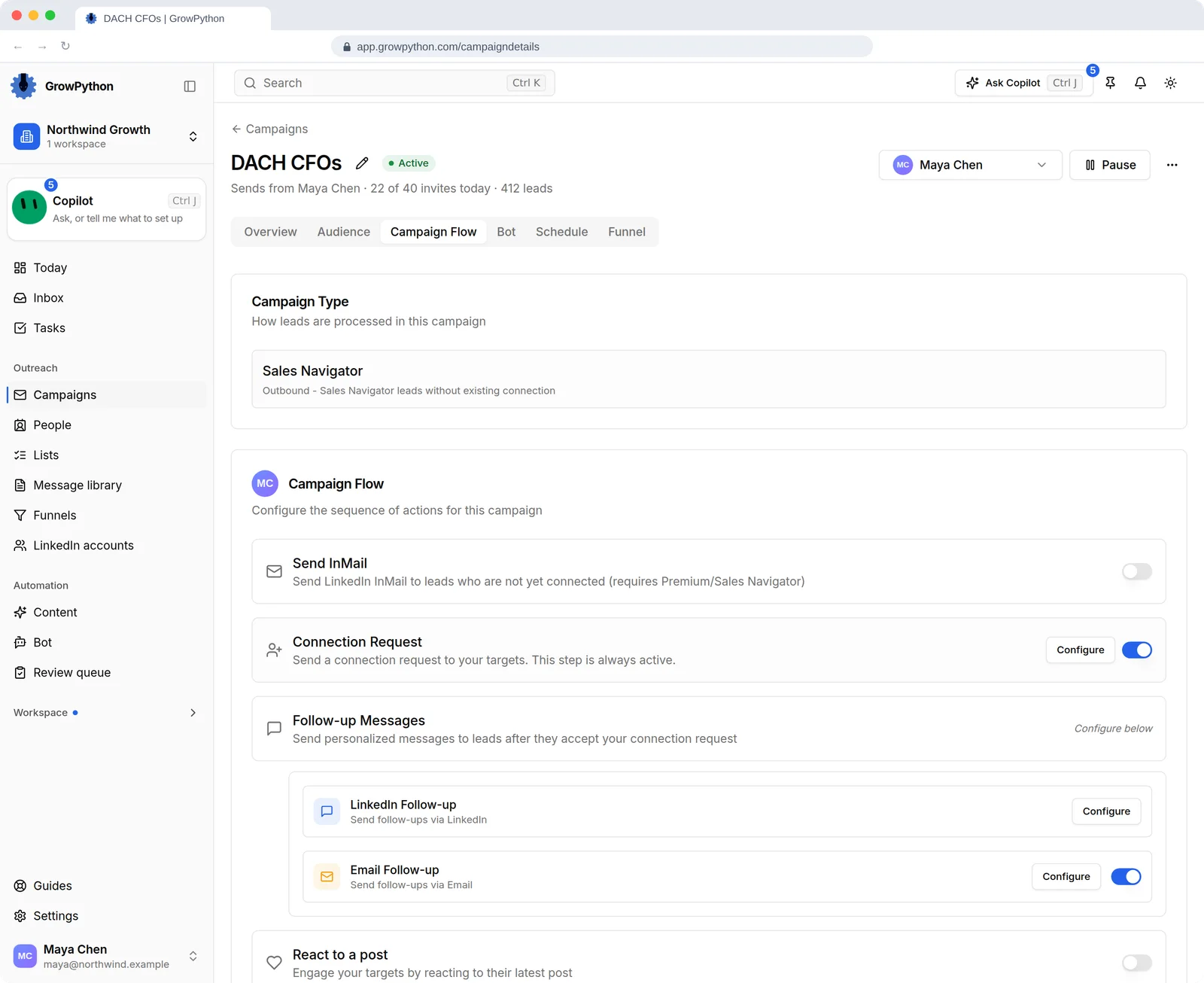
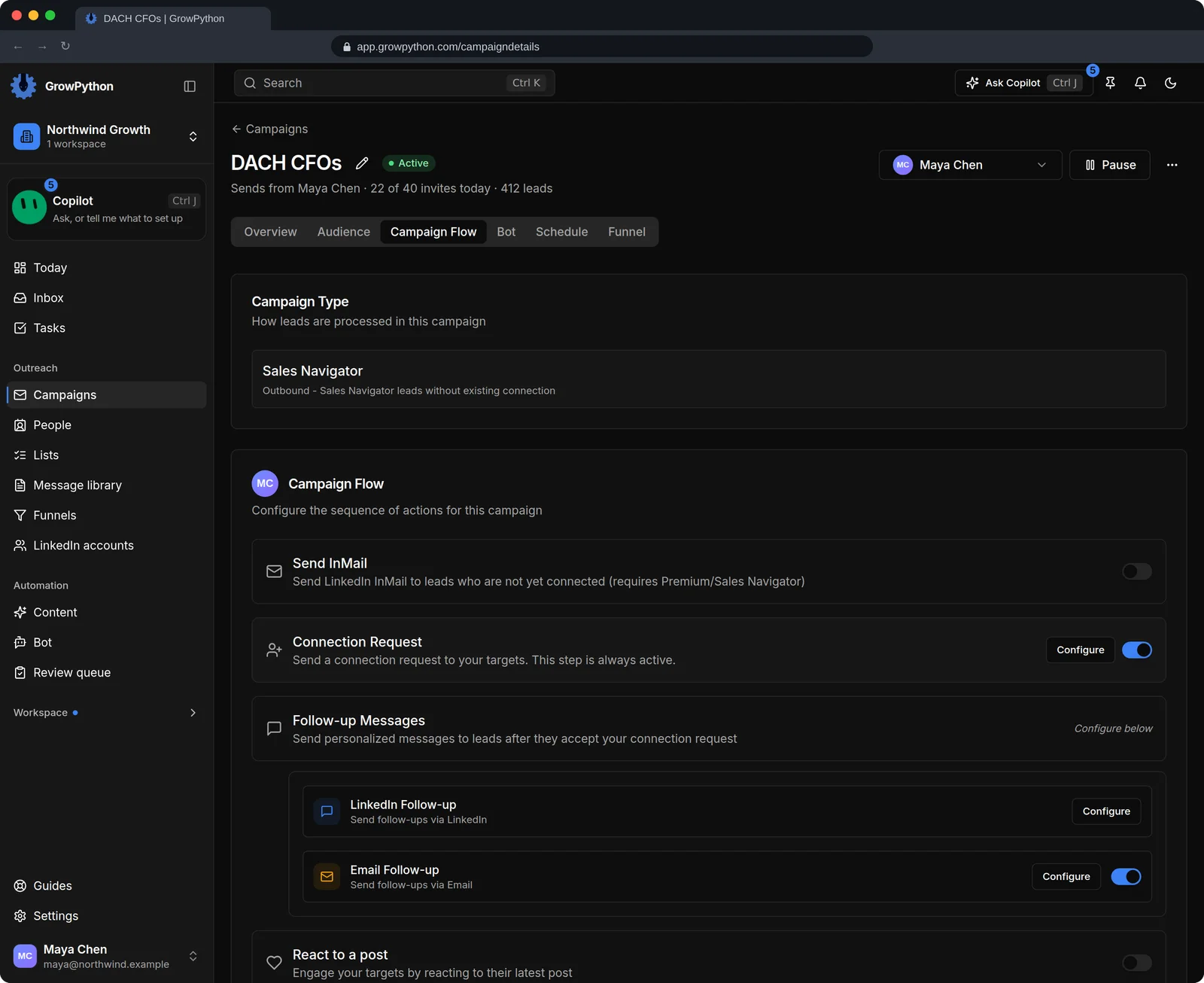
    The Campaign Flow tab of a campaign with the Follow-up Messages step expanded and the Email Follow-up switch turned on next to the LinkedIn follow-up, so the sequence can send the next message by email.The Campaign Flow tab of a campaign with the Follow-up Messages step expanded and the Email Follow-up switch turned on next to the LinkedIn follow-up, so the sequence can send the next message by email. Shown in the dark theme.
  3. One inbox for both channels

    Email threads sit beside LinkedIn conversations. An email reply goes out after a short undo window of about ten seconds.
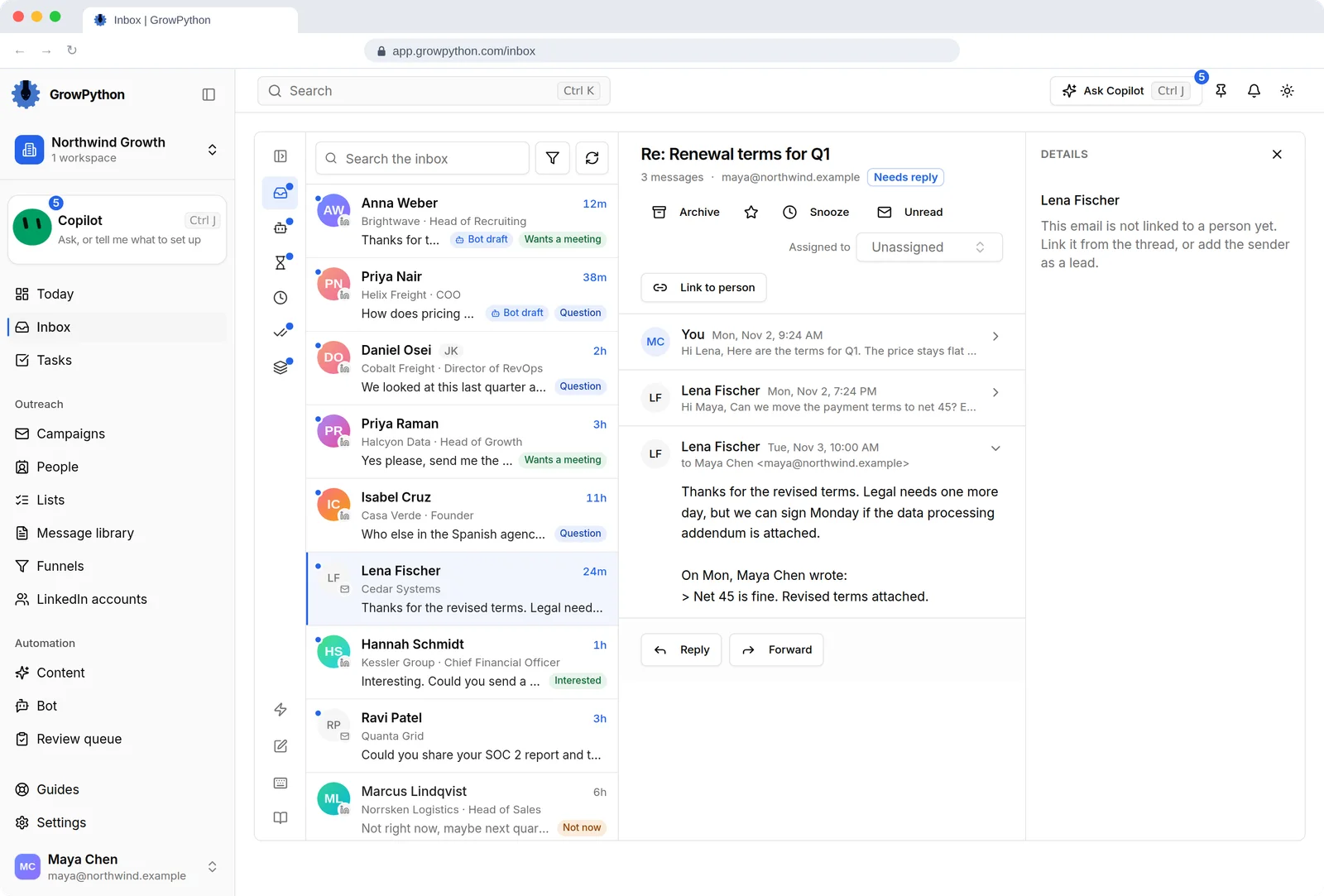
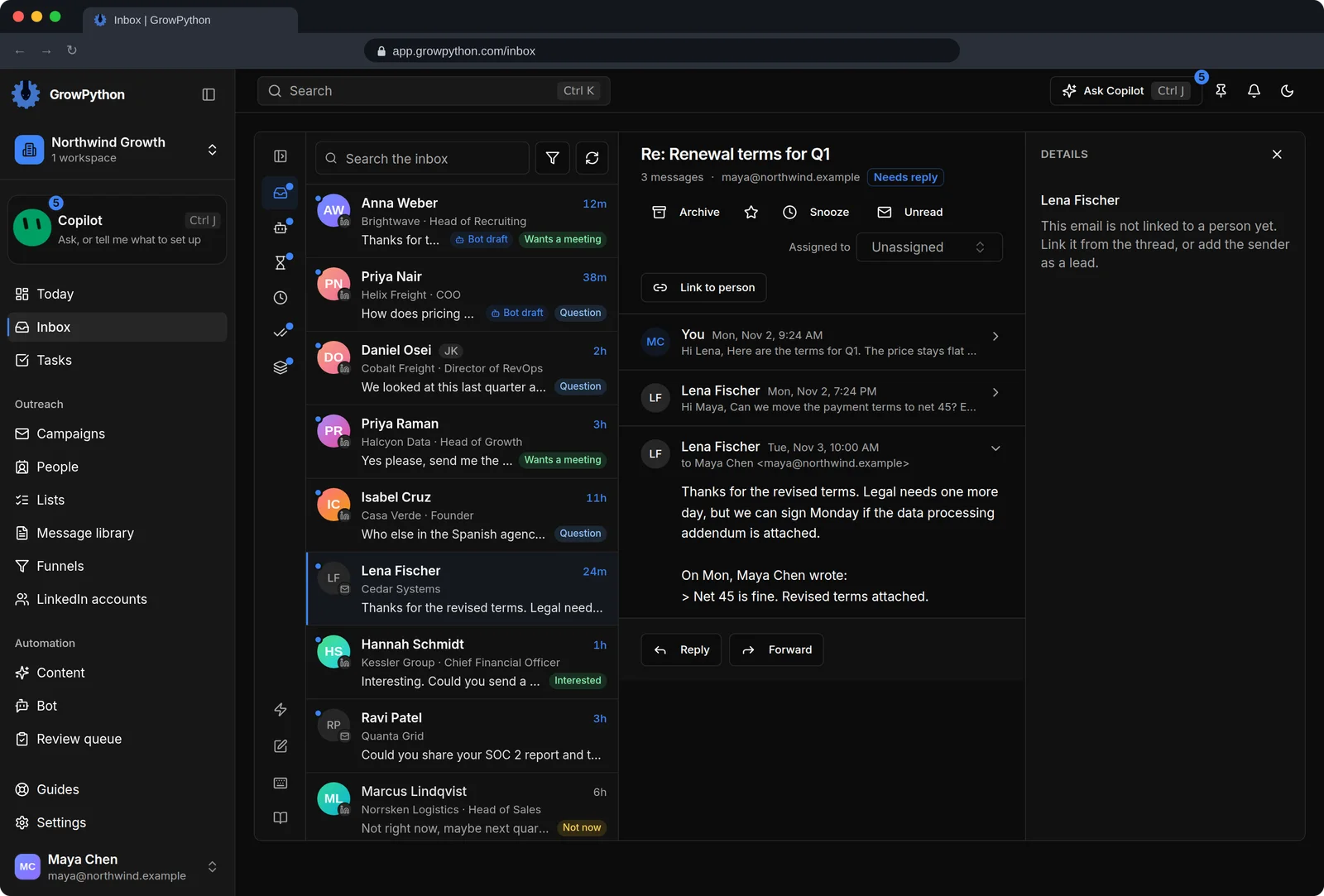
    The unified Inbox with LinkedIn conversations and an email thread mixed in one list. An email thread called Re: Renewal terms for Q1 with Lena Fischer is open, showing three messages, Archive, Star, Snooze and Unread actions, an assignee field and Reply and Forward buttons.The unified Inbox with LinkedIn conversations and an email thread mixed in one list. An email thread called Re: Renewal terms for Q1 with Lena Fischer is open, showing three messages, Archive, Star, Snooze and Unread actions, an assignee field and Reply and Forward buttons. Shown in the dark theme.
  4. Warmup you choose

    Switch warmup on and the daily send limit grows from 2 to 50 over 14 days. It is off by default, and a long-established mailbox does not need it.
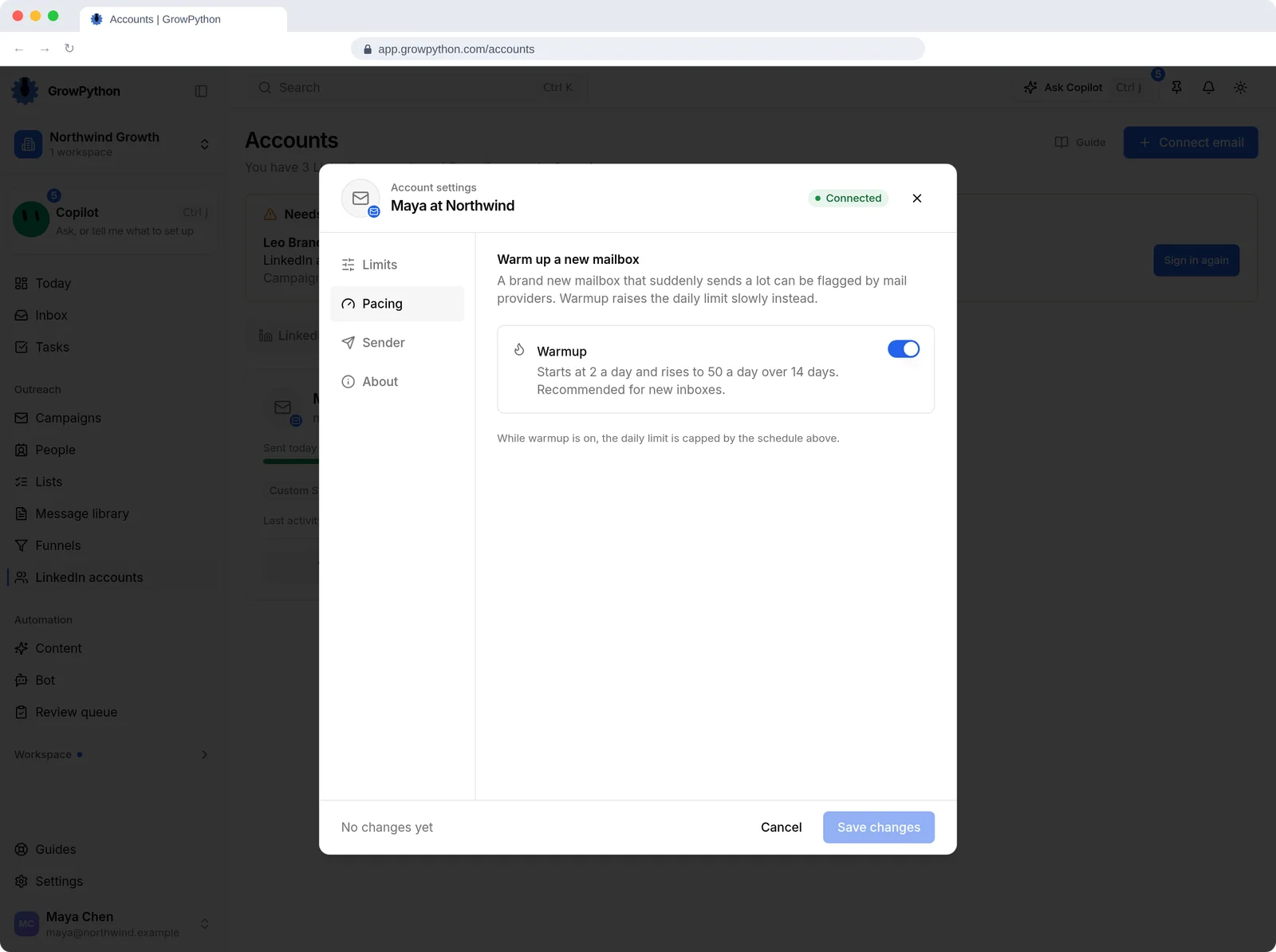
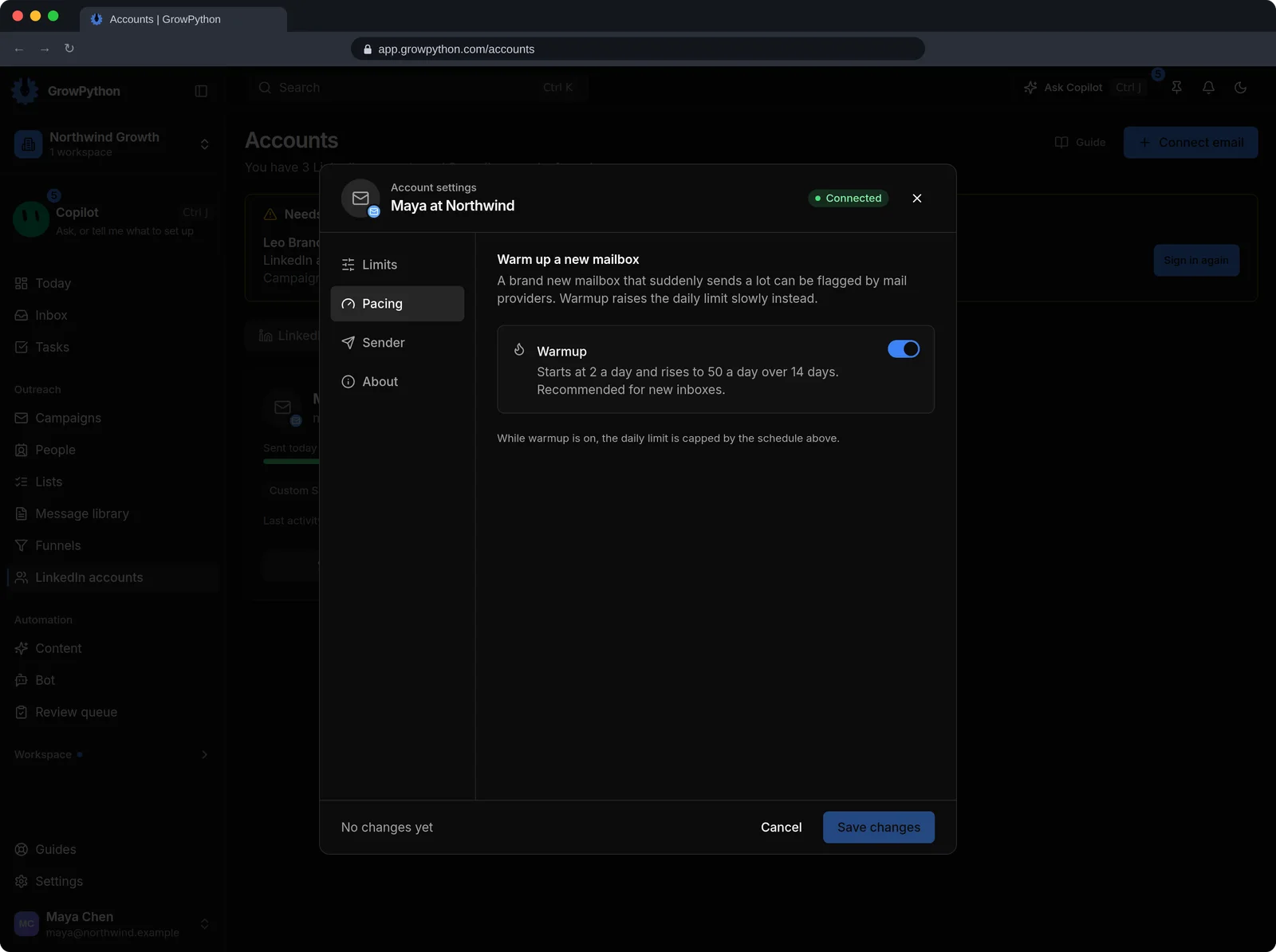
    The account settings dialog for the mailbox Maya at Northwind on its Pacing tab, with a Warmup switch turned on that starts at 2 emails a day and rises to 50 a day over 14 days.The account settings dialog for the mailbox Maya at Northwind on its Pacing tab, with a Warmup switch turned on that starts at 2 emails a day and rises to 50 a day over 14 days. Shown in the dark theme.
  5. A daily limit per mailbox

    Set a daily send limit from 1 to 500, rename the sender and pause a mailbox. A paused mailbox is skipped.
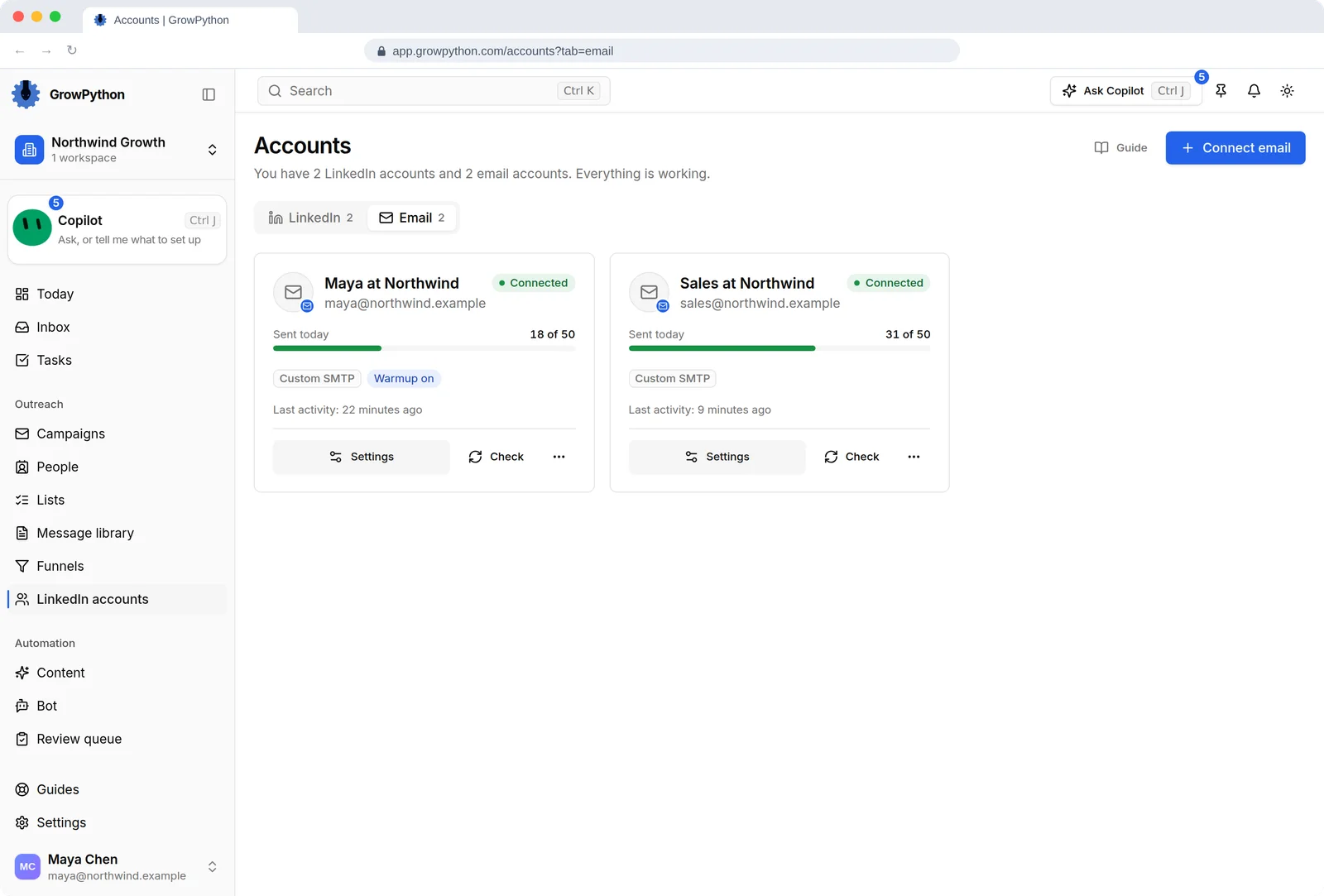
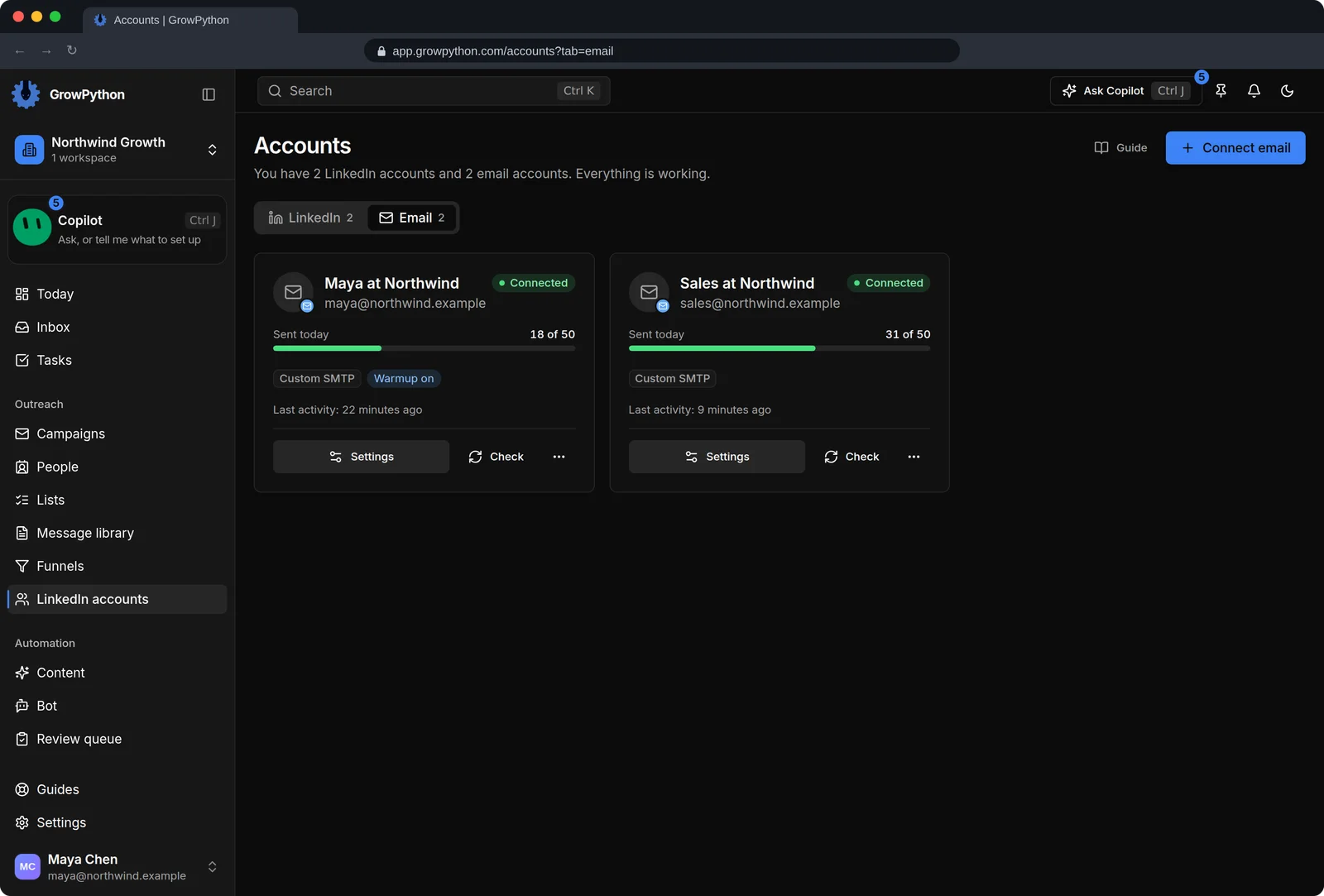
    The Email tab of the Accounts page with two connected mailboxes, Maya at Northwind and Sales at Northwind, each showing its status, how many emails were sent today against a daily limit of 50, and warm-up settings.The Email tab of the Accounts page with two connected mailboxes, Maya at Northwind and Sales at Northwind, each showing its status, how many emails were sent today against a daily limit of 50, and warm-up settings. Shown in the dark theme.
The Connect an email account dialog asking for an email address, a display name, SMTP host and port, SSL setting, username and password, an optional IMAP section for replies and sent copies, a warmup checkbox, and Test connection and Connect buttons.The Connect an email account dialog asking for an email address, a display name, SMTP host and port, SSL setting, username and password, an optional IMAP section for replies and sent copies, a warmup checkbox, and Test connection and Connect buttons. Shown in the dark theme.

How it works

Email outreach

  1. Step 1 of 4

    Open the Email tab

    On the accounts page, switch to Email and press Add Email.

  2. Step 2 of 4

    Enter the sender and SMTP details

    Use an app password if your provider asks for one. Press Test connection.

  3. Step 3 of 4

    Add IMAP if needed

    Gmail, Outlook and Yahoo are found automatically. Other providers need a custom IMAP server so replies can be read.

  4. Step 4 of 4

    Use it in a campaign

    Switch on Email Follow-up in the campaign's Follow-up step and write the messages.

Limits and guardrails

What it will not do, and what you should know before you rely on it.

  • Email connects with SMTP and IMAP and an app password. There is no Sign in with Google or Sign in with Microsoft button.
  • IMAP is needed to sync the Sent folder and to notice replies.
  • Cold email can affect how mailbox providers treat an address. Keep volumes modest and consider a separate sending mailbox rather than your main one.
  • Warmup raises the daily limit gradually. GrowPython does not promise deliverability or inbox placement.
  • Connecting a mailbox needs an active plan or a running trial.

Email outreach

More screens

  • Connect a mailbox and set how many emails it may send each day.

  • Connect a mailbox with SMTP and IMAP and an app password.

  • Add an email follow-up to the same sequence.

  • Warm a new mailbox up before it sends at full speed.

FAQ

Questions

Do I need email to use GrowPython?

No. LinkedIn is where campaigns start. A mailbox adds email follow-ups in a campaign and email threads in the Inbox, and you can skip it.

Can I connect Gmail or Outlook with a sign-in button?

Not today. You connect with the mailbox's SMTP and IMAP details and an app password that your provider helps you create.

What does warmup do?

When it is on, the daily send limit grows from 2 to 50 over 14 days so a new sender ramps up gradually. It is off by default.

Can I undo an email reply?

Yes, for about ten seconds after you press Send.

Ready to run client acquisition from one place?

Start your free trial, connect an account and build a small list first.

5-day free trial for new customers