The client acquisition OS
The operating system for client acquisition
GrowPython is the AI-driven client acquisition platform. Find the right people, reach them on LinkedIn and email, handle the replies, book the meeting and keep the notes from one workspace. Xupy, your AI assistant, prepares it. You approve it.


Why one system
Replace the patchwork with one system
Most teams win clients with a stack of separate tools, and every handoff between them loses a little context. GrowPython puts the work that leads to a first meeting in one place, on one record per person.
- What teams use today:
A spreadsheet of leadsLead discoveryLists from LinkedIn search, Sales Navigator, post engagers or a CSV, each with a quality bar - What teams use today:
A LinkedIn automation toolLinkedIn outreachConnection requests and follow-ups from your own account, inside weekly limits you set - What teams use today:
A separate email toolEmail outreachEmail follow-ups in the same sequence, from a mailbox you connect - What teams use today:
A scheduling linkSchedulingA booking page, and free times offered from the Inbox with a link made for that person - What teams use today:
A notetakerMeeting notesA brief of the call and proposed next steps, each one yours to approve - What teams use today:
A notes appWorkspaceDocs with live editing, Tasks, Files and team Messages beside your campaigns - What teams use today:
A CRMCRM and InboxPeople, Companies and Deals, with every LinkedIn and email reply in one Inbox
GrowPython is a sales workspace for the work up to and around the first meetings. It is not a general office suite, and it does not sync with other CRMs today.
The product
Five tools in one workspace
Finding people, writing to them, booking the call, keeping the notes and posting content used to be separate apps. Here they share one record of every person.

A small list of the right people, built in minutes.
See the feature: Lead discovery

Sequences, limits and replies, with you pressing Start.
See the feature: LinkedIn outreach
Email follow-ups and replies in the same inbox.
See the feature: Email outreach
A booking page that lives next to your outreach.
See the feature: SchedulingEvery reply, person and deal in one place.
See the feature: CRM and Inbox
Docs, Canvas, Files, Messages and Tasks beside your campaigns.
See the feature: Workspace
Trends, drafts and engagement for your LinkedIn presence.
See the feature: Content AI
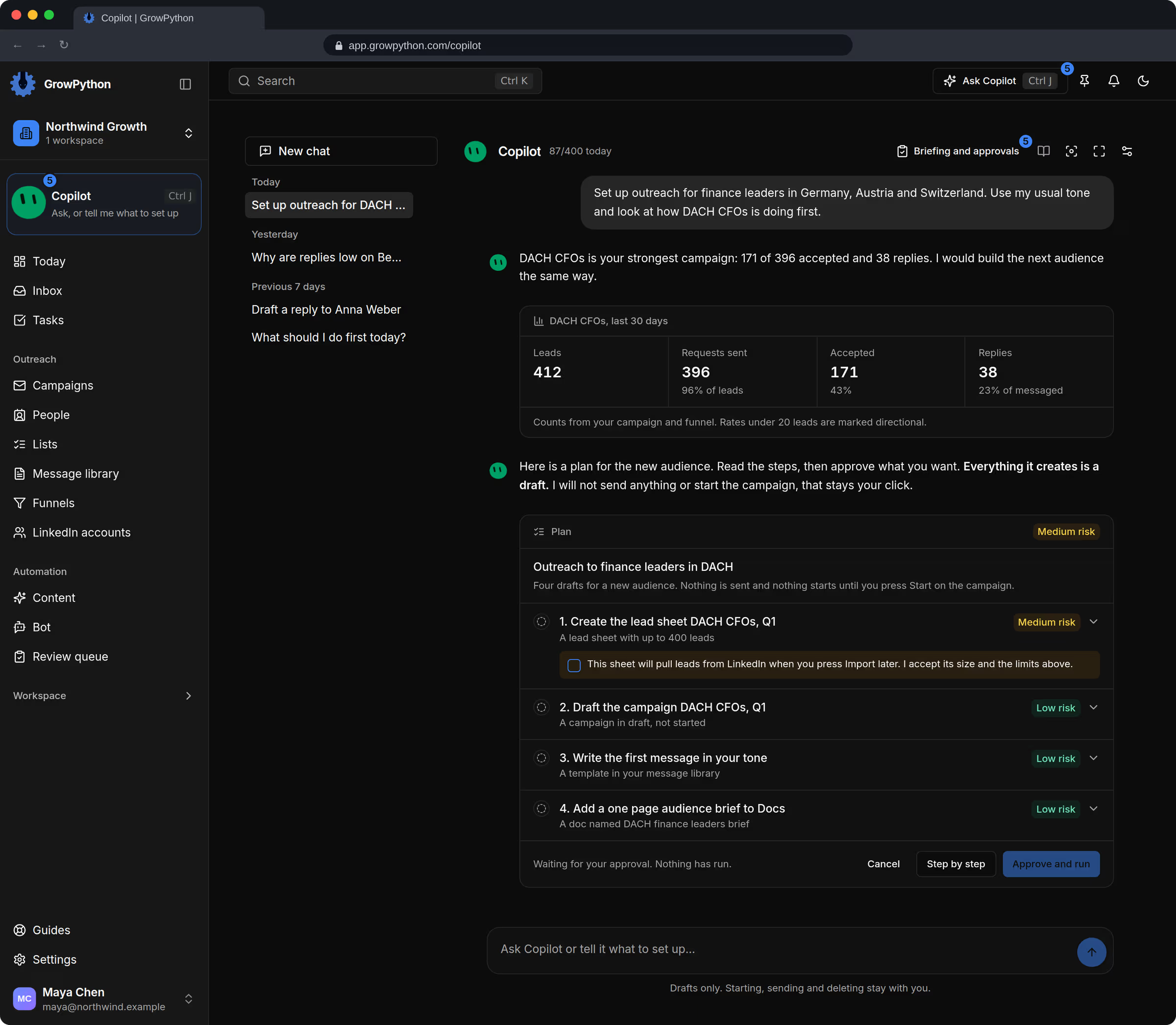
It prepares. You approve.
See the feature: XupyHow it works
From first search to booked meeting
Follow one lead through the product, on the real screens.
01
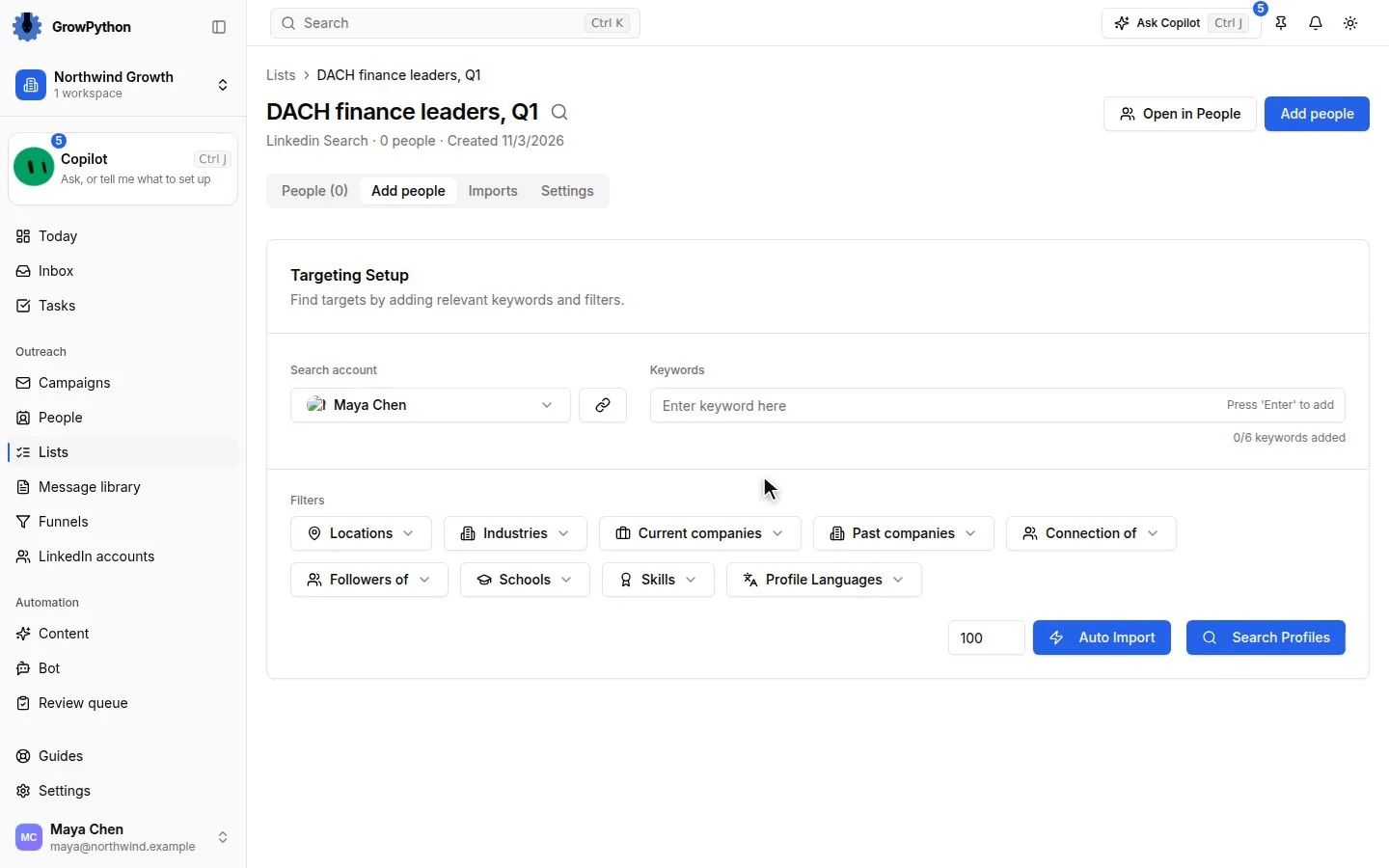
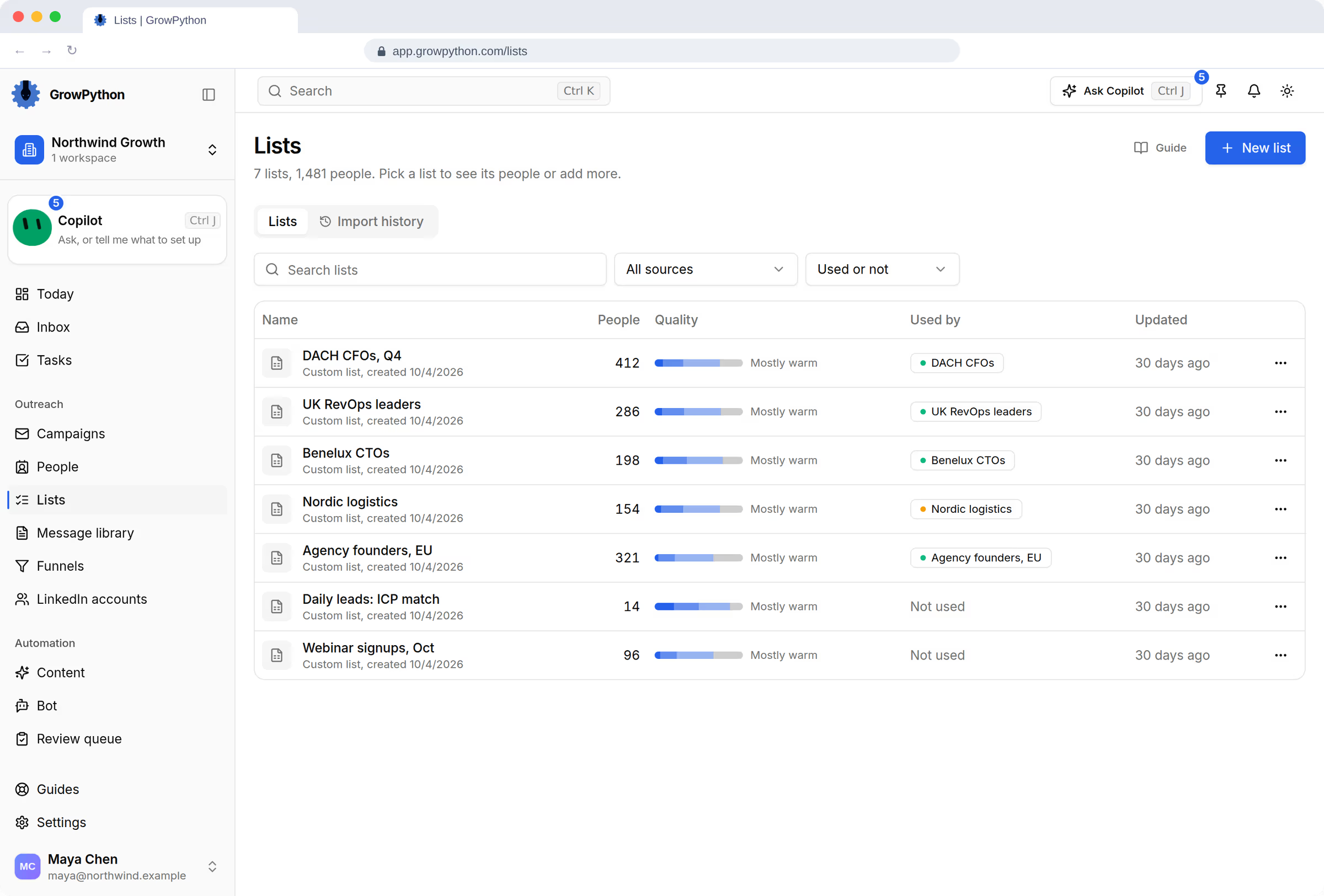
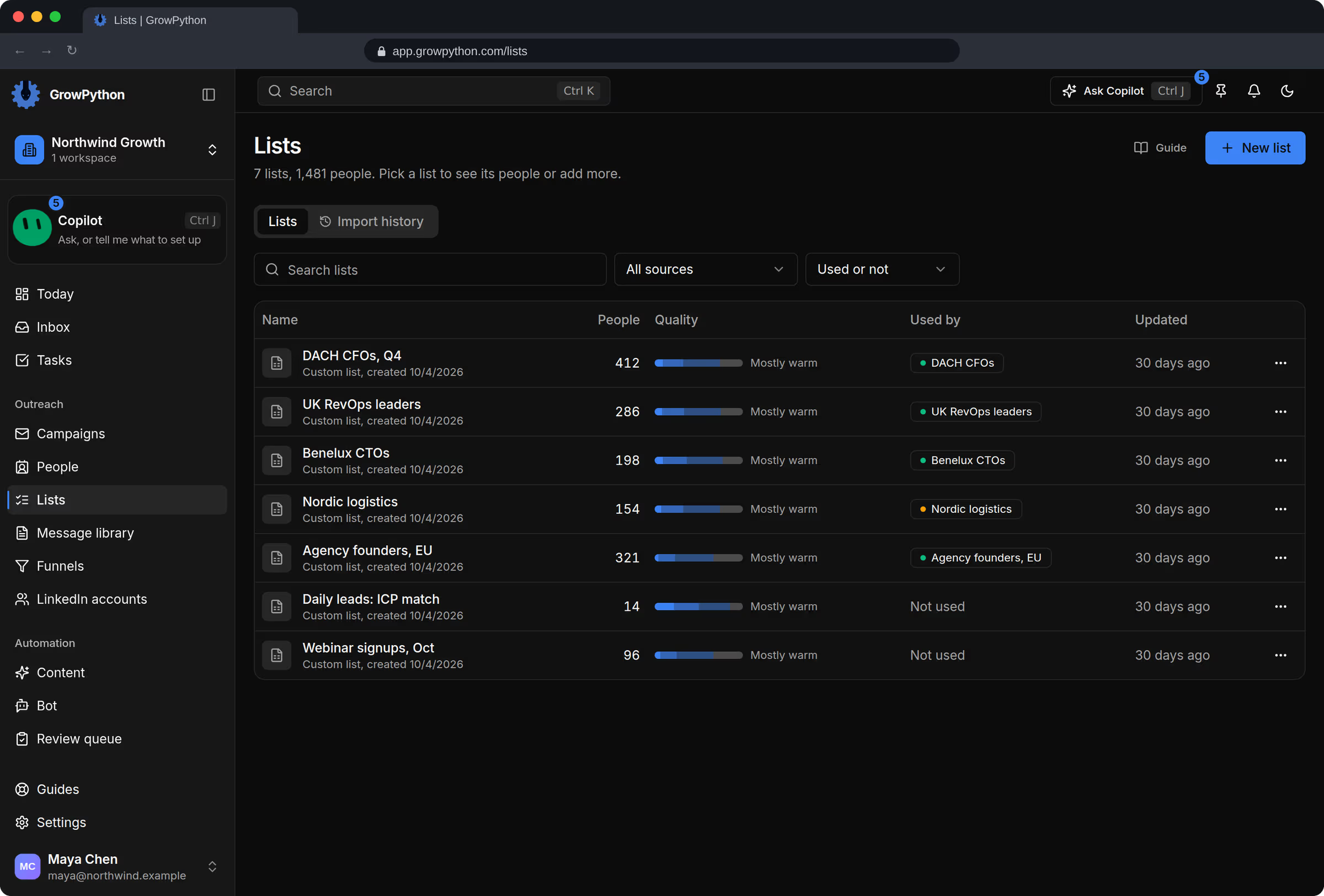
Pull people from LinkedIn search, Sales Navigator, a CSV and more, or let the daily list bring decision makers who match your ideal client.
People from your search go into a list
02
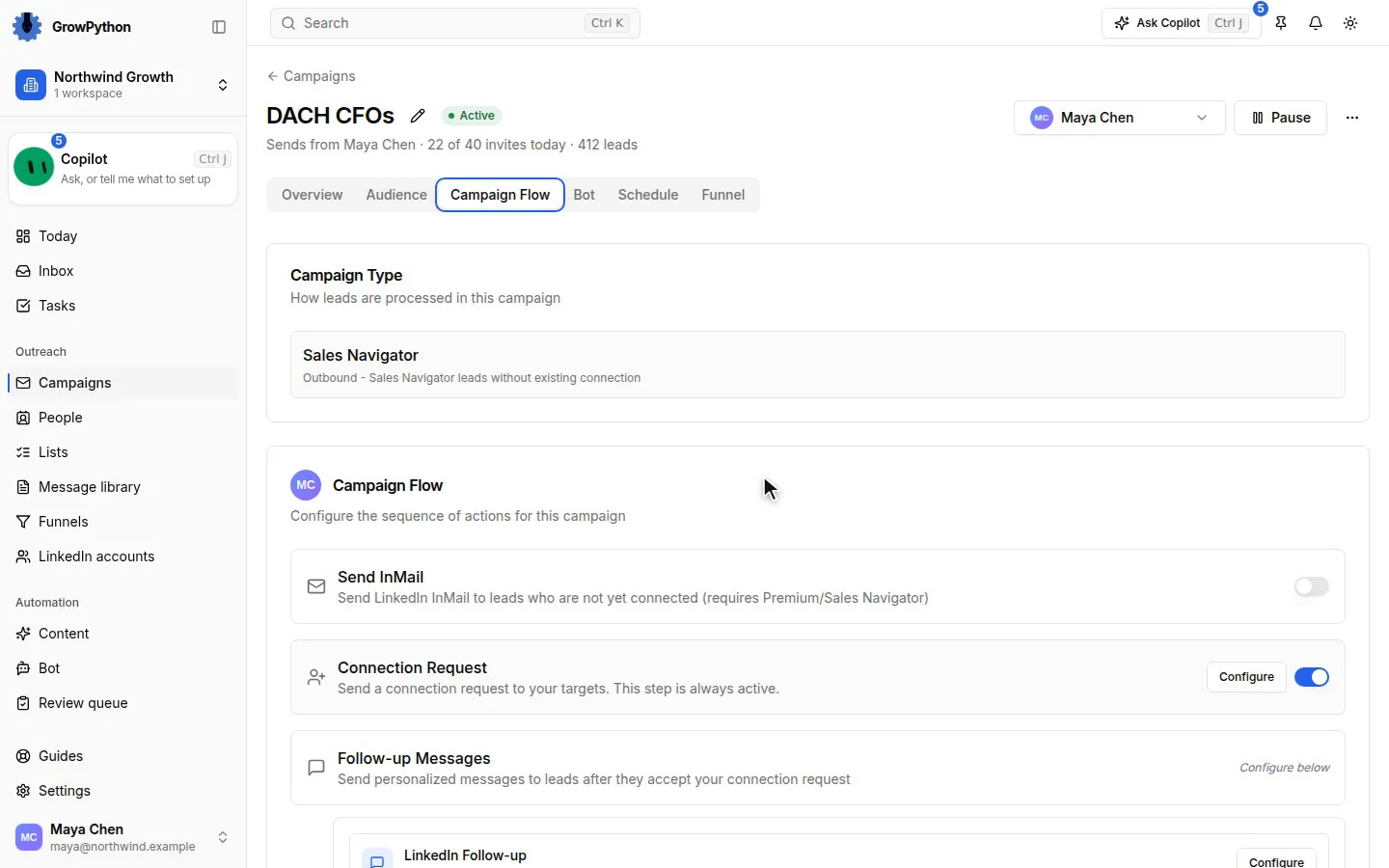
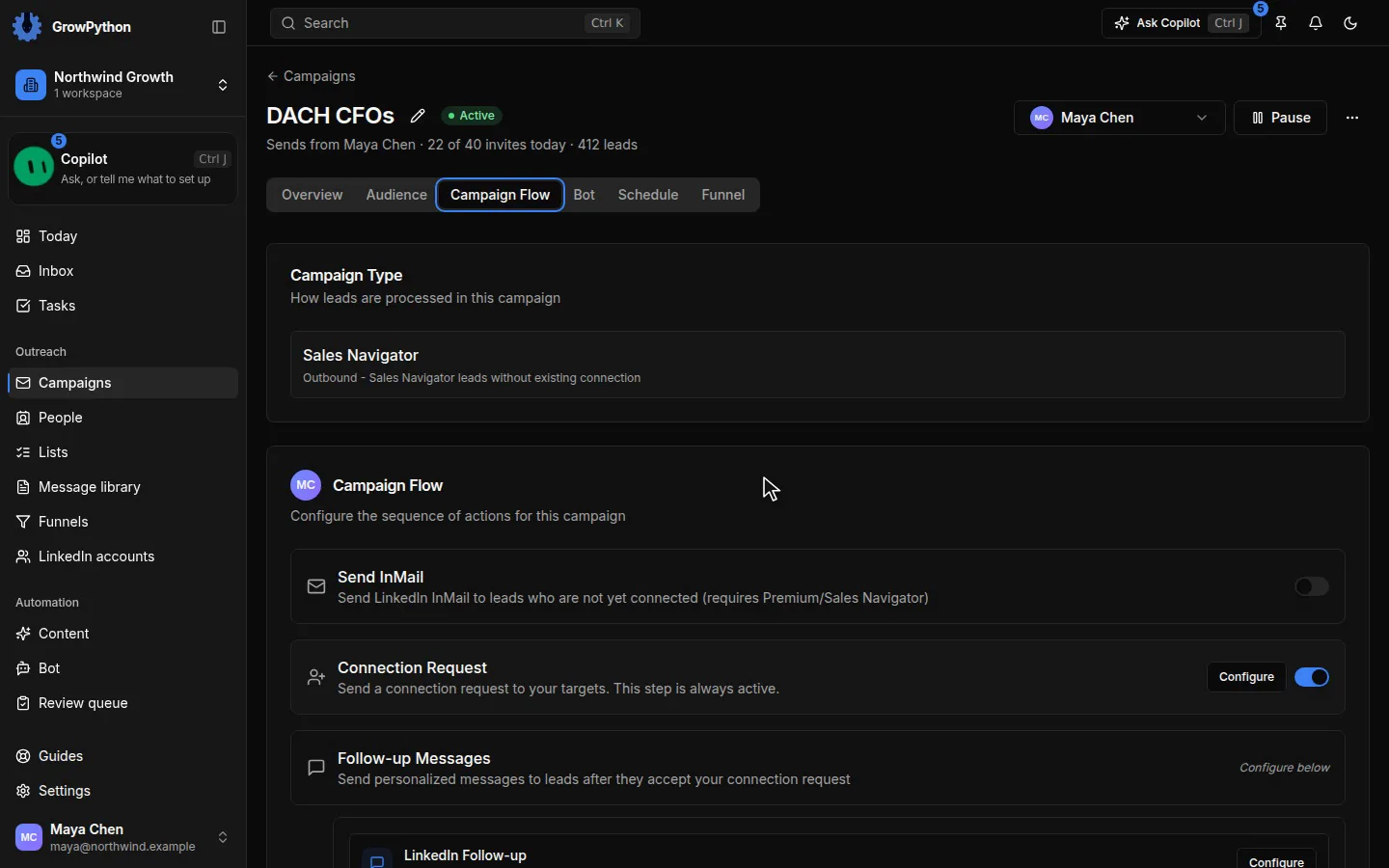
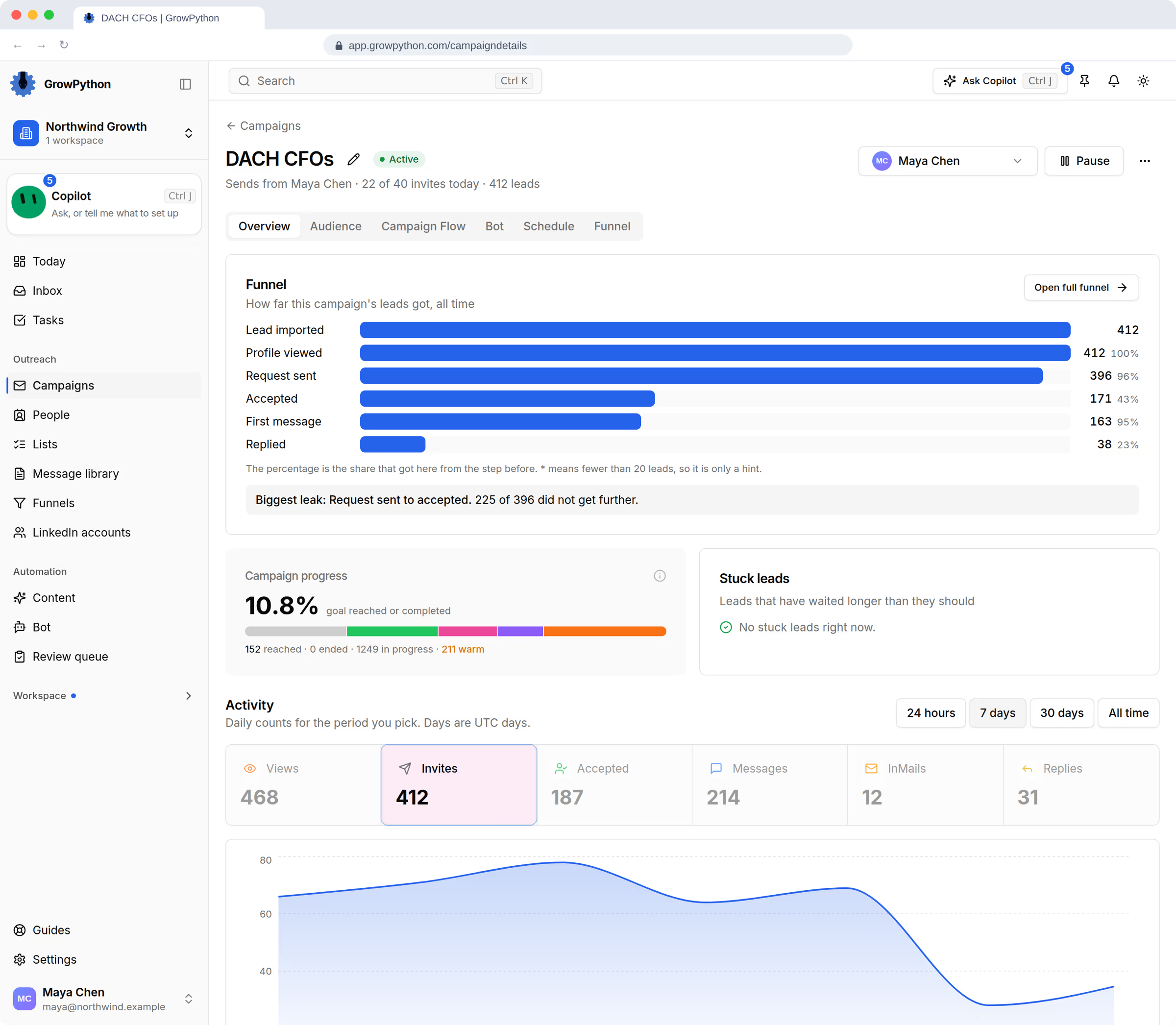
Run one sequence across LinkedIn and email, with each account's limits in view and a Start button that waits for you.
Nothing sends until you press Start
03
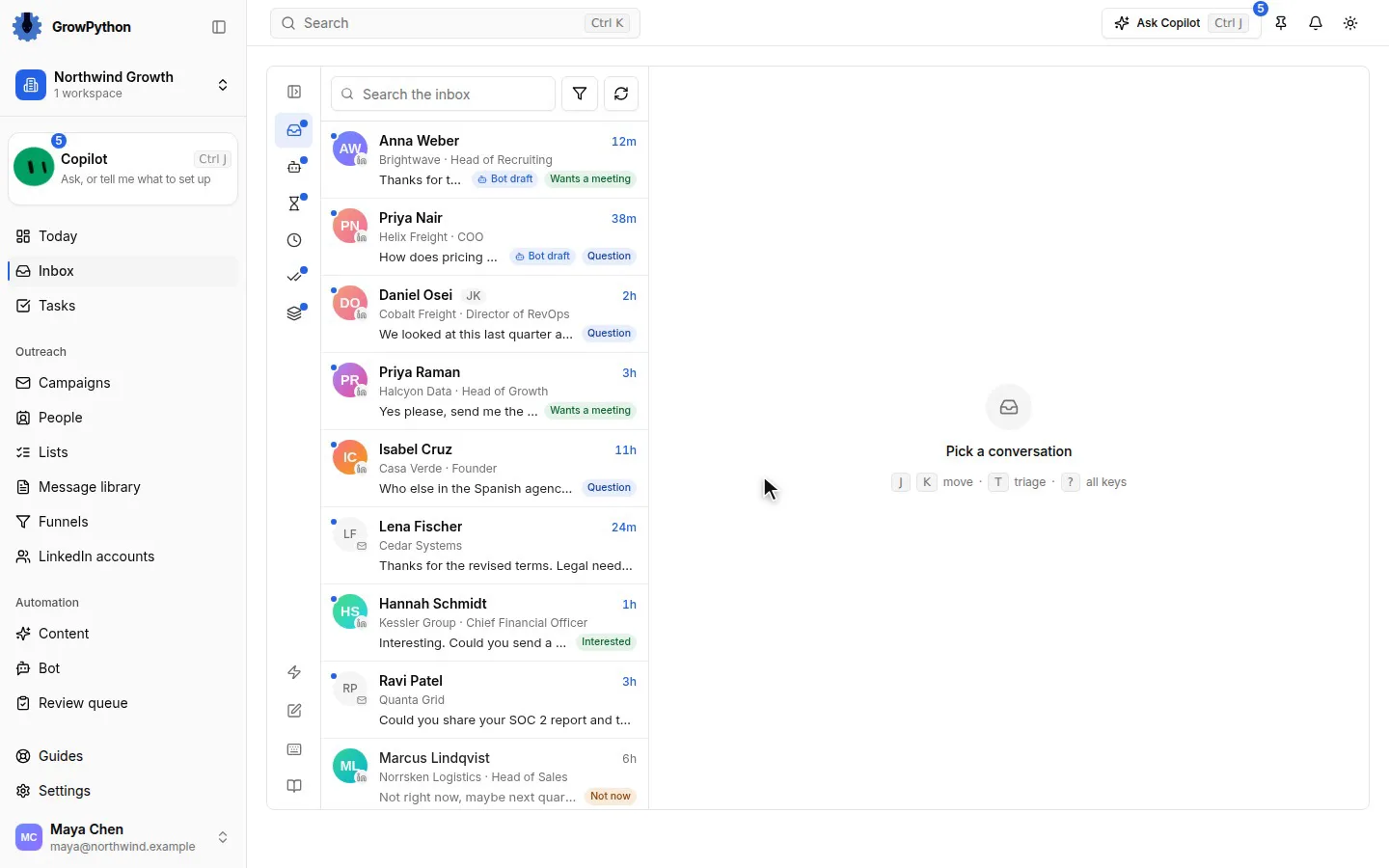
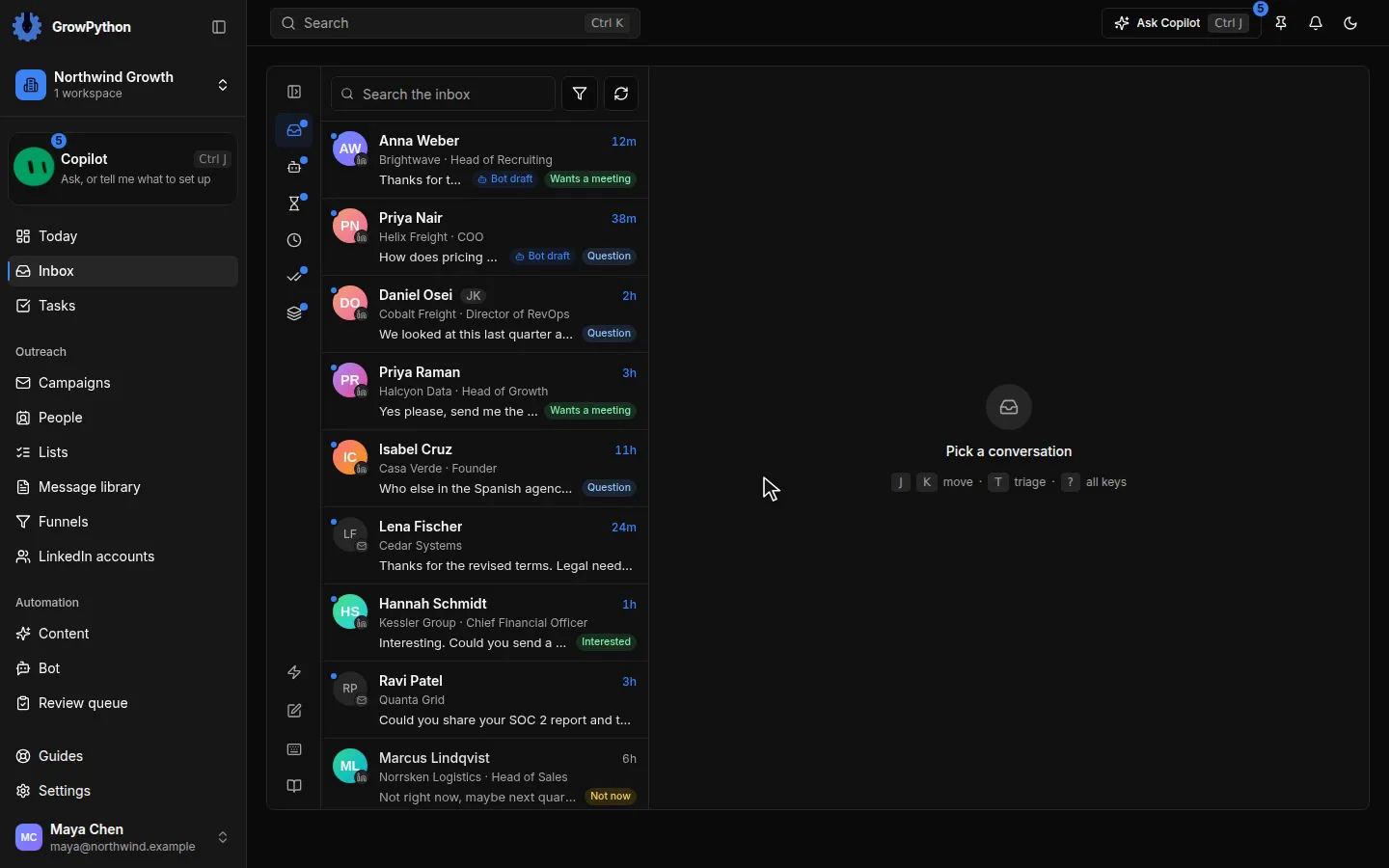
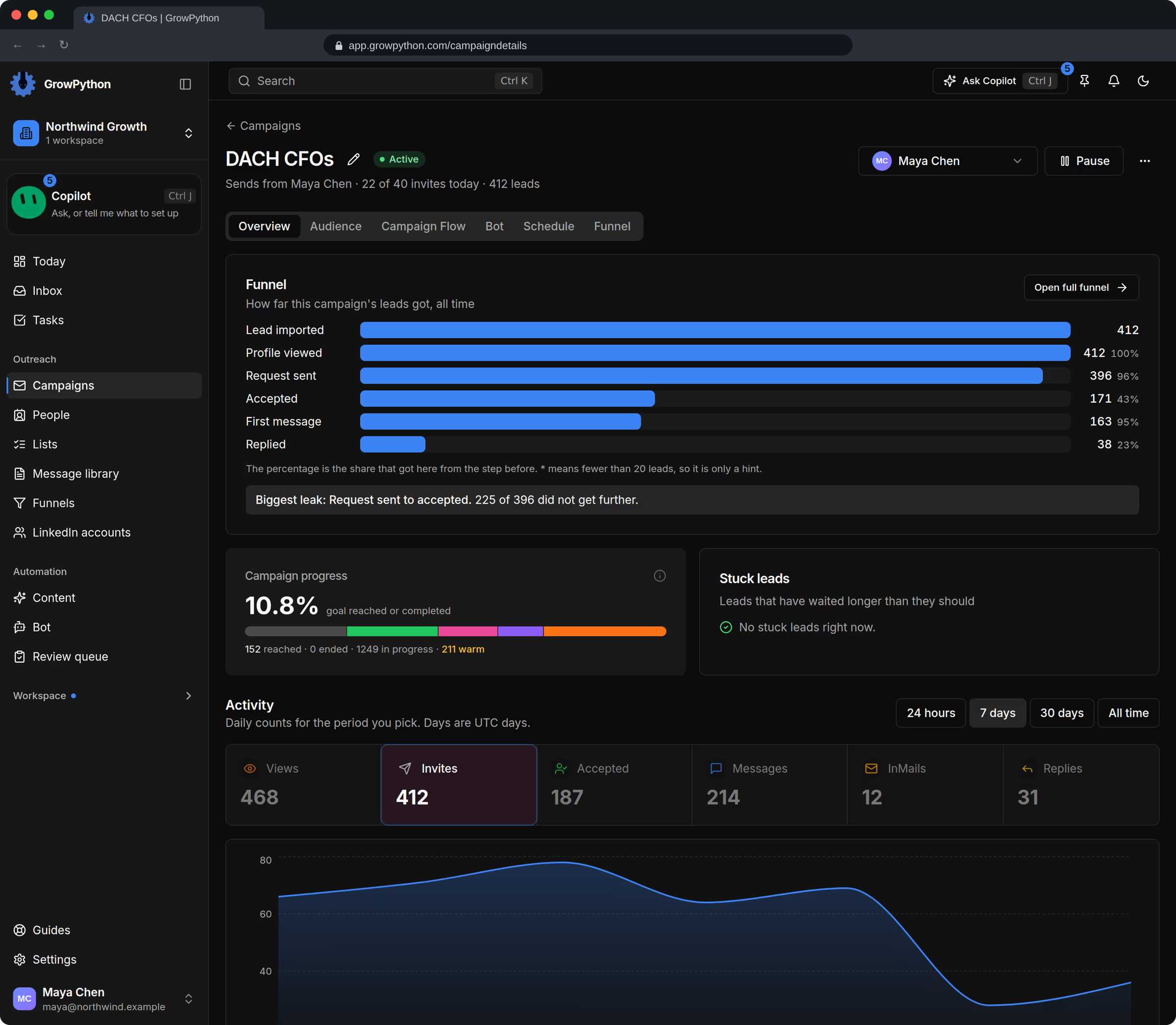
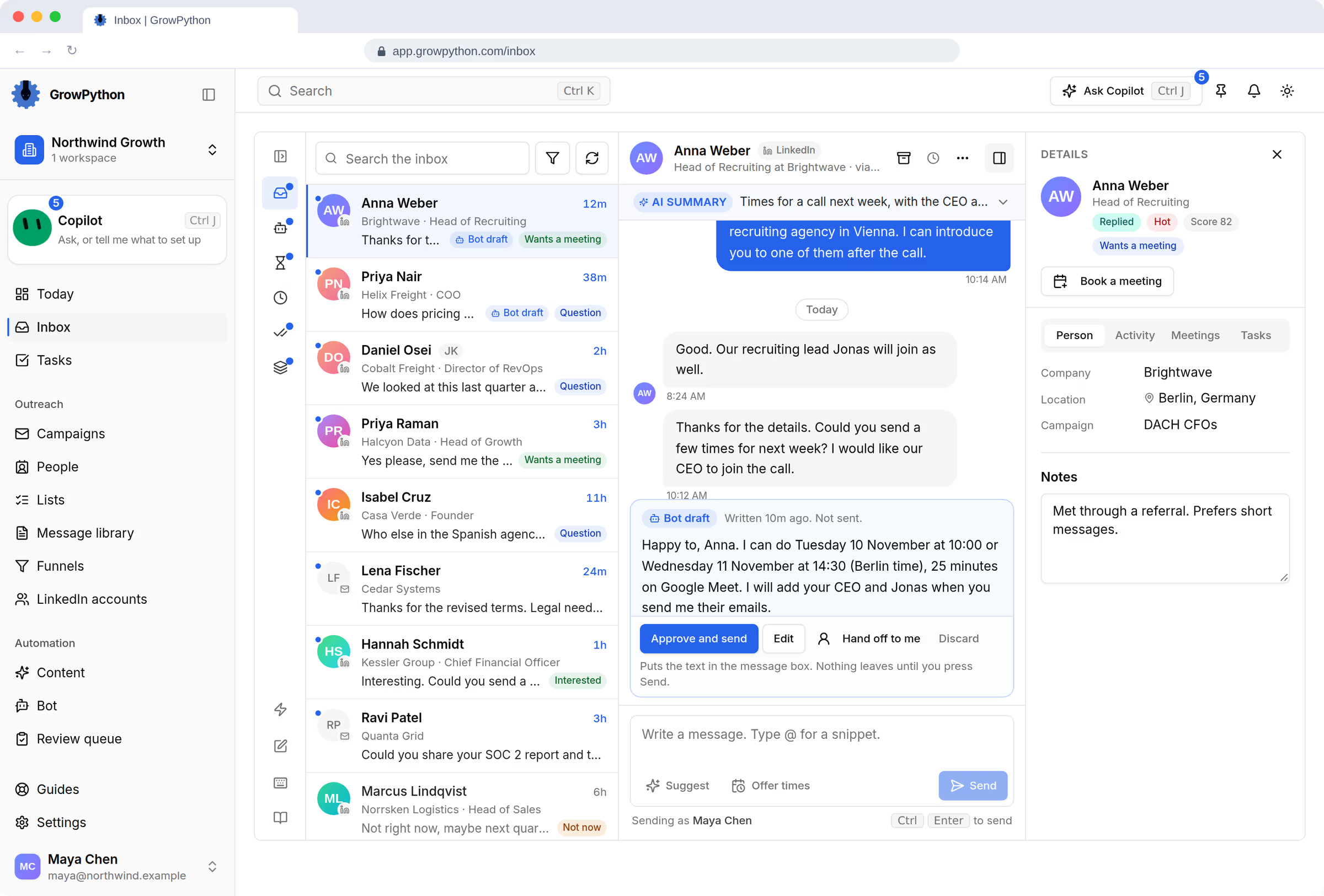
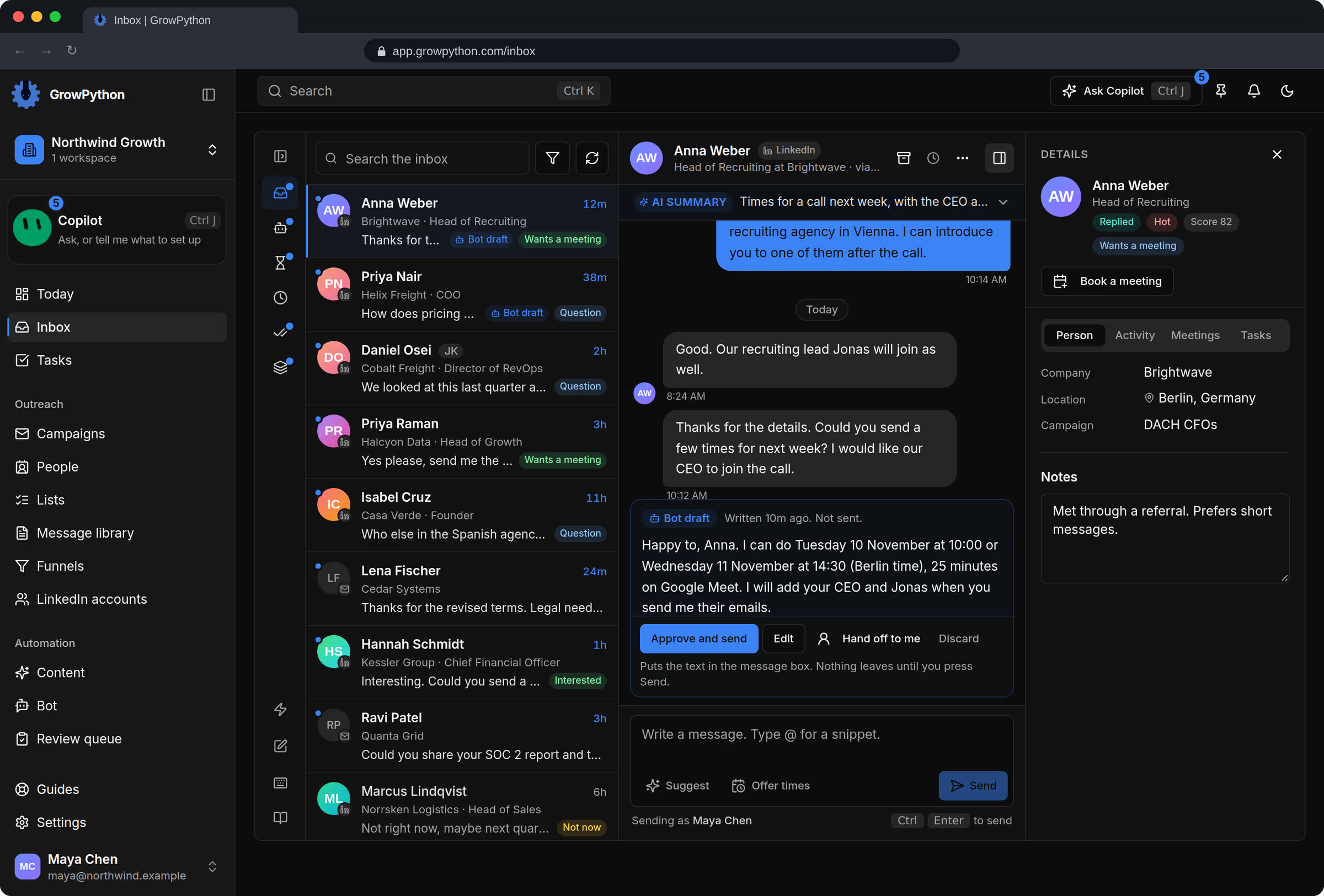
Every answer lands in one inbox, next to the person's history, with a suggested reply you can edit.
A suggested reply, yours to edit
04
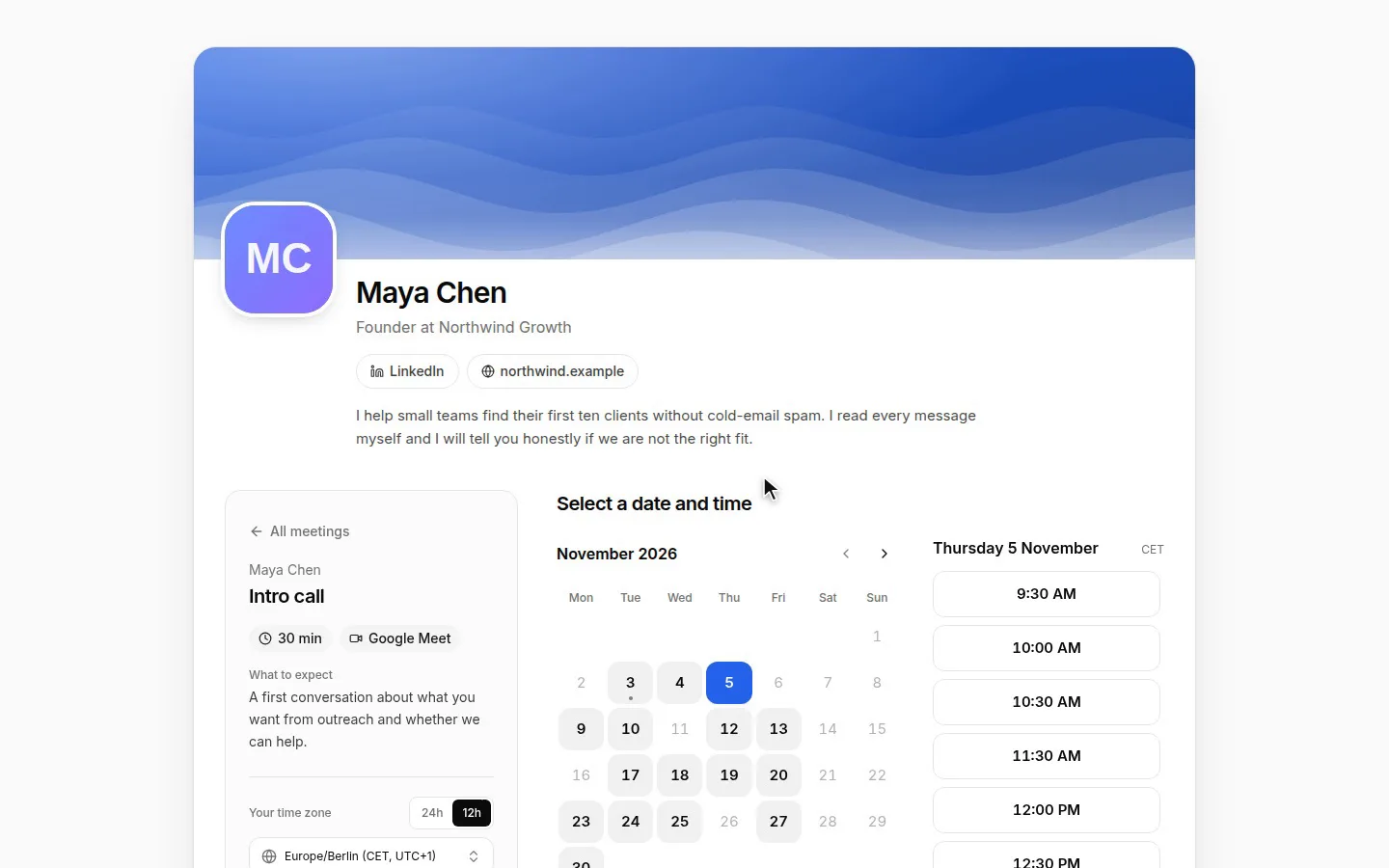
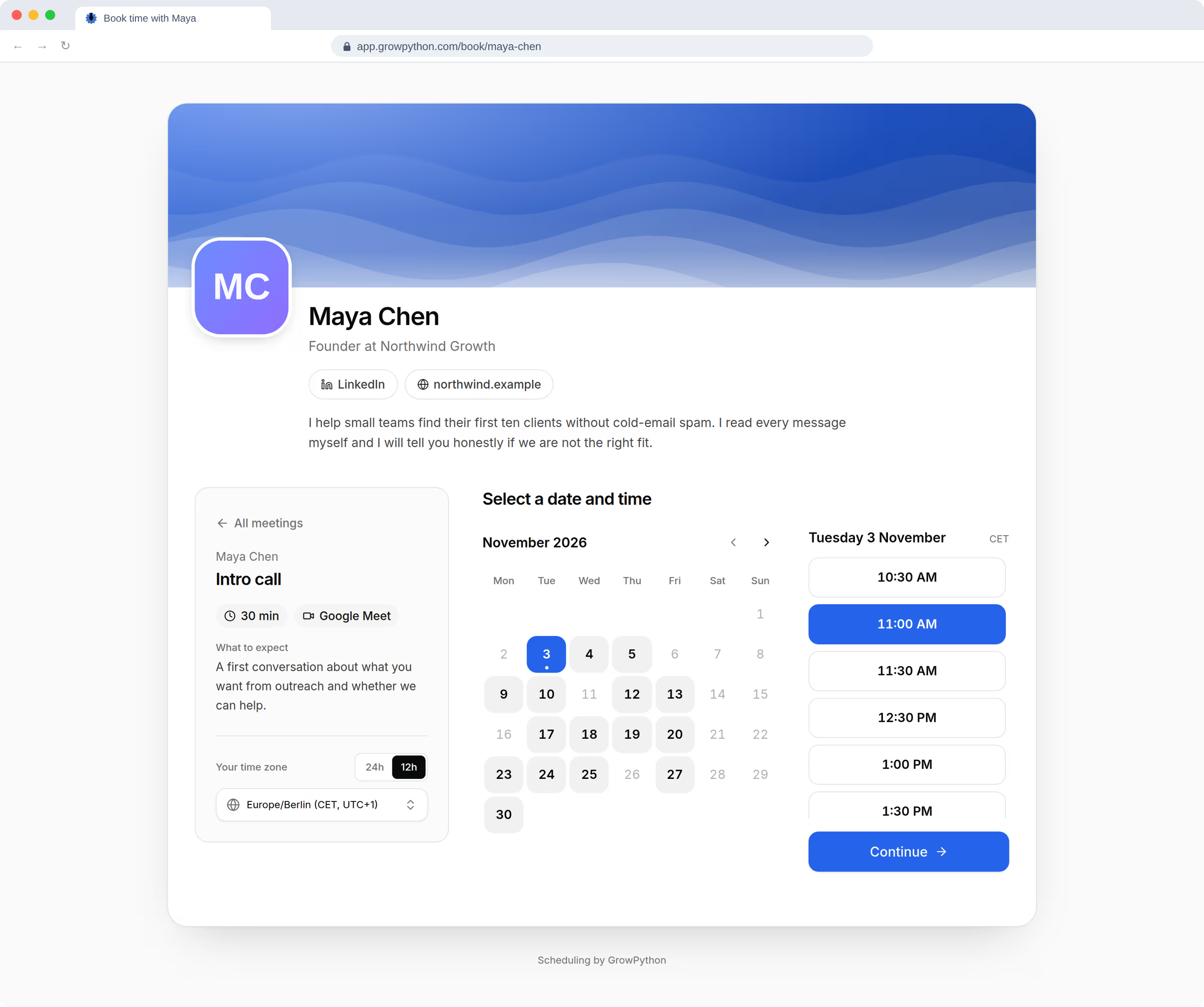
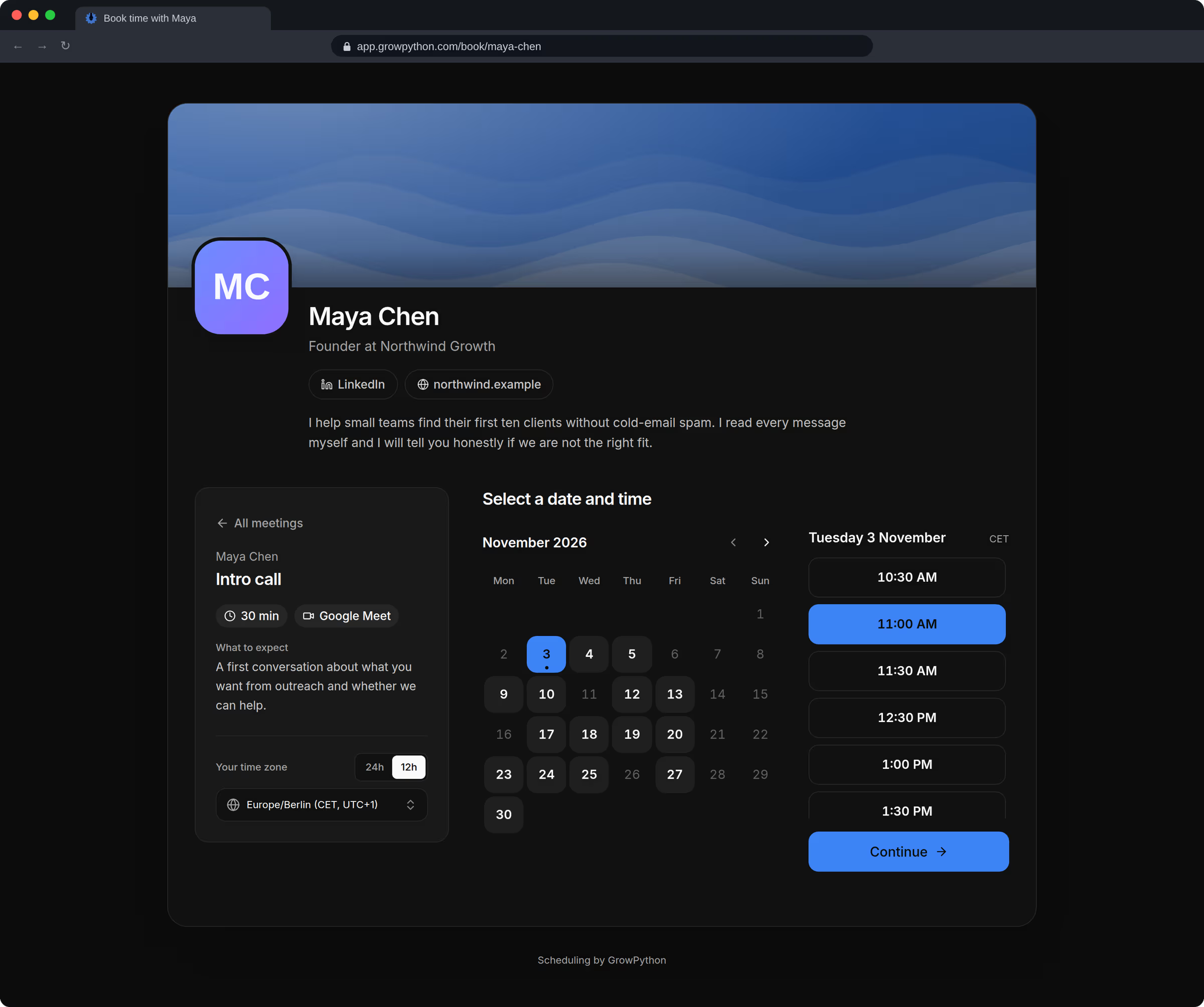
Send your booking page. The meeting appears on your calendar, and the notes stay with the person.
A time is picked, the meeting is booked
05
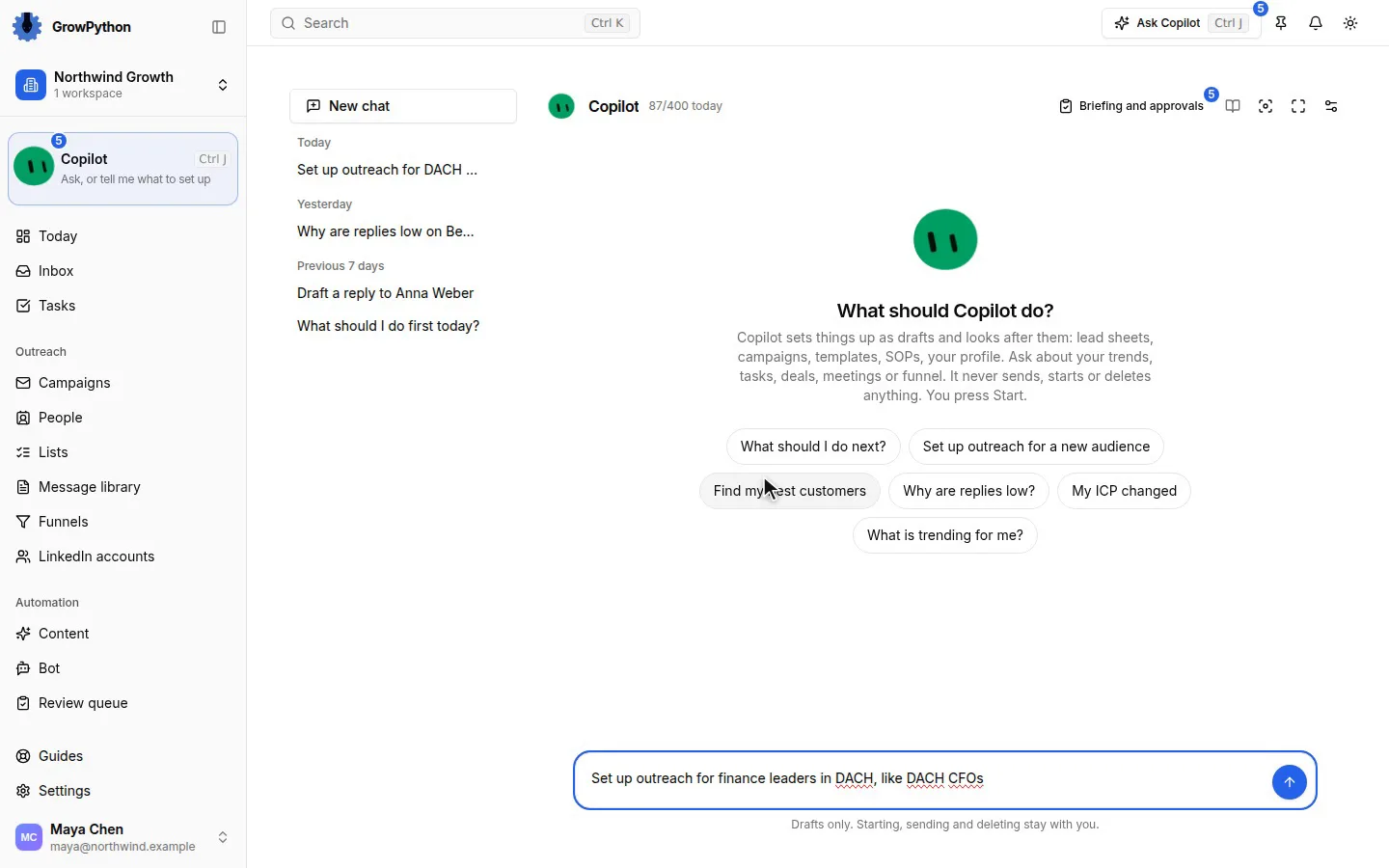
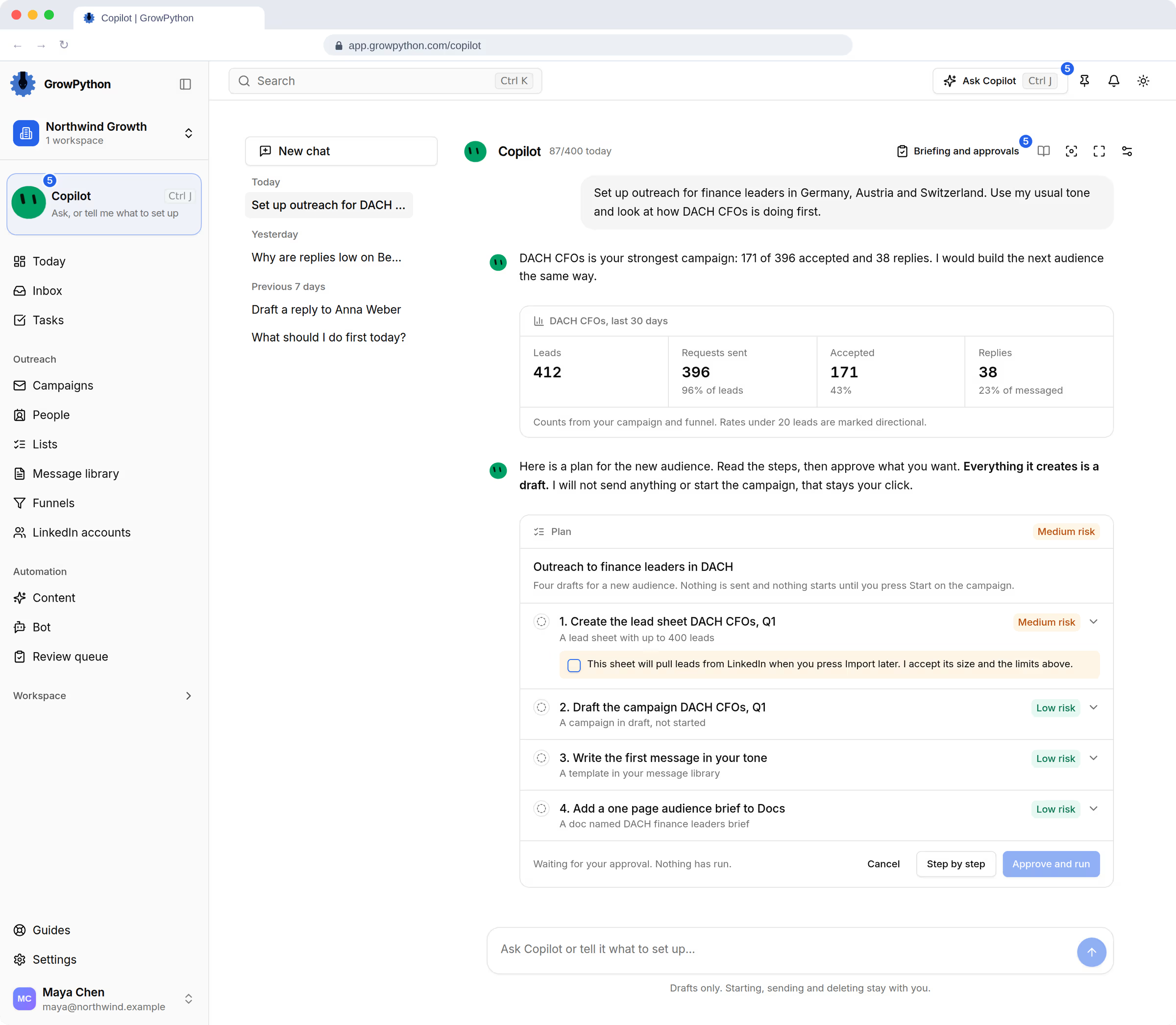
Xupy drafts the next step and waits. It never sends, starts or deletes without a person's click.
Xupy proposes, you approve

01
Find
Pull people from LinkedIn search, Sales Navigator, a CSV and more, or let the daily list bring decision makers who match your ideal client.
People from your search go into a list
02
Reach
Run one sequence across LinkedIn and email, with each account's limits in view and a Start button that waits for you.
Nothing sends until you press Start
03
Reply
Every answer lands in one inbox, next to the person's history, with a suggested reply you can edit.
A suggested reply, yours to edit
04
Book
Send your booking page. The meeting appears on your calendar, and the notes stay with the person.
A time is picked, the meeting is booked
05
Prepare
Xupy drafts the next step and waits. It never sends, starts or deletes without a person's click.
Xupy proposes, you approve
You stay in charge
AI prepares. You decide.
Xupy, the AI assistant, drafts the list setup, the sequence and the reply. No campaign starts and no Inbox reply goes out without a person's click, and every LinkedIn account stays inside weekly limits you choose.
The AI prepares
- A draft campaign, its messages and its list setup, shown as a plan
- Three reply drafts in the Inbox, marked as AI drafts
- A meeting brief with proposed next steps
- A daily briefing of what needs you
Only a person can
- Start, pause or stop a campaign
- Press Send on an Inbox reply
- Connect or remove an account
- Change a limit or touch billing
- Delete anything
Limits that hold
Weekly limit per LinkedIn account, as a share of the 200 maximum
- Gentle50 a week
- Balanced100 a week, the default
- Faster150 a week
- Set anywhere from 10 to 200 a week
- Sends only in the working days and hours you choose
- A daily cap on every campaign, 25 by default
LinkedIn sets its own rules and restricts automated tools. GrowPython cannot promise that an account will never be restricted, and the safest number is usually lower than the maximum.
The platform
Every part of getting clients, in one place
Each module stands on its own page, with its own screens, its own steps and its own limits.
- Lead discoveryA small list of the right people, built in minutes.
- LinkedIn outreachSequences, limits and replies, with you pressing Start.
- Email outreachEmail follow-ups and replies in the same inbox.
- SchedulingA booking page that lives next to your outreach.
- Meeting notesThe call, written up, with next steps you approve.
- WorkspaceDocs, Canvas, Files, Messages and Tasks beside your campaigns.
- CRM and InboxEvery reply, person and deal in one place.
- Content AITrends, drafts and engagement for your LinkedIn presence.
- XupyIt prepares. You approve.
- Company BrainTeach the AI helpers how your company talks and sells.
- Mobile appReplies, approvals and Today, between meetings. Coming soon.
- Analytics and funnelsSee how far people get, and where they stop.
- Agency workspacesA workspace per client, and your own brand with the white label add-on.








Who it is for
Built for teams that win their own clients
Founders, small B2B sales teams, agencies, recruiters and marketers whose buyers are on LinkedIn, and who want to stay in control of what goes out in their name.
- ForSales TeamsEvery reply owned, answered and turned into a booked call.See their day
- ForRecruitersSource candidates, keep the passive ones warm and book screening calls.See their day
- ForAgenciesRun outreach for every client from one login, each client kept apart.See their day
- ForMarketersTurn the people who engage with your posts into conversations.See their day
- ForFoundersSell between product work, with an assistant that prepares and asks first.See their day
Mobile
Your pipeline, in your pocket
An app for iPhone and iPad brings Today, the Inbox, Xupy and Approvals with you, and an Android app follows. They are built and not in the stores yet.
- App StoreComing to the App Store
- Google PlayComing to Google Play


FAQ
Questions people ask first
What is GrowPython?
GrowPython is an AI-driven client acquisition platform, an operating system for winning B2B clients. It helps you find the right people, reach them on LinkedIn and email, handle the replies in one inbox, book the meeting and keep the notes from the call, all from one workspace. Xupy, an AI assistant, prepares drafts and plans, and a person approves them.
What does a client acquisition platform replace?
The patchwork most teams use to win clients: a LinkedIn automation tool, a spreadsheet of leads, a separate email tool, a scheduling link, a notetaker, a notes app and a CRM. GrowPython puts the work that leads to a first meeting in one place, on one record per person. It is a sales workspace, and it does not try to be a general office suite.
Is GrowPython a LinkedIn automation tool?
LinkedIn outreach is one part of GrowPython. A campaign sends connection requests and follow-ups from your own LinkedIn account, inside weekly limits and working hours you choose, and it can follow up by email too. Replies from both channels arrive in the same Inbox, and the platform also includes a booking page, meeting notes, a CRM, docs and content tools.
Is GrowPython an AI SDR?
No. An AI SDR is usually sold as software that prospects and replies on its own. In GrowPython the AI prepares and a person decides: Xupy drafts campaigns, messages and plans for you to approve, and it cannot send a message, start a campaign, connect an account or change a limit.
Does the AI send messages without my approval?
No. Xupy cannot send a message or connection request, start, pause or stop a campaign, delete anything, connect an account or change a limit. The reply bot writes drafts that wait for you. A campaign sends the sequence you wrote only after you press Start, and an Inbox reply leaves only when you press Send.
Is automated LinkedIn outreach allowed by LinkedIn?
LinkedIn's User Agreement restricts the use of bots and other automated methods to add contacts or send messages. Using any outreach tool puts an account at risk of a restriction, and GrowPython cannot promise an account will never be restricted. You set weekly limits and working hours, and you decide whether to use a tool at all.
How much does it cost?
A seat costs 1,500 rupees a month, GST included. A seat is one connected LinkedIn account. New customers get a 5-day free trial.A seat costs 25 US dollars a month. A seat is one connected LinkedIn account. New customers get a 5-day free trial.
Is there a mobile app?
An app for iPhone, iPad and Android is built and is not in the App Store or Google Play yet. The web app works on any phone browser today, and you can ask us to tell you when the mobile app is out.
Ready to run client acquisition from one place?
Start your free trial, connect an account and build a small list first.
5-day free trial for new customers