Skip to content

Agency workspaces

A white label outreach platform for agencies

Give each client a separate workspace for accounts, lists and campaigns, set roles for your team, and add white label branding with your own name, logo, colors and domain.

Does the job ofone login per clienta re-branded tool bought separately

The workspace switcher open in the sidebar listing three workspaces: Northwind Growth, Brightwave client and Cobalt Freight client, with Add workspace at the bottom. The Today page is visible behind it.The workspace switcher open in the sidebar listing three workspaces: Northwind Growth, Brightwave client and Cobalt Freight client, with Add workspace at the bottom. The Today page is visible behind it. Shown in the dark theme.

What it does

A workspace per client, and your own brand with the white label add-on.

  1. A workspace per client

    A workspace holds LinkedIn accounts, lists, campaigns and everything else for one brand or client. Switch with the switcher at the top of the sidebar.
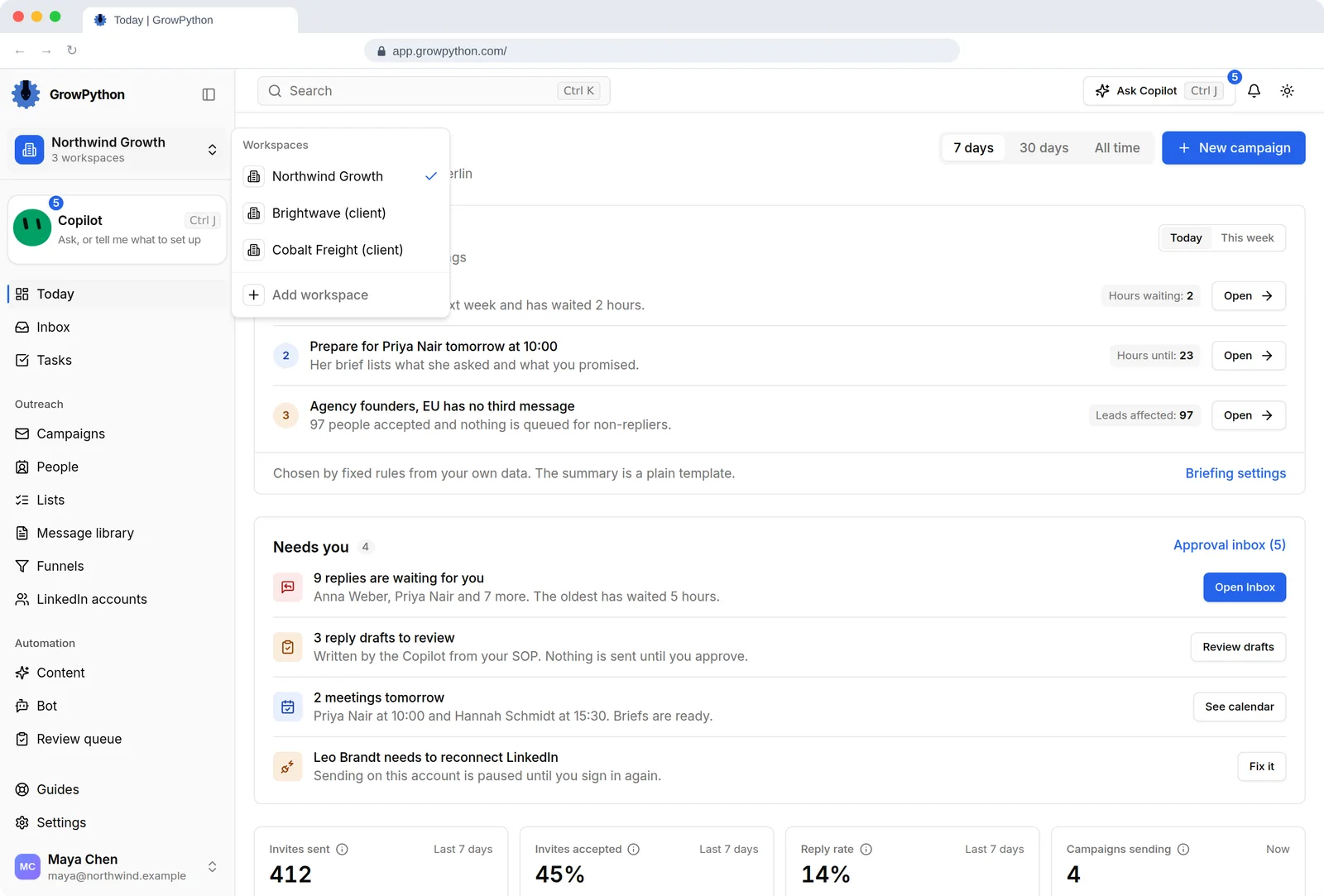
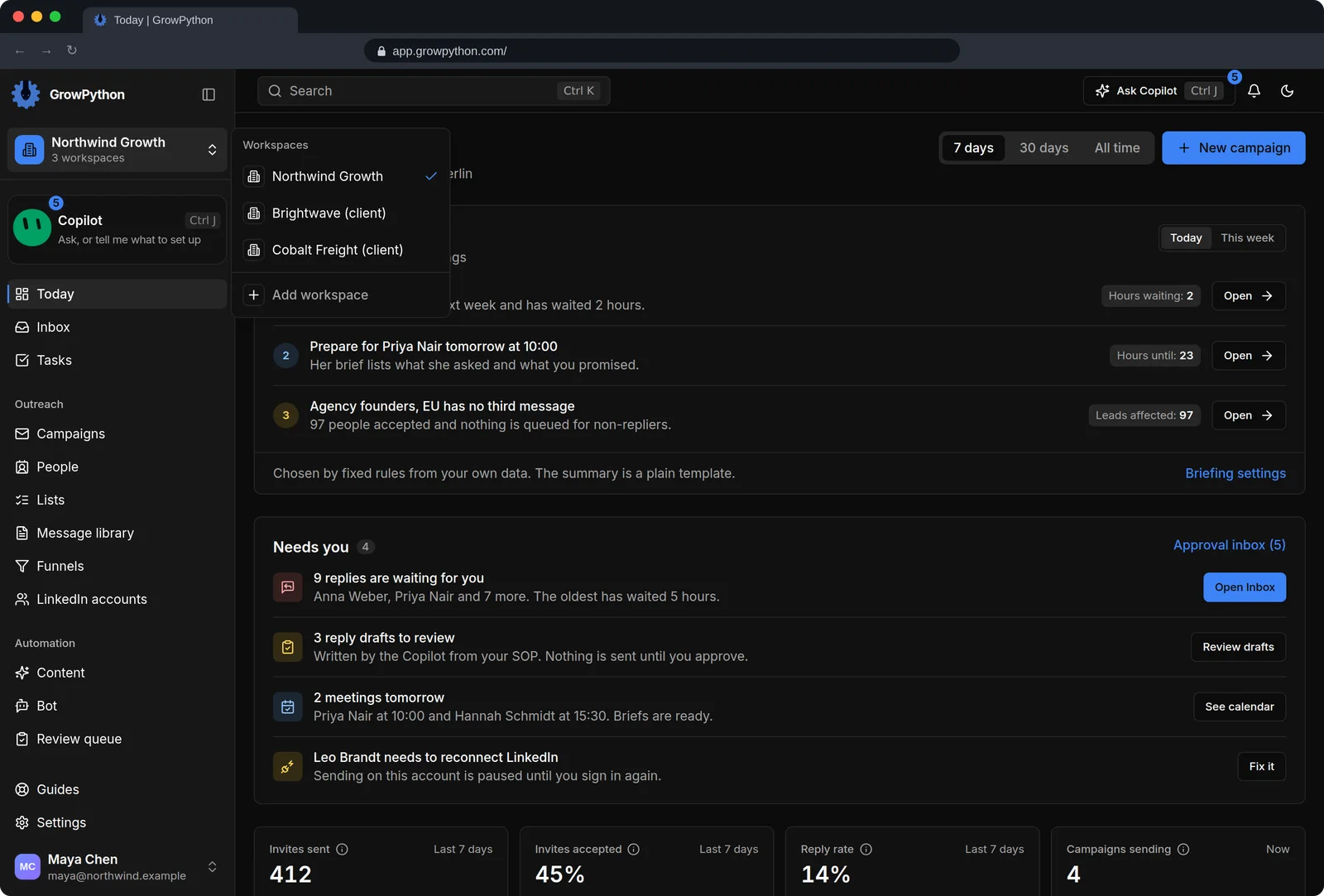
    The workspace switcher open in the sidebar listing three workspaces: Northwind Growth, Brightwave client and Cobalt Freight client, with Add workspace at the bottom. The Today page is visible behind it.The workspace switcher open in the sidebar listing three workspaces: Northwind Growth, Brightwave client and Cobalt Freight client, with Add workspace at the bottom. The Today page is visible behind it. Shown in the dark theme.
  2. Roles for your team

    Owner, Admin and Member, plus a read-only Viewer in some workspaces. Each invitation says which workspaces a person can open.
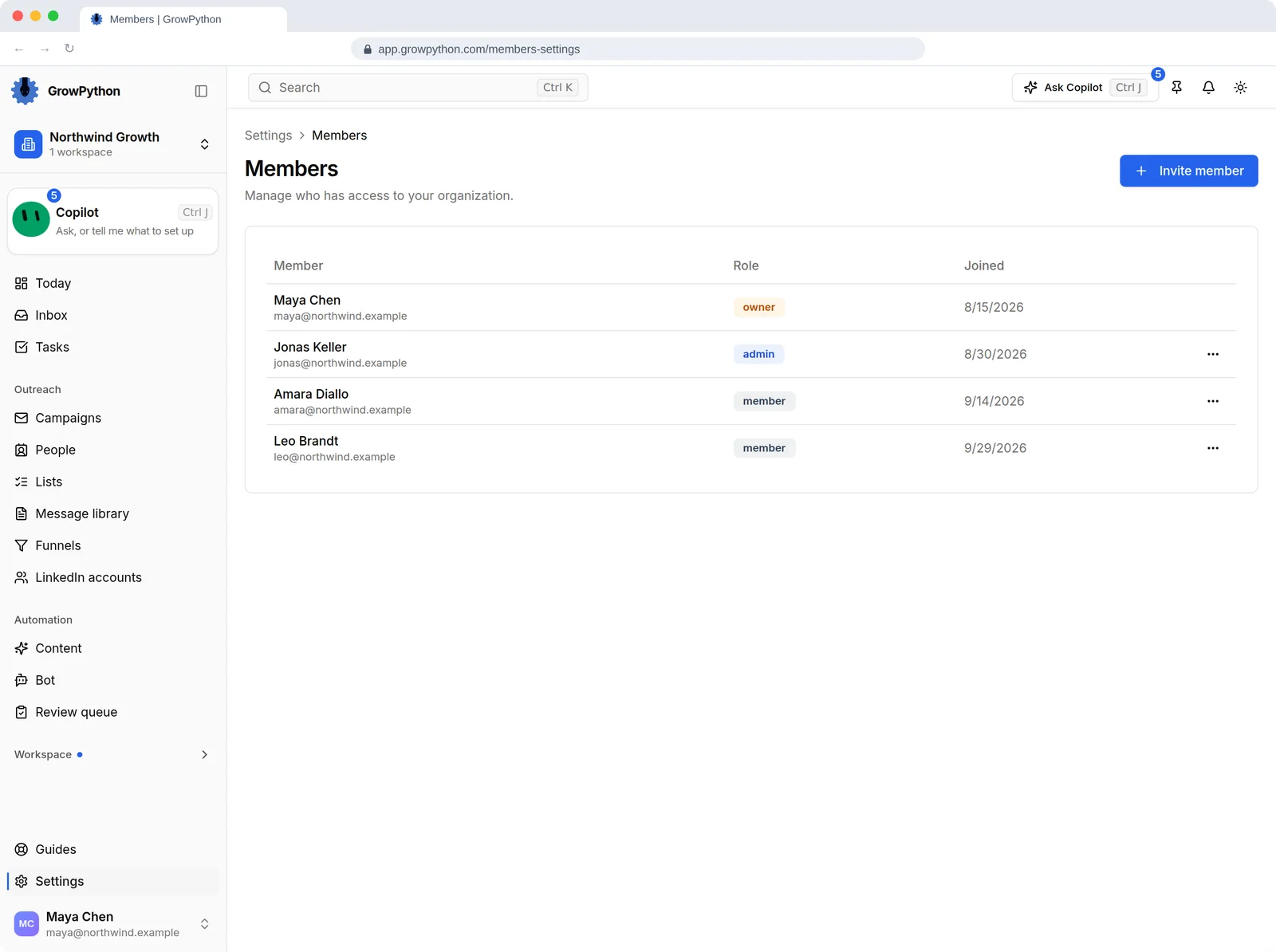
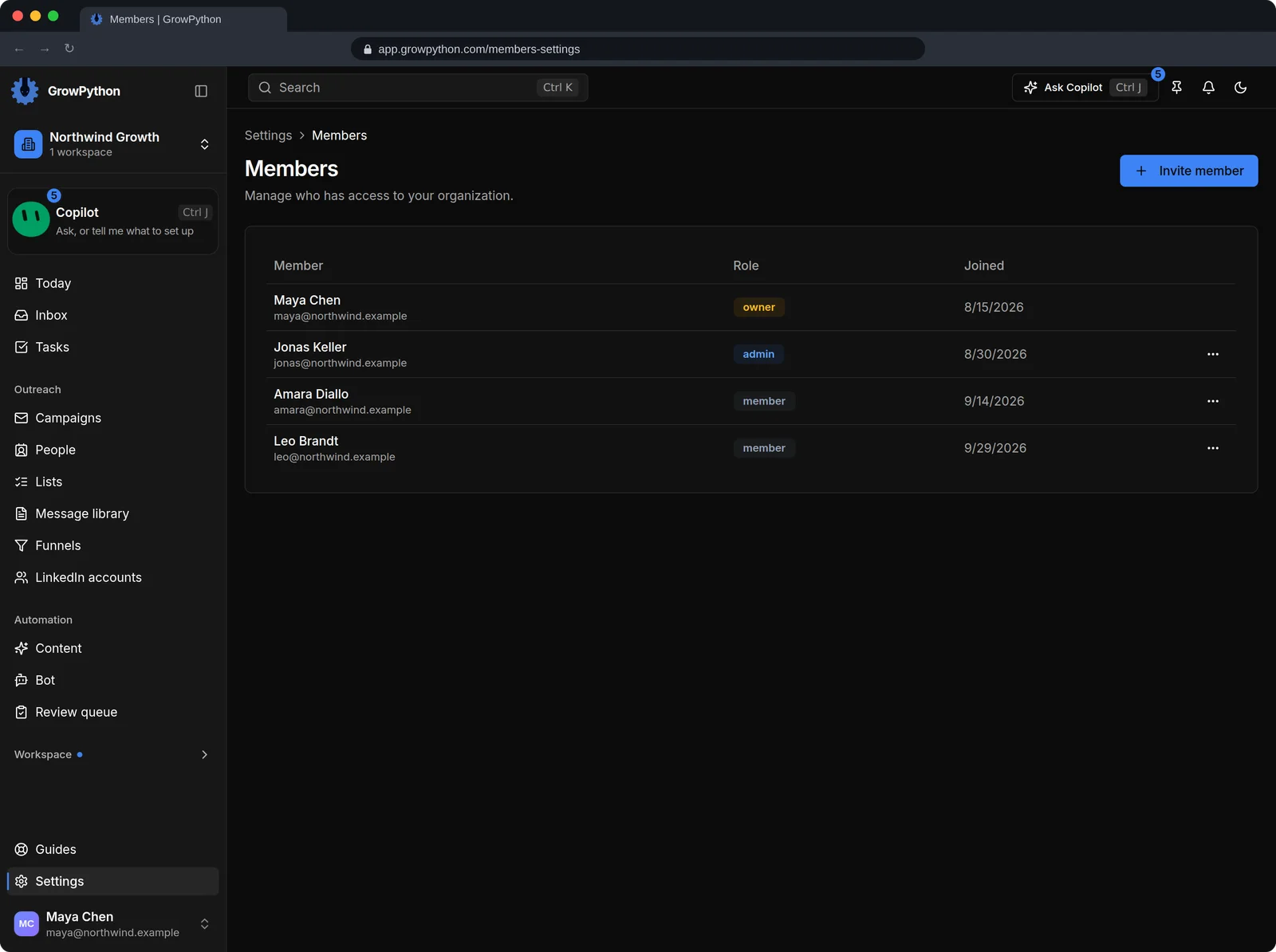
    The Members page listing four people with their roles Owner, Admin and Member and the date they joined, with an Invite member button and a menu for each person.The Members page listing four people with their roles Owner, Admin and Member and the date they joined, with an Invite member button and a menu for each person. Shown in the dark theme.
  3. Seats by LinkedIn account

    Each connected LinkedIn account uses one seat, counted across your workspaces. Inviting a teammate does not use a seat.
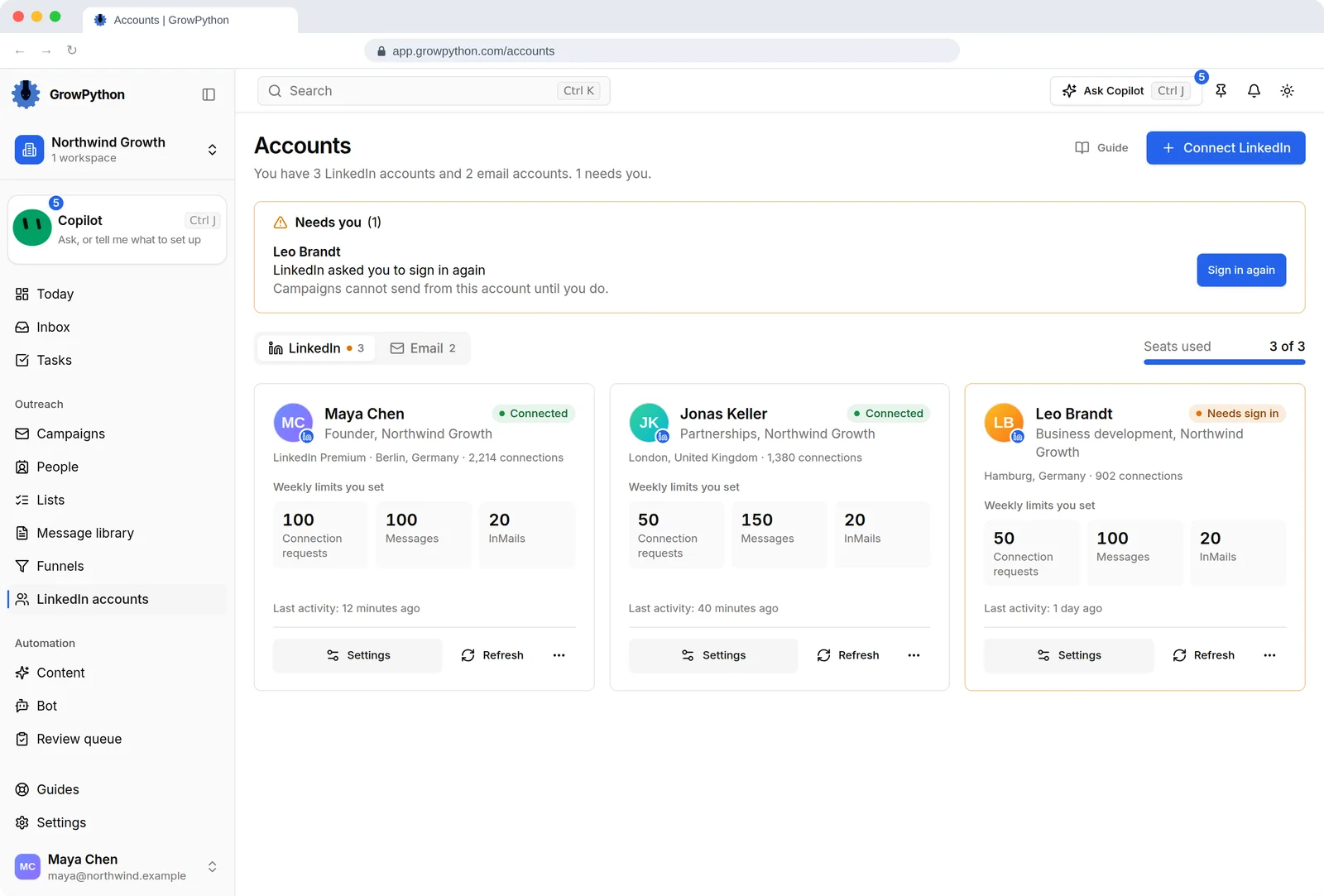
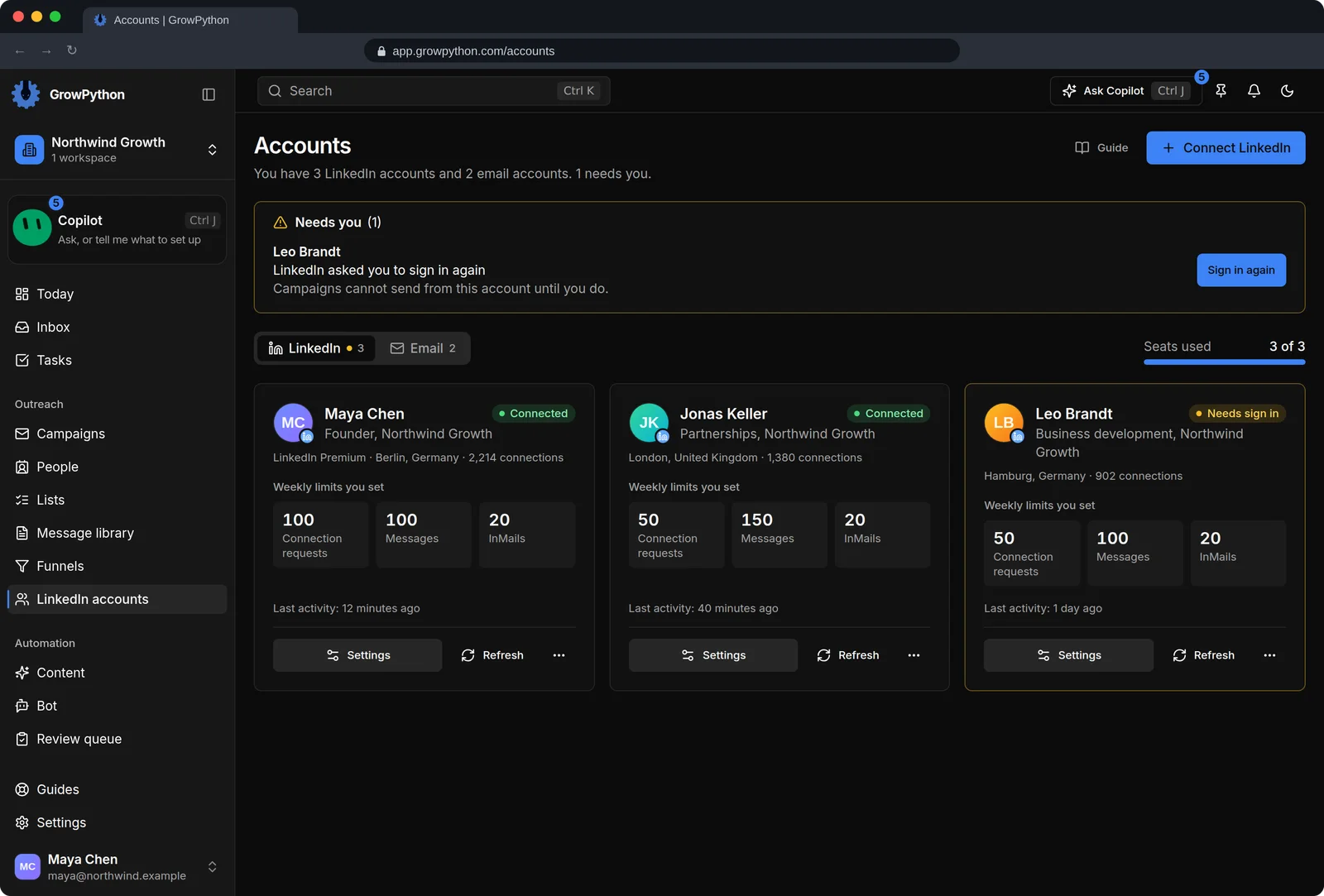
    The Accounts page with three LinkedIn account cards for Maya Chen, Jonas Keller and Leo Brandt. Each card shows its weekly limits for connection requests, messages and InMails and when it was last active. One account shows a Needs sign in warning with a Sign in again button, and a seat counter reads 3 of 3.The Accounts page with three LinkedIn account cards for Maya Chen, Jonas Keller and Leo Brandt. Each card shows its weekly limits for connection requests, messages and InMails and when it was last active. One account shows a Needs sign in warning with a Sign in again button, and a seat counter reads 3 of 3. Shown in the dark theme.
  4. White label branding

    On the white label add-on: your app name, logo, favicon and colors, and a custom domain that is checked by DNS and gets a certificate.

    The workspace switcher open in the sidebar listing three workspaces: Northwind Growth, Brightwave client and Cobalt Freight client, with Add workspace at the bottom. The Today page is visible behind it.The workspace switcher open in the sidebar listing three workspaces: Northwind Growth, Brightwave client and Cobalt Freight client, with Add workspace at the bottom. The Today page is visible behind it. Shown in the dark theme.
  5. Shared work, clear owners

    Assign Inbox conversations and tasks to a teammate so it is clear who answers.

    The workspace switcher open in the sidebar listing three workspaces: Northwind Growth, Brightwave client and Cobalt Freight client, with Add workspace at the bottom. The Today page is visible behind it.The workspace switcher open in the sidebar listing three workspaces: Northwind Growth, Brightwave client and Cobalt Freight client, with Add workspace at the bottom. The Today page is visible behind it. Shown in the dark theme.
The workspace switcher open in the sidebar listing three workspaces: Northwind Growth, Brightwave client and Cobalt Freight client, with Add workspace at the bottom. The Today page is visible behind it.The workspace switcher open in the sidebar listing three workspaces: Northwind Growth, Brightwave client and Cobalt Freight client, with Add workspace at the bottom. The Today page is visible behind it. Shown in the dark theme.

How it works

Agency workspaces

  1. Step 1 of 4

    Create a workspace per client

    Use the workspace switcher and keep each client's accounts and lists apart.

  2. Step 2 of 4

    Invite your team

    Choose a role and the workspaces each person may open.

  3. Step 3 of 4

    Add seats as you connect accounts

    The seat bar tells you when you need more, and you add them in Billing.

  4. Step 4 of 4

    Add white label if you want your brand

    Set the name, logo, colors and domain in Settings.

Limits and guardrails

What it will not do, and what you should know before you rely on it.

  • White label is a separate paid add-on on top of seats. The Billing page shows its current price.
  • On a custom domain people sign in separately from app.growpython.com, and a new domain can show the GrowPython brand briefly while its certificate is issued.
  • White label covers the app name, logo, favicon, colors and domain. It does not add separate client reports.
  • Seats count connected LinkedIn accounts, not people.

Agency workspaces

More screens

  • Roles for everyone on your team.

  • Connect accounts, set weekly limits, and see which one needs you.

  • One login, a workspace per client.

FAQ

Questions

Can I run outreach for several clients?

Yes. Create a workspace for each client. Each holds its own LinkedIn accounts, lists and campaigns, and each invitation says which workspaces a person can open.

How does white label work?

It is an add-on on top of seats. You set an app name, logo, favicon and colors, and a custom domain that you verify with DNS.

Do my teammates need a seat?

No. A seat is used by each connected LinkedIn account, not by each person you invite.

Is there a discount for agencies?

Pricing is per seat. For volume or white label questions, contact us.

Ready to run client acquisition from one place?

Start your free trial, connect an account and build a small list first.

5-day free trial for new customers